

AOCHUAN 70.9” Auto-Open 4-in-1 Smartphone Gimbal Stabilizer for iPhone w/Magnetic Remote,AI Face Tracking Phone Stabilizer(No App Needed), 360°Rotating Gimbal w/RGB Light &Built-in Tripod, M3Pro Black
$59.90
Related Products







Product description


1 Unlimited tracking
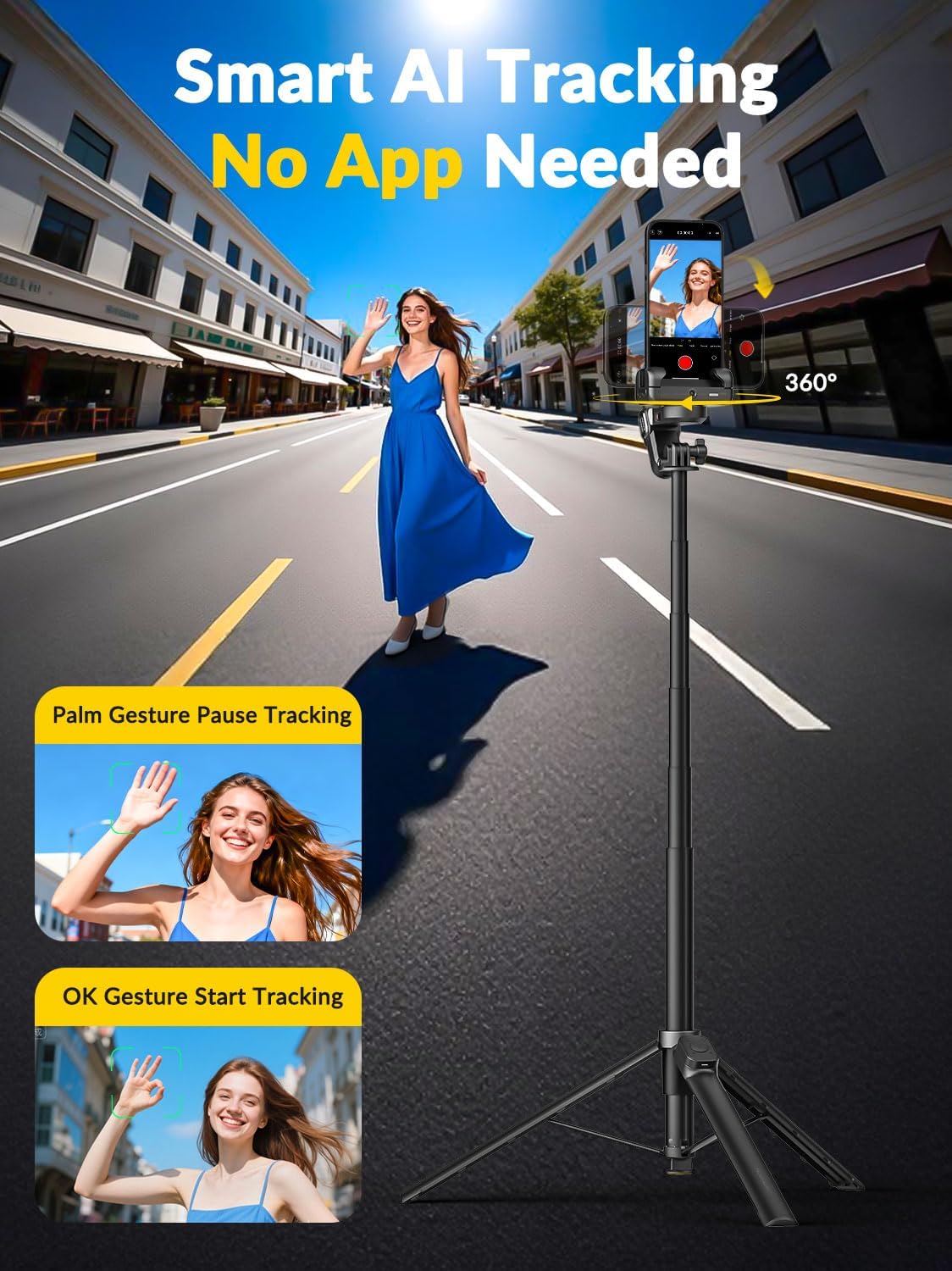
2 Gesture control
3 POV mode


1 Auto-open tripod
2 Flexible angle
3 Tripod mode


1 Remote control
2 Panoramic shooting
3 RGB fill light


1 4-in-1 gimbal 2 360° rotation 3 Selfie stick mode


1 Dual phone setup
2 Standby time
3 Lightweight design
Instructions – Switching b/w 2 modes
 AI Tracking Mode
 Handheld Gimbal Mode
Auto-Open Design: Smart M3 Pro phone stabilizer automatically opens with a single press, saving time and effort when shooting. No need to fumble with manual setup, just tap to unfold and start recording instantly. Designed for quickly start photography or travel moments.
Face Tracking without App:Activate AI face tracking on the gimbal with a simple hand gesture—no app or Bluetooth connection required. The built-in sensor recognizes your face and allows you to move freely without worrying about your face being out of frame.
Magnetic Remote Control: Control your gimbal stabilizer from up to 10 meters away using the detachable magnetic remote. Capture photos, start recording, or switch modes effortlessly when shooting solo or in groups.
Stabilization Modes: Features AI tracking mode and POV creative mode for dynamic, cinematic shots. The upgraded stabilization ensures smooth, shake-free footage even while walking or panning. Supports 360° panoramic shooting—great for travel vlogs or party filming.
Built-in 70.9” Extendable Rod: You can extend M3 Pro phone gimbal up to 70.9″ to unlock new shooting angles. Easily and steadily capture full-body shots, dynamic overhead views, or daily vlogs.
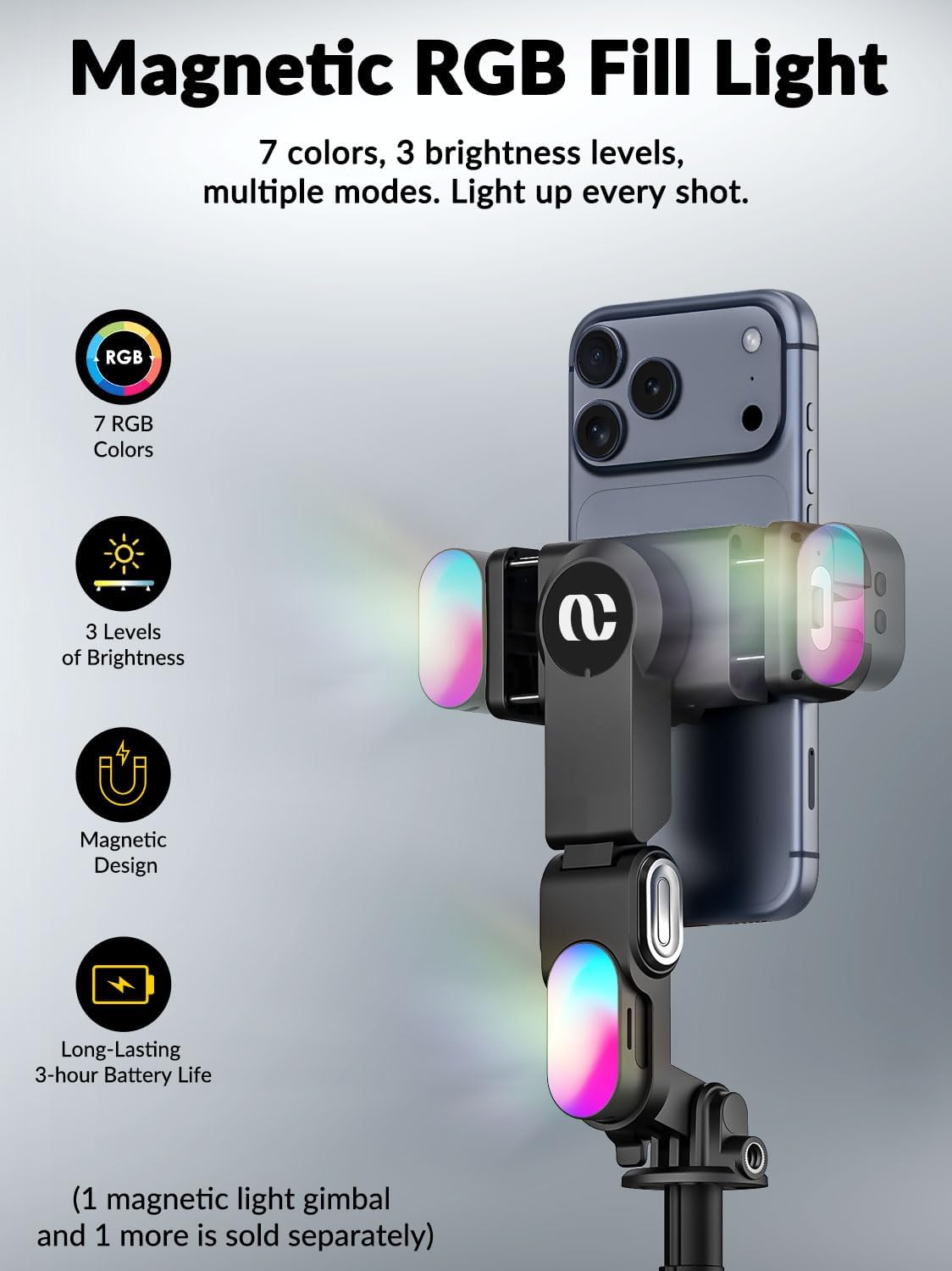
7 Colors RGB Fill Light : Smart M3 pro gimbal is equipped with a 7-color magnetic adjustable fill light that illuminates the scene anytime, anywhere, simplifying your shooting setup. It is suitable for night photography and beauty video shooting.
1/4” Expansion Port: Equipped with a universal 1/4-inch screw mount, allowing you to attach microphones, secondary cameras, or extra lights, providing more creative possibilities for content creators.
Usage Note: For optimal performance, ensure the remote is within 10m of the device. Face tracking works best within a 5m range for precise recognition and stable AI performance.
4 reviews for AOCHUAN 70.9” Auto-Open 4-in-1 Smartphone Gimbal Stabilizer for iPhone w/Magnetic Remote,AI Face Tracking Phone Stabilizer(No App Needed), 360°Rotating Gimbal w/RGB Light &Built-in Tripod, M3Pro Black
Add a review
$59.90
John –
Tall, Smart, and App-Free
I recently put the AOCHUAN 4-in-1 stabilizer through its paces, and it is a powerhouse of a tool for anyone looking to level up their mobile content. Whether you’re using it as a steady gimbal or a towering tripod, it delivers on every front.The ProsExtremely Simple Setup: There is no steep learning curve here. The base opens easily, and the rod reaches full extension with just a simple pull. It’s ready to go in seconds.Impressive Height: The rod extends to over 70 inches, giving you incredible range for high-angle shots or group photos.Smart Face Tracking: This is where the AOCHUAN really shines. The face tracking is remarkably accurate and—best of all—it does not require an app or Bluetooth connection. It recognized exactly where I was standing, and the light turned solid green to confirm it was following my movements.Reliable Gimbal Performance: In my testing, the gimbal accurately tracked movements up to 8 to 10 feet away. It also features 2-3 different versions of automatic rotation to keep your shots dynamic.Multifunction Lighting: The built-in light is a great touch. It offers multiple colors and the ability to flash or cycle through colors automatically.Versatility: It functions perfectly as a selfie stick when you’re on the move, making it a true 4-in-1 device.Considerations & DisclaimerWind Sensitivity: While the height is great, I did notice a “con” during testing. On a windy day in my driveway, the camera at the top swayed a fair amount at full extension. It may not be the perfect tripod for very windy outdoor locations.Tracking Disclaimer: I tested the facial recognition AI feature solo. I’m not sure how it would perform on a crowded sidewalk—specifically if it would stay locked on me or accidentally follow someone else if they walked in front of the lens.Final VerdictEven with the wind sway at max height, this is a 5/5 for utility and ease of use. If you want a stabilizer that is tall, sturdy, and smart enough to follow you without fiddling with extra apps, this AOCHUAN model is a winner.
MickeyD –
Bad Instructions
Do not try to go by instructions. Go immediately to utube and watch how to vid and it will be simple. Thats why I will not give 5 star. Works as advertised and not by instructions lol
N. Foster –
*Perfect Solution for Hands-Free Photos & Videos
I’m really happy with the AOCHUAN 70.9” Auto-Open 4-in-1 Smartphone Gimbal Stabilizer. This has been a game changer for me, especially since I struggle with holding my phone steady out in front to take pictures or videos.The auto-open feature makes setup quick and easy, and the stabilizer does a great job keeping everything smooth and steady. I love the added convenience of the magnetic remote and AI features and it makes capturing photos feel effortless and much more natural. Also, lightweight and easy to carry when taking to the beach or area you have to walk to the destination.The extendable height is also a huge plus, giving me flexibility for different angles without needing help from someone else. Overall, this has made taking pictures so much easier and more enjoyable. Definitely a great tool if you want a simple, versatility and a hands-free solution! Great value for the money!!
Michael K –
Smartphone Gimbal Stabilizer for iPhone
I have used this with an iPhone 13 Pro Max for afew weeks, a few sessions each week. The auto open feature cuts setup time. Press one button, open it, mount the phone, and you are ready to record in seconds instead of adjusting legs and locks each time.The built in tripod works well for solo recording. I set it on a table or floor, step back, and stay in frame without stacking books or hunting for a ledge. At home I use it for whiteboard walkthroughs and simple workout demos, and it stays stable on tile and wood floors.AI face tracking without a special app is the main value. Gesture control to start and stop tracking works reliably in normal indoor light, and the head rotates a full 360 degrees to follow movement. As long as I stay in the room and at roughly the same distance, it keeps my face centered for both vertical and horizontal clips. The extension length adds flexibility. I use it for overhead shots in small rooms and full body framing when the tripod cannot move closer, and the phone still feels secure at full height.Stabilization matches what you expect from a single axis design. It will not replace a heavier three axis rig for running, but it smooths normal walking and panning enough for social media and internal work videos. Footage at normal walking speed looks clearly more stable than handheld, without distracting tilt swings on turns.The magnetic remote is good for solo filming. I start recording and switch modes from across the room instead of walking back to the tripod, which keeps clips shorter and cuts retakes. For meetings or training clips, it makes the setup feel closer to a small fixed camera.The RGB light helps in low light rooms. At my desk, turning on the light reduces grain on my face and makes skin tone look more even without extra gear. For late night recordings, that built in light has been enough that I do not reach for a separate panel.