
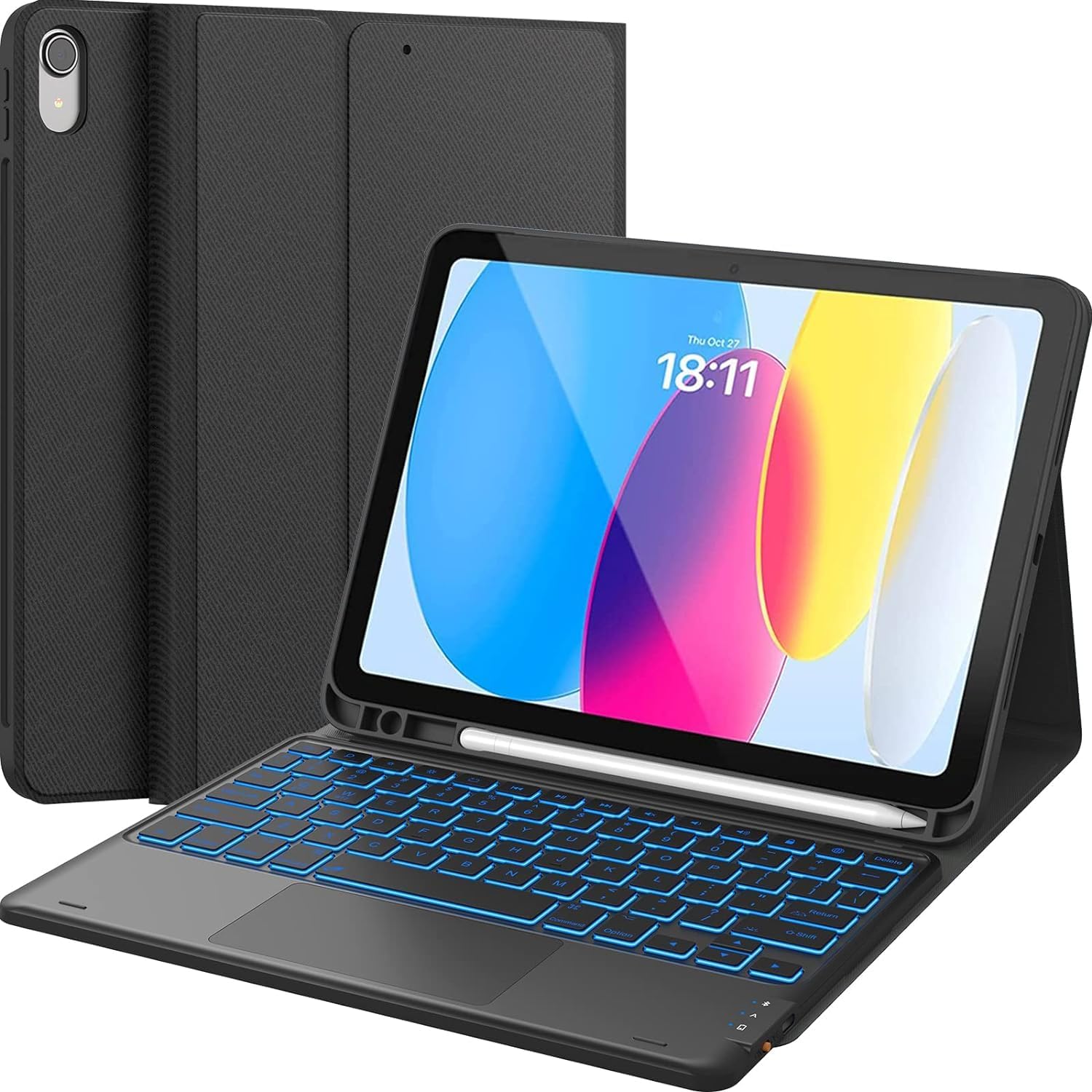
CHESONA for iPad 10th Generation Case with Keyboard, 7 Color Backlight, Multi-Touch Trackpad, Flip Stand Case with Pencil Holder, 2 Wireless Channels for iPad (A16) 11th/10th Gen (2025/2022), Black
$26.59
Related Products




From the brand

CHESONA
CHASE. SURF. ADVANCE.

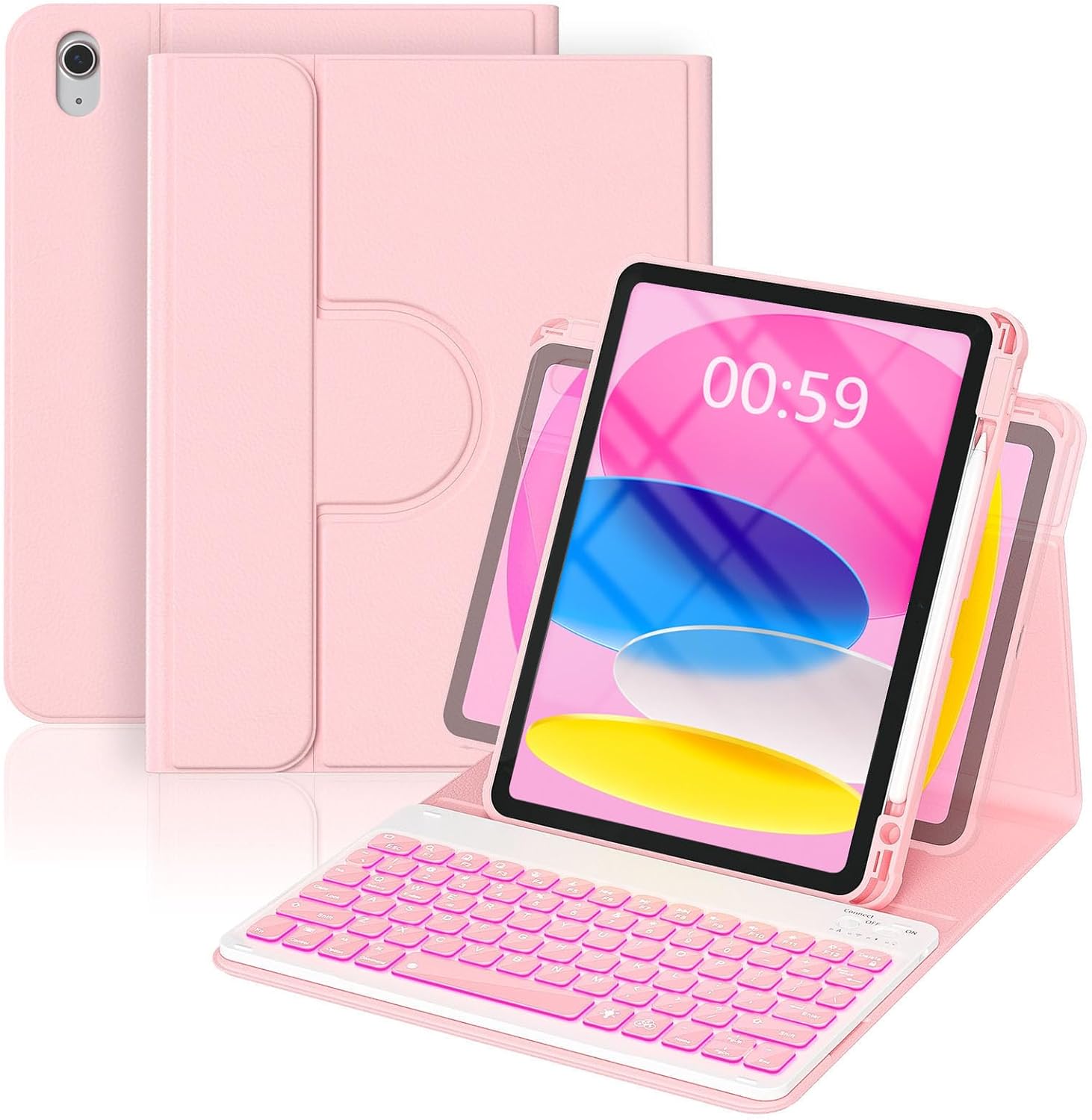
For iPad 10th (10.9inch-2022)
Magic Keyboard
For iPad 10.2″ 9th/8th/7th
For iPad Pro 11″ 4/3/2/1 Gen
For iPad Air 4th/5th
For iPad Pro 12.9″ 6/5/4/3 Gen
Wireless Keyboard & Mouse
Backlit Keyboard for iPad 11th/10th Generation: three-level adjustable brightness and 7 pure led backlit, engaging yourself in a free and relaxed typing experience in any dim condition. The backlight will automatically turn off if you are not typing for over 30 sec to save power.
Multi-touch Trackpad: this keyboard case for iPad (A16) 11th/10th generation has an integrated multi-touch trackpad that perfectly adapts to the IOS system, with various trackpad gestures, providing a comfortable usage experience while clicking, scrolling, and swiping through content effortlessly. Allows you to turn your tablet into a laptop.
Magnetically Detachable Wireless Keyboard: the intelligent keyboard case lets you switch between a lightweight laptop and tablet. Equipped with multimedia and other useful shortcuts, this detachable wireless keyboard provides you with the ultimate convenience. With a powerful 500mAh battery, its standby time lasts 120 days, even enters into sleep mode automatically if not in use for 15 minutes.
2 Wireless Channels & Pencil Holder: pair with up to 2 devices simultaneously and easily switch between them with only 1 click. Built-in Pencil holder for Apple, cap & adapter slots, grab your Pencil, easy to carry and use. Precise cutouts allow full access to all ports, sensors, speakers, microphones, and cameras.
Compatibility: this backlit wireless keyboard case is ONLY compatible with New iPad (A16) 11th Gen 2025 (Model number: A3354/A3355/A3356) and iPad 10th Gen 2022 (Model number: A2696/A2777/A2757). Please verify your tablet model carefully before purchasing. (iPad and pen not included)
9 reviews for CHESONA for iPad 10th Generation Case with Keyboard, 7 Color Backlight, Multi-Touch Trackpad, Flip Stand Case with Pencil Holder, 2 Wireless Channels for iPad (A16) 11th/10th Gen (2025/2022), Black
Add a review
$26.59
Ruddy –
Turns an iPad into a Laptop – Reliable, Feature-Packed Keyboard
My daughter purchased this keyboard case for her iPad so she could use it more like a computer for school and it has been a great investment. She’s been using it for a couple of months now and we haven’t had any issues to date.The setup was quick and straightforward and she really enjoys the features it offers. The keys are soft and comfortable to type on and the battery life is impressive. It lasts quite a while without needing to be charged.While the case does add a bit of weight with the keyboard attached, it’s still very manageable. The magnetic connection is strong which keeps the keyboard stable and secure during use. One feature she especially likes is the backlit keyboard. It’s very useful when she’s working at night and the different color options and adjustable brightness are a nice touch.Another thing that stands out is the number of built-in shortcuts, similar to what you’d find on a laptop. Functions like taking screenshots, adjusting volume, locking the screen and controlling media (play/pause) are all easily accessible. The cursor also supports useful gesture controls, for example, using three fingers to switch between apps which makes navigating the iPad much smoother and more efficient.Overall, this keyboard truly transforms the iPad into something that feels like a laptop. At one point, she thought the cursor had stopped working and reached out to the company, CHESONA. They responded very quickly and guided her through a simple fix. It turned out she just needed to press a few keys to turn on back the cursor function.All in all, this has been an excellent product. I would definitely recommend it to anyone looking to get more functionality out of their iPad.
Ray –
High Quality Case But Pricey
You definitely pay the premium for this case, but honestly it’s worth it for the one stop shop. It’s held up really well and you can feel the fit and finish. It’s thick enough to provide protection during a fall but not to where it’s overly bulky. The keyboard works great and the backlights are definitely a nice touch, even if they drain the battery. The keyboard is a cheaper plastic in all honesty, so the track pad definitely feels tacky. Additionally the magnetism that keeps the keyboard stable is somewhat okay. However, this is still a great product which I would definitely purchase again.
Melanie Prangner –
Good sturdy case and easy to use keyboard
I like this case, it’s sturdy. The keyboard works great once you get used to using the IPad features. The only reason I didn’t give it 5 stars is because the keyboard falls off when you use just the tablet.
I.M. Anamazoner –
Some helpful information about keyboard problems reported in other reviews
In this review, I will provide helpful information to resolve problems with the Chesona keyboard that some reviewers have reported.I have a lot of experience with Bluetooth keyboards, most recently with ones for my iPad. I’m an Amazon Vine reviewer, but I spent my own money on this one. I was determined to find a stand-alone keyboard with a trackpad that would show the remaining battery level (as a %) in the iPad Bluetooth widget. In the Chesona for iPad 10th Generation Case with Keyboard, I found what I wanted.However, there was a particular challenge to overcome. After initially Bluetooth-pairing the keyboard to the iPad, I was experimenting and needed to re-pair the Bluetooth to my iPad. That’s when I ran into a surprising difficulty: I couldn’t re-pair it — not with the iPad or any other Bluetooth device. I was all set to send it back as defective when I decided to try again (a “Hail Mary”, if you will). Noting a fleeting listing of the Chesona keyboard in the list of Bluetooth devices available for pairing on my iPad during the re-attempt, it occurred to me that, perhaps, the keyboard’s Bluetooth-availability signal might just be inadequately short. So I tried Continuously Holding-Down BOTH the [Fn] and [Q] (for Connection 1) keys, and that did it! The important point to note here is that the flashing connecting light (LED) on the keyboard that we expect means that the keyboard is in pairing mode is a red herring (when RE-pairing); Ignore It, and, it bears repeating, just keep pressing (holding down) Both the [Fn] and [Q] (or [W] for Connection 2) keys until you’ve actually selected the Wireless keyboard on your iPad’s Bluetooth pairing list – it’ll eventually show up, as long as you keep holding down those keys on the Chesona keyboard.(If you had previously paired the keyboard to your iPad, first have the iPad “forget” the old Wireless keyboard connection Before Re-Pairing.)In reading the reviews I noticed another difficulty some people reported having with the Chesona keyboard: touchpad failure. I could be wrong, of course, but I suspect that at least some of those might have been attributable to the user inadvertently Disabling the keypad by accidentally pressing the [Fn] key and the spacebar (which has that enigmatic icon for enabling and disabling the trackpad). It’s not a bug/defect; it’s a feature intended, I’m sure, to address a common issue (not just on this keyboard) that people have with apparent random cursor placement when the trackpad is accidentally tapped while typing, resulting in suddenly typing in some random place in the document. There are now known iPad setting fixes to help with this problem (disabling Trackpad Inertia and also Pointer Animations, and enabling Automatically Hide Pointer) — less drastic than losing a valuable keyboard with trackpad capability, even temporarily, something that only some keyboard-trackpad combos are even capable of doing in the first place.Another suggestion: On the iPad, activate Tap to Click (Settings > General > Trackpad > Tap). That’ll save you from having to hard-press the trackpad’s hidden, physical buttons on its bottom left and right corners.With my experience with all those keyboards that I’ve tried/owned/own, I can say that the ergonomics of the Chesona are to my liking. Good key travel, good tactile feedback, good scissor mechanism function. Also, good (fairly even) backlight coverage.Battery life: I am blown away by the battery life I’m seeing, based on the reported battery level even when using the backlight. It seems too good to be true. Other back-lit keyboards I’ve used/use make it impractical to ever use the backlight, even on the lowest brightness setting, due to the battery drain penalty that backlight use imposes. In the 84% to 81% battery level range, at least, I’m seeing a level of decline I expect to see on those other keyboards, with comparable battery capacities, with their backlights turned off entirely. I’m delighted – but skeptical.A disappointing note about using that second connection for Android phones: While the keyboard’s Keys are Android-compatible, I’m finding the Trackpad is Not. I’ve tried 2 different Samsung phones, one running Android 16, the other Android 15, and the cursor is unresponsive to any trackpad activity. Disappointing, yes, but not a deal-breaker. (I guess I won’t be using that simple little phone stand the Chesona comes with, at least not with the Chesona.)A note about the case the Chesona keyboard comes with. I planned before even ordering it to use the keyboard as a stand-alone. The accessibility of the battery level that this keyboard provides offsets the premium paid because of including the case. If you need/like the case, that’s even better for you.A final note about Chesona’s customer service. Before I had resolved the re-pairing problem, I reached out, through Amazon and by email, to Chesona’s customer service. That was on a Saturday. By Sunday I had an email from them. They needed specific order details first, but it was moot. The point is that they were very responsive.
Autumn May –
10/10
I’ve had this iPad case with the built-in keyboard and Apple Pencil holder for about a year now, and I can confidently say it was such a great purchase. Everything is still completely intact — no peeling, no broken keys, no loose hinges. It’s held up incredibly well with daily use.The keyboard itself is very stable and doesn’t wobble while typing, which makes it feel almost like using a small laptop. The keys are smooth and responsive, and they’re not sticky at all — even after a year of use, they still feel clean and comfortable to type on. I type notes and longer documents on it regularly, and it keeps up perfectly.The backlit keyboard lights are impressively bright and make it super easy to work in dim lighting. It adds such a premium feel. I also love how portable it is — it’s lightweight, slim, and easy to carry around without making my iPad feel bulky.The built-in Apple Pencil holder is a huge plus because I never have to worry about losing it. Everything stays secure and protected.For the price, the value is amazing. It truly feels like a laptop replacement without the laptop price. I would absolutely recommend this to anyone looking to upgrade their iPad setup!
M.Mostafa –
ممتاز
It doesn’t work –
انه لم يعمل
Produkt Funktioniert nach 2 Monaten nicht mehr er lässt sich nur sehr schwer wieder anschalten, was einfach zu lange dauert –
Funktioniert sehr gut
Amazon Kunde –
Beschädigt abgekommen!Echt Traurig dass immer so noch passiert