
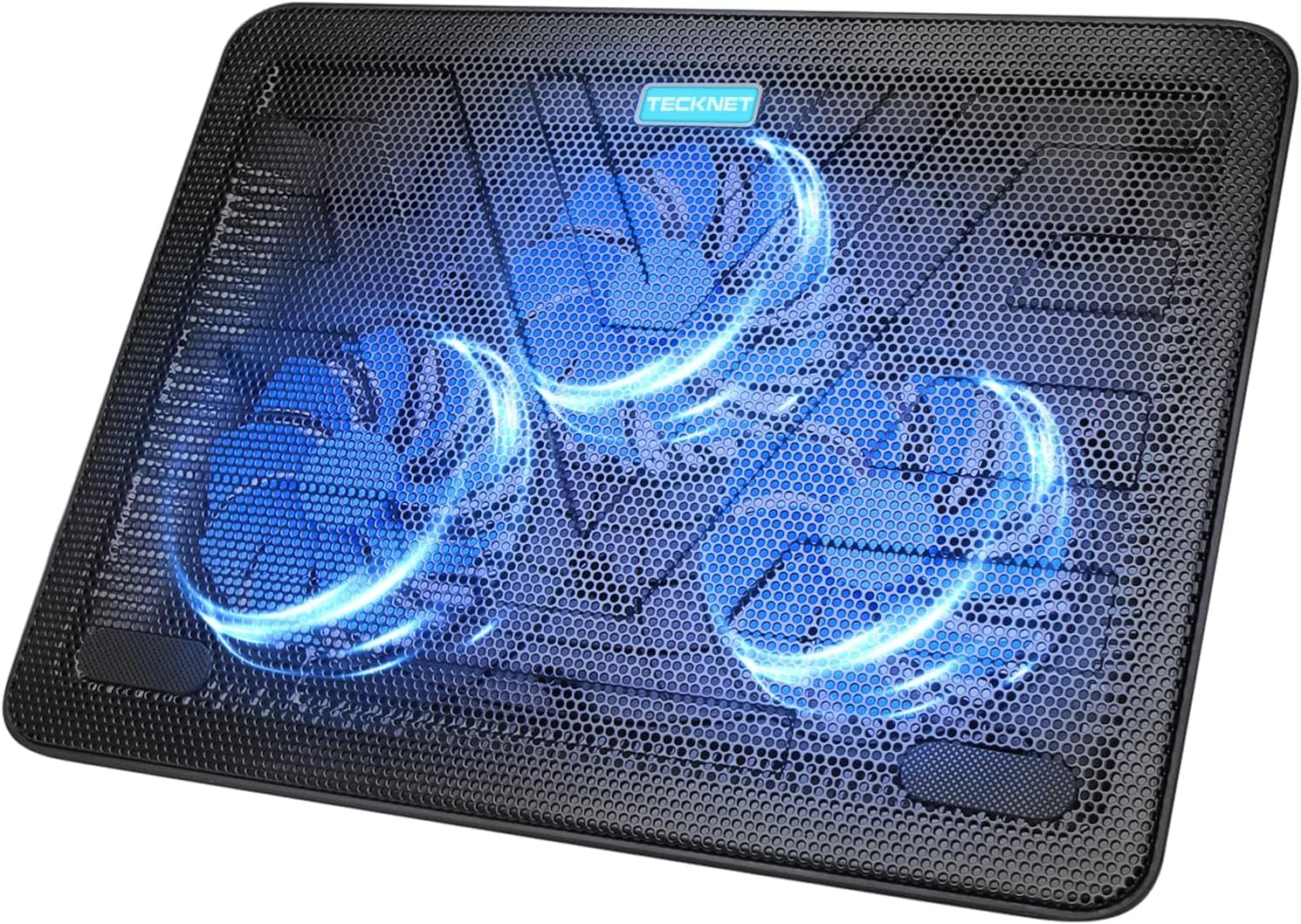
TECKNET Laptop Cooling Pad, Portable Slim Quiet USB Powered Laptop Notebook Cooler Cooling Pad Stand Chill Mat with 3 Blue LED Fans, Fits 12-17 Inches (Black)
$26.85
Related Products



Product description

 Triple Efficient Fans
3 powerful fans works at 1200 RPM to pull in cool air from the bottom to save your laptop from overheating due to long time on-line or gaming.


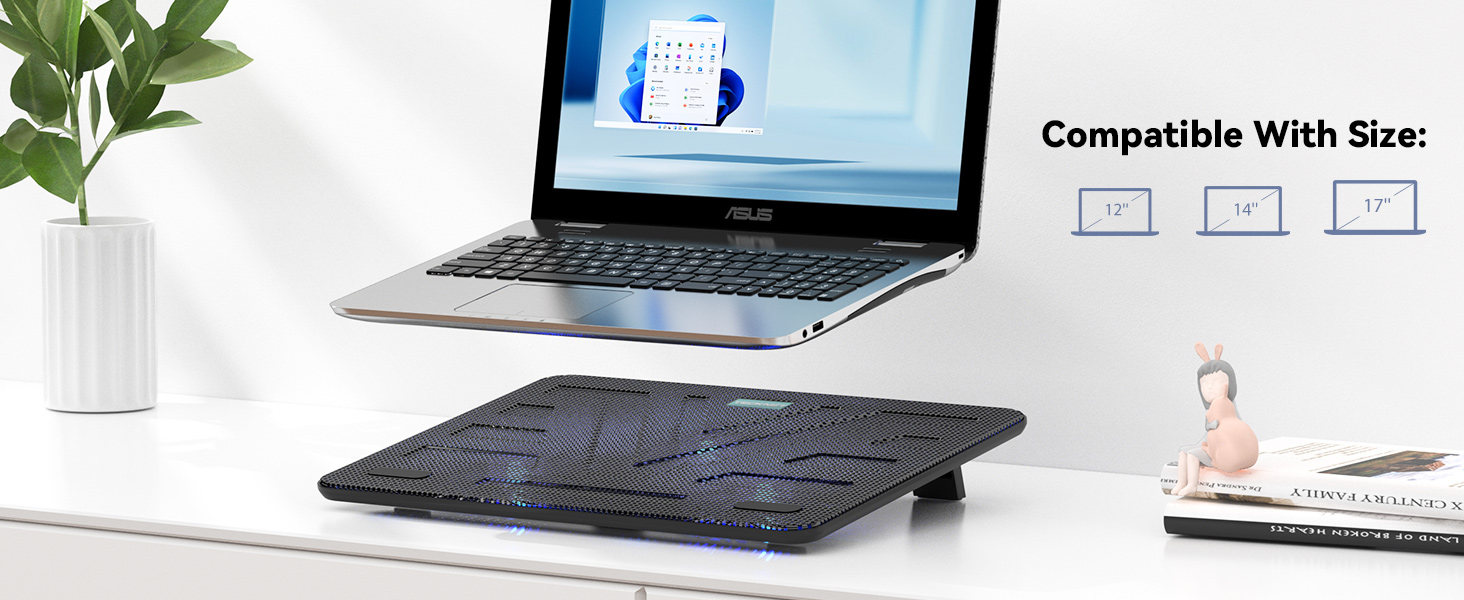 Wide Compatibility
It supports a variety of laptop sizes up to 17”, and the extremely sturdy polished metal mesh provides a stable surface for you to enjoy working on the computer.

 Ultra Portable
Slim, Portable, and Light weight protect your computer at all times


👍【Triple Efficient Fans】TECKNET laptop cooling pad with 3 powerful fans works at 1200 RPM to pull in cool air from the bottom to prevent your laptop, notebook, netbook, Ultrabook, Apple MacBook Pro cool from overheating during extended use or intense gaming.
✌️【Easy to Use】Powered directly by your laptop’s USB port, the 110mm fans operate quietly and feature a dedicated on/off switch. No external power adapter is needed.
👑【Double USB Ports】One USB port can power the laptop cooler, the other one can be connected to external devices, such as keyboard, mouse, audio, etc. Blue LED indicators confirm the fans are running. Note: The included cable is USB-A to USB-A.
👍【Ergonomic Comfort】Choose between two adjustable height settings to achieve a more comfortable viewing angle. Integrated rubber pads on the surface and base keep your laptop securely in place.
👌【Wide Compatibility】Compatible with various laptop sizes from 12 up to 17 inches, such as Apple MacBook Pro Air, HP, Alienware, Dell, Lenovo, ASUS, etc (USB cable included). The laptop fan can also accurately dissipate heat for your tablet, router, game console.
❤️【Lifetime Support】If you are not satisfied with our product or service, please feel free to contact us. Each TECKNET product comes with a lifetime support (registration required).
11 reviews for TECKNET Laptop Cooling Pad, Portable Slim Quiet USB Powered Laptop Notebook Cooler Cooling Pad Stand Chill Mat with 3 Blue LED Fans, Fits 12-17 Inches (Black)
Add a review
$26.85
Laughing Sal –
Though not expensive, performs very well!
My 2015 MacBook had been running quite warm for the past year. I positioned a small fan behind the laptop, and put it on a metal platform that allowed air to circulate under it, which helped to cool it down for awhile. When the weather here started creeping up into the 80s, despite the little box fan running behind it, the laptop again started to become uncomfortably warm.I should state here that am not a gamer (on my laptop, anyway) and just use it for the usual- surfing, email, writing, some streaming. A basic casual computer user. I am on the laptop for five or six hours a day, running multiple applications.After the desk fan was proving inadequate to cool off the laptop, I started researching “computer cooling fans” on Amazon, and discovered these under-computer fans. I must confess that this whole world of under-computer fan platform arrays was unknown to me.I found that this particular model kept coming up during Google searches for “best fans to cool down your computer.” It also had quite a few positive reviews on Amazon. That surprised me, as it was consistently the lowest-priced of all of the recommended fans on many of the lists I found. After about three days of research, I decided to order this TECKNET Cooling Pad.The positive reviews are right on. I’ve only had it for about a week, but it’s working great to keep my overheating older laptop cool. The computer rarely- every now and then- does get a bit warm, especially when the weather is hot. However, the Cooling Pad brings its temperature down fast. When I came out to the computer desk about a half hour ago to check my emails- it’s in the 80s here today, and the portable air conditioner in the living room hadn’t been running all morning- the laptop was quite warm, despite the fan running behind it. About two minutes after turning on this TEKNET Cooling Platform, it cooled down precipitously right away. I’m checking it, and the part that gets the warmest- the area around the keyboard- is now totally cool to the touch. That’s an impressive drop in temperature. I wish I had the ability to measure this difference in temperature of the computer, before and after turning on this fan unit as some reviewers did, to demonstrate the efficiency of this product. But believe me- the quick change from uncomfortably warm to nice and cool is impressive.When I picked up the box this item was in after Amazon dropped it off, I was kind of shocked at how light it was. I took the TECKNET Cooling Pad out of its box, and it felt sort of cheap and flimsy. Truthfully, its construction *is* a bit on the flimsy side. It’s not giving the impression its going to break into pieces without warning or anything like that, but I’m glad my laptop always stays on the desk, so I don’t have to move the Cooling Pad around too much. When I initially plugged the Pad in to my computer and turned it on, just to check it out, the fans appeared wimpy as far as their power to move air effectively. But, despite my initial impressions, this Cooling Pad is performing very well. It is surpassing all of my expectations.It’s also *really* quiet. I never hear it. There are a few fans running near me in the apartment along with the a/c, and these easily drown out any possible sounds from the Pad running. However, I do get up late at night to work on the computer. When I turn the Cooling Pad on, I can barely hear it. The blue lights are also a nice touch.I’ve had my laptop on that metal frame that elevates it at an angle about an inch above the desk’s surface for at least six months. So I am very used to the height and angle of that platform. The Cooling Pad, with the little feet at the back deployed, is holding it at a different angle now. So far, typing hasn’t been too uncomfortable, but it is a bit awkward. The longer I type on the laptop at this new angle, the easier it will become, as I will get used to it.There is a caveat. Although the Cooling Pad has a textured surface, with two little rubber things embedded in it toward the bottom that I think are meant for keeping laptops on the Pad from slipping down its surface, my laptop has slipped down a few times now. Were I not sitting right in front of it to stop it as it moved, the computer might have slid off of the Cooling Pad and fallen to the floor. So I have to make sure if I step away from the laptop that I close it up, take it off of the Cooling Pad, and put it somewhere stable on the desk until I can get back to it. I might install some velcro underneath the laptop to hold it to the Pad, but for now, moving it to where it is safe is not a problem. Just be aware that while your computer feels like it is sitting securely on top of the Cooling Pad, that may not be the case. (There are slight depressions in the surface of the Cooling Pad- like a sort of a “trough-” that the bottom of my laptop fits into. This “trough” is shallow, but it is there to hold the computer in place. I’m just not going to take the chance that the laptop won’t slide.)Pros: inexpensive; quiet; very effective at cooling; the glowing blue color is fun. Cons: computer does occasionally still get a bit warm (though it cools down fast); I’m not used to the new typing angle; laptop has proved prone to slipping forward. But those cons in no way are enough to inspire me to tell you not to buy this device. Other than those minor concerns, I totally recommend it!I also, as per the card enclosed with the unit recommends, registered my new Cooling Pad with TECKNET. (If you register your product, the company extends the warranty for 36 months.) I never got a confirmation email that my registration was successful (it had been.) I emailed TECKNET to check what had happened, and got a reply from them within an hour. That’s a good sign that TECKNET gives good customer service, and is responsive to their customer’s questions.I’m very glad I decided to go with this less expensive, but highly recommended, Cooling Pad. While it was inexpensive, and it’s not the most robust device, it is fantastic at doing its job.
Florida Mike –
It is very good, delivers on keeping my Alienware Laptops Cooled and that is awesome
I have 7 alienware with 4090 16 gig video and 64 g memory. I play everquest and develop my own games and I have my own 3D engine.I burned these systems like crazy and even my dell workstations I got them for.Here is what i love1) its got large fans2) I can feel the airflow moving easily3) they are QUIET honest here is my reality:–Wife was like wow why is your sitting chair alienware going crazy all the time. I explain to her the reasons. and she says would a cooler help. Im like I honestly and not sure. I got this and put it under the moment it arrived, 2 minutes later my Alienware automatically fell into quiet mode on its own (from cooling) and bingo silence… even with the lid closed, which always made it sound like a jet engine, not anymore.Now, are the fans as strong as some others.. no, I have had others that pushed more air, but Alienware (Dell) told me flat out I simply needed to move a large amount of air, NOT blast my system. And to make sure I ad space between the air flow and the desk.This has that with the back propups and I love the USB.I know people say the Cable length is bad and honestly its NOT great. I prefer to power it from a USB hub, so I definitely recommend if you want that, buy yourself a cheap usb cable.But for me it does everything I need and more with the extra USB.
Isis L. –
It is great, but noisy
I just got mine, the size is accurate and it works very well, you can feel the cooling coming out from the fan, the only thing I didn’t like that much is that it is very noisy, I work from home in a call service so low noise will be better, however the price is good and it does the job.
Alex –
Quiet, Effective, and Great for Daily Use
This laptop cooling pad has been great. It keeps my laptop cool even during long work sessions, and the fans are actually quiet, which was important to me. No annoying humming or distracting noise while working. The adjustable tilt is a really nice feature as well. It makes typing more comfortable and improves airflow at the same time. I use it daily in my office setup, and it’s been reliable and consistent. Overall, a solid cooling pad that does exactly what it’s supposed to do. Highly recommend!
A.J. –
Cool, Quiet, Aesthetically Pleasing & Does the Job Well!
I was a little apprehensive about using a laptop cooling pad (being too bulky, etc.) and to be honest, I really never heard of them. That said, I’m really happy I decided to try the TECKNET Laptop Cooling Pad. It’s not very bulky at all, I bought the 3-fan model since I think 5 or 6 fans is a little overkill other companies are selling. The TECKNET Cooling Pad was super-easy to set up — all that was needed is to plug in the supplied USB cable (you need to supply your own USB adapter), turn on the switch at the back of the unit and your laptop will be chilling in no time.There is very much adequate airflow to cool my Lenovo laptop. This cooling pad is lightweight and seems pretty durable so far. The top grate is made of metal, and the bottom is plastic. It’s also comfortable to type as it does not sit up too high which is another reason why I chose a cooling pad design that was a lower profile. There are adjustable feet at the back of the unit if you want it set up on an incline (plus there will be even more airflow).All-in-all, I’m very pleased with my purchase and having peace of mind that my laptop is working at an optimum level is well worth it!
Jason C. –
Keeps Laptops Cool and Quiet
Purchased 2 of these for my daughters to use under their laptops to keep them cool. Both are very happy with these pads and they seem to do a great job of keeping their laptops from overheating. The fans are powerful but super quiet and the blue lights just look cool. This is a must for protecting your electronics.
Chantal Benoit –
Comme espéré.
RV –
Quality product, nice one
Richard G. –
Works as advertised
J Marsh –
This is likely not the best on the market, but it is super quiet, it’s well built, and it does the job well. I bought this to extend the life of my laptop, as it was running pretty hot after extended gaming sessions. I tested this out and checked the temperature of my processor with and without the cooling pad – without it, my processor got to 72 degrees C after an extended period (several hours) of gaming. This was with the laptop in my lap, without a hard surface. With the cooling pad, my processor stays at a much cooler 46 degrees C.The only real negative about this is that it doesn’t really work if you don’t use it on a flat surface – there is a difference, but not really enough to prolong the life of your computer as much. I solved this by putting a hardback notebook underneath it, which gives it some elevation so the air has room to circulate. The feet on the underside to hold it up at an angle are really sturdy, although one of the rubber pads keeps coming loose – not a big deal, as the overall build quality is pretty good.As it’s just some metal with some fans between it, if you pick up the pad while it’s on (and squeeze the chassis in the process) the fans will make a pretty nasty sound – but this is the only time it’ll really make any noise. Compared to the sound of my laptop’s fan, it’s barely even noticeable.Can’t do much better for the price of it. I will note it was a lot smaller than I expected – my laptop is 14″ and fits perfectly on the pad, with maybe 1cm of space at the sides, and about an inch vertically – I’m not sure how a 17″ laptop would fit on it and get the same level of cooling, unless all the fans were on the bottom and in the middle!
E_Ireland –
It has 3 power fans idea for keeping the laptop cool. Also the whole cooling pad is not too bulky. Comes with two clips at the back to tilt the laptop if needed. Will update the review as times goes on.