

MEETION Ergonomic Mouse, Wireless Vertical Mouse RGB Backlit Rechargeable Mice for Bluetooth(5.2 + 3.0) & USB-A with USB-C Adapter 4 Adjustable DPI for Mac/Windows/Andriod/PC/Tablet/iPad Black
$17.99
Related Products





Product description

Right-handed Ergonomic Vertical Mouse [2.4G USB-A + Type-C Adapter & Bluetooth 5.2 + Bluetooth 3.0]
Feature:
Ergonomic design for comfortable use.Dual connectivity with Bluetooth 5.2+ 3.0 and 2.4G wireless (with type-c adapter).RGB illumination for a dark atmosphere.Rechargeable battery for continuous use.USB-A receivers and type-c adapter for versatile compatibility.4 adjustable DPI levels (800-1200-1800-2400) for precise control.Dedicated forward and backward buttons for easy web navigation.Noise-reducing design for shared workspaces or quiet environments.
Note: BTM010 mouse does not allow you to manually adjust the color of the light, but you can turn the light off and on by pressing the DPI for 3 seconds.
Please note when charging:
1. When charging the product, please use a 5V charger for charging, otherwise it will damage the electronic circuit of the product.
2. It is recommended to use the computer USB port to charge the product.

MEASURE YOUR HAND:
Our ergonomic wireless mouse is designed to accommodate both large and medium-sized hands. With its vertical shape and comfortable grip, it provides a natural fit that reduces strain and fatigue, making it ideal for extended use. Ergonomic comfort is subjective, and the actual experience may vary depending on the user’s grip and usage habits.
WIDE COMPATIBILITY:
Systems: Windows XP/Vista/7/8/10/11/Server 2003/2000 ,etc), MacOS 10.10+2.4G Mode: For desktop computers, notebook computers, laptop, smart TV with USB interface, etcBluetooth Mode: In bluetooth mode: for desktop computers, notebook computers, tablet, iPad, mobile phone, smart TV, etc
Note: For best performance in 2.4GHz mode, make sure the USB port connection is stable. In Bluetooth mode, verify the Bluetooth version and compatibility of your device. Both modes have a maximum connection distance of 33 feet.

Forward and Backward Button
With dedicated forward and backward buttons, our wireless mouse lets you navigate the web with ease. No more fumbling around with your browser’s navigation buttons.

Mute Click Design
Enjoy a quiet workspace with our mouse’s silent click feature, allowing you to work or play without disturbing those around you.

USB Receiver
Say goodbye to messy cords and hello to seamless connectivity with our dual-mode wireless mouse. For your convenience, both the USB-A receiver and USB-C adapter are securely stored in dedicated slots within the packaging. A charging cable is also included for easy power-ups.

Windows/Mac/Android System
BTM010 vertical ergonomic mouse comes with both USB-A receivers and type-c adapter, ensuring compatibility with a wide range of devices and providing you with flexibility and convenience.

RGB Backlight Mode
Get in the zone with our RGB illuminated wireless mouse. Available in various colors with automatic flashing and create an immersive experience. (This mouse does not allow you to manually adjust the color of the light, but you can turn the light off and on by pressing the DPI for 3 seconds.)

Long Battery Life
Stay powered for extended use with our rechargeable wireless mouse. Designed for uninterrupted productivity, it eliminates the hassle of battery replacements and mid-session power failures. Enjoy up to 2 months of battery life with lighting disabled, or approximately 1 month with RGB lighting active. Actual battery life varies by usage mode and connection type (Bluetooth/2.4GHz).

2.4G Connection:
1. Insert the receiver into an available USB port on your computer. Turn on the power switch.2. Short press the mode switch button to green.
Bluetooth Connection:
1. Turn on the power switch.2. Short press the mode switch button at the bottom of the mouse the 1 blue light flashes slowly3. Press and hold the mode switch button again for more than 3 seconds, the Bluetooth indicator will change to blinking mode.4. Open the search bluetooth device click connect to pair successfully.
How to deal with mouse cannot connect to your device?
1. For USB dongle connection: unplug/replug; try another USB port if needed.2. For Bluetooth connection: delete device from Bluetooth list, restart device, and re-pair per manual.
How do I deal with a mouse that lags and doesn’t work?
1. Charge the mouse first. Verify your device’s operating system compatibility.2. Ensure Bluetooth is enabled and within 10m/33ft range.

Multi-Device Vertical Ergonomic Mouse
2.4G USB-A + Type-C AdapterBluetooth 5.2 + Bluetooth 3.0
Operation Mode: Opto-electronic Type: 2.4GHz & Bluetooth Dual Mode Power Type: Rechargeable Interface: USB-A/Type-C/Bluetooth Key life: 5 million times Wireless distance: 33Fts Weight: 0.23 Pounds Product Size: 4.3*3.1*2.8in Resolution: 2400DPI (800-1200-1800-2400) Type: RGB light Feature: Wireless Ergonomic Vertical Design Battery capacity: 700mA USB Receiver: USB-A receiver and USB-C adapter are stored in dedicated slots within the packaging. Note: Please remove the protective film from the bottom of the screen before use Package Included 1 x Mouse, 1 x USB-A Receiver, 1 x USB-C Adapter, 1 x Type-C Charging Cable, 1 x User Manual
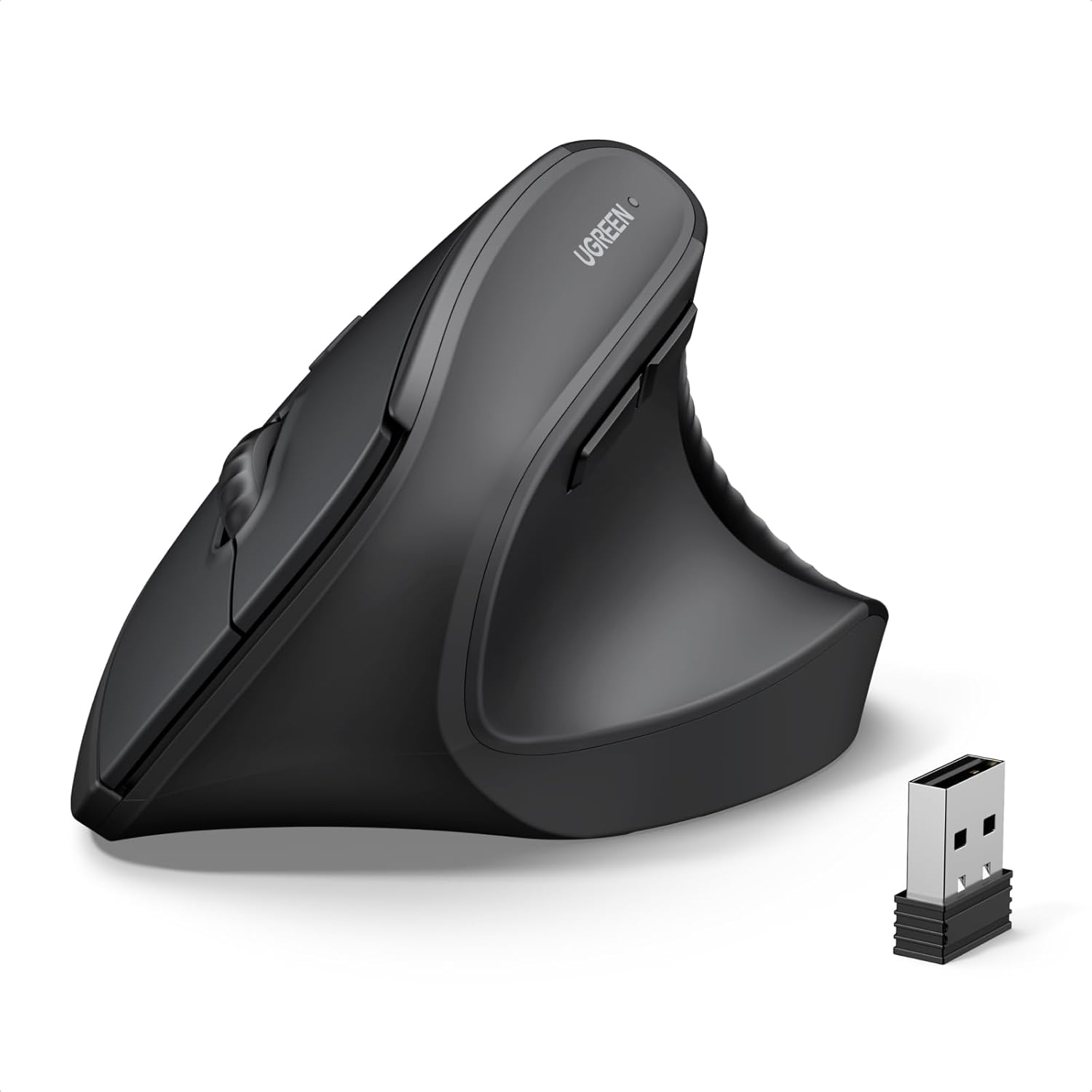
【ERGONOMIC VERTICAL MOUSE】 BTM010 ergonomic vertical mouse is meticulously crafted with a unique vertical shape that reduces wrist and forearm strain, delivering a comfortable and natural grip. It promotes a more ergonomic posture, alleviating discomfort and enhancing overall comfort. More suitable for medium to large hands, users with smaller hands are advised to check the dimensions (4.3 x 3.1 x 2.8 inches, 0.24 lbs.) before purchasing to ensure fitment needs.
【VERSATILE CONNECTIVITY & COMPATIBILITY】 Enjoy versatile wireless freedom with dual Bluetooth (5.0/3.0) and 2.4G connectivity. It is compatible with various operating systems, including Windows XP/Vista/7/8/10/11/Server 2003/2000, MacOS 10.10+, and Linux, catering to a wide range of users. The USB-C is not a receiver and cannot be used on its own, it is an adapter that needs to be plugged into a USB-A receiver in order to work. For optimal stability, especially in complex wireless environments, it is recommended to prioritize the use of Bluetooth connections.
【RGB LIGHTING & RECHARGEABLE】 BTM010 Bluetooth mouse showcases RGB lighting, with a spectrum of colors and effects that suit your unique style and mood. It is also equipped with a rechargeable battery, eliminating the need for disposable batteries and reducing environmental impact. It delivers up to 2 months of use with lighting off and approximately 1 month with lighting enabled. Actual battery life varies by usage mode and connection type (Bluetooth/2.4GHz).
【ADJUSTABLE DPI & FORWARD/BACKWARD BUTTONS】 With four adjustable DPI settings (800-1200-1800-2400), our mouse ensures precise and accurate tracking, making it ideal for gaming, design work, and other demanding tasks. The strategically placed forward and backward buttons enable seamless navigation through web pages, documents, and content with ease(Not available for Safari browser).
【SMOOTH SCROOLING & DURABLE DESIGN】 BTM010 ergo mouse features a smooth scrolling wheel that enables effortless navigation through lengthy documents and web pages. Built with high-quality materials, our mouse boasts a durable design that ensures longevity and reliability, making it a trustworthy companion for your daily computing needs. The mouse is designed with a smooth and streamlined surface, which is more suitable for gliding on the desktop. Users who prefer to lift the mouse frequently may find it less grippy.
10 reviews for MEETION Ergonomic Mouse, Wireless Vertical Mouse RGB Backlit Rechargeable Mice for Bluetooth(5.2 + 3.0) & USB-A with USB-C Adapter 4 Adjustable DPI for Mac/Windows/Andriod/PC/Tablet/iPad Black
Add a review
$17.99
KeyWest –
Great mouse so far
Update: This is an update to my original review. I DID take the plastic off of the skates. No question there. And I didn’t like the feel of it so I put tape on them. When changing the tape ANOTHER LAYER of the plastic that was covering the skates came off. First layer was black, second was blue…so I guess I didn’t get the whole dang thing off. NOW the mouse is absolutely perfect in my opinion. Upgraded from my original 4 star to 5.MY opinion based on MY experience…So far I’m liking this mouse with one exception.For starters….Once I tried the vertical mouse I can never go back (this is not my first one).I’ve been using this about a week so far and this is a comfortable mouse and fits my hand well. I don’t believe i have a large hand. F/58.For me, it has everything I need in options. Some features I don’t even use.It can be used while charging however I haven’t needed to as it holds a charge very well even With the lights on!! They can be turned off if desired. However I haven’t noticed if there’s a low battery light feature…Speeds for navigating are great.Love that I can either use the dongle or Bluetooth, it’s mainly always Bluetooth for me personally.My one big complaint is that Once again FOR ME, it doesn’t glide well enough on my mouse pad. There’s significant drag that was definitely hindering my work capabilities. And I did give it a few days. Ultimately, I had to place tape on the skates for a perfect glide “for me.”Definitely recommend this mouse based on overall qualities!
Joshua Smith –
Ergonomic Mouse for Leftys – Backlit too!
Being a lefty has its challenges. So, finding not only an mouse for the left hand but also one that’s ergonomic was amazing! The price is very reasonable and I managed to get it on sale too. I first tried this exact mouse at work and there was a little learning curve to adjusting to its design, but now my hand no longer cramps and it’s so natural to use it with my dominant hand. And the fact that it’s also got a backlit feature with changing colors is the icing on the cake. The battery lasts a reasonable amount time. Though it will run out faster with heavy use. But, all you do is use the provided long charging cord and plug it into any USB port (in includes a USB C adapter too) and you can use it while it’s charging with the back light on. This is an amazing mouse! I’m not sure why it’s returned so often. It even came boxed really well from Meetion. I recommend this mouse, especially if you’re a lefty in need of a comfortable mouse. I will also recommend getting a mouse pad with a cushion wrist rest. Adding one with this mouse makes it even more comfortable!
Shawn Young –
It’s a good mouse.
What can I say? I bought it 2 years ago and the thing is still working perfect and I’ve dropped it over a couple dozen times easily and just toss it wherever throwing it in a bag to take with me not paying attention to what it’s in with. It has a little crack in the plastic, It might not be a crack and just A seam that I never Looked at before near the bottom on the right of the name of the company, which I hardly notice it’s still works like it’s supposed to. The battery life is awesome too because I never remember the last time that I had charged it and can’t remember a time I’ve had a under 50%. I really do have to buy another one of these soon just so I can have a second one. It sucks when you can’t something anymore Because I’ve had products that I bought that I liked and I go back on and they don’t make them anymore. And another plus to this mouse is you can actually use it on three different devices at the same time. I have this hooked up to my desktop to my surface 3 pro and my chromebook because all the time I always have at least two of them on out of all my computers and tablets. Any con? Well, not really a con at all, is when you go back to a regular mouse clicking with your fingers get weird and you gotta remember that the clicking is on the left not the right as clicking on this mouse, the right button is to click and the left button is the right click. But the weirdest thing is when I get this mouse in my hand again even if it’s been a week I don’t have to remember how the button order is it’s just natural. I just think it comes down to the way I hold this mouse I’m used to my hand being comfortable where when I use a regular mouse since I’m use my left hand with my index finger, I have to twist my wrist to use my index finger to hit the left button. The reason I ordered this is I’ve tried using my right hand on a mouse and it never feels comfortable at all and I can’t move it precise like I can with my left. Sorry, so long but I love this darn mouse.
Amazon Customer –
Great before 2 year mark
Ive had this mouse for almost 2 years. Its ergonomic design is wonderful. Its worked pretty well. Now that we are at two year mark I’ve noticed it having issues with working right. Battery dies pretty quickly, which you can tell when its low on juice as it stops working correctly. Sometimes it needs to be plugged in to power source to work right.
The Tae Brown Show –
Comfy and it’s stylish
This mouse is amazing! It’s very comfortable, easy to use, includes a USB-C adapter, and the scrolling speed is impressively smooth. It’s made working so much easier, and for only $15, it’s an excellent value. Sensitive to the touch and precise. Great for gaming and work! Barely hear the clicking which I love and it doesn’t make a dragging sound. Just glides on the mouse pad or table wherever I’m working.
David –
The mouse is amazing, it works perfectly for my MacBook Pro, can mimic many gestures. In addition, its size is just right, with ergonomic design, easy top grab in hand, comfortable to use. It is above my expectation!
Andrea Pisani –
Ottimo
wildcamper –
Pros easy on the hand, easy to use. Cons nothing so far
Ana –
Es muy complicado encontrar mouse ergonómicos para zurdos y rosas, la verdad llevo con el un tiempo ya y me encanta xq cansa mucho menos mi muñeca.
Orkun Önen –
Gayet guzel. Tusa tiklayinca ses cikartmiyor. Alistim. Tavsiye ddllederim.