
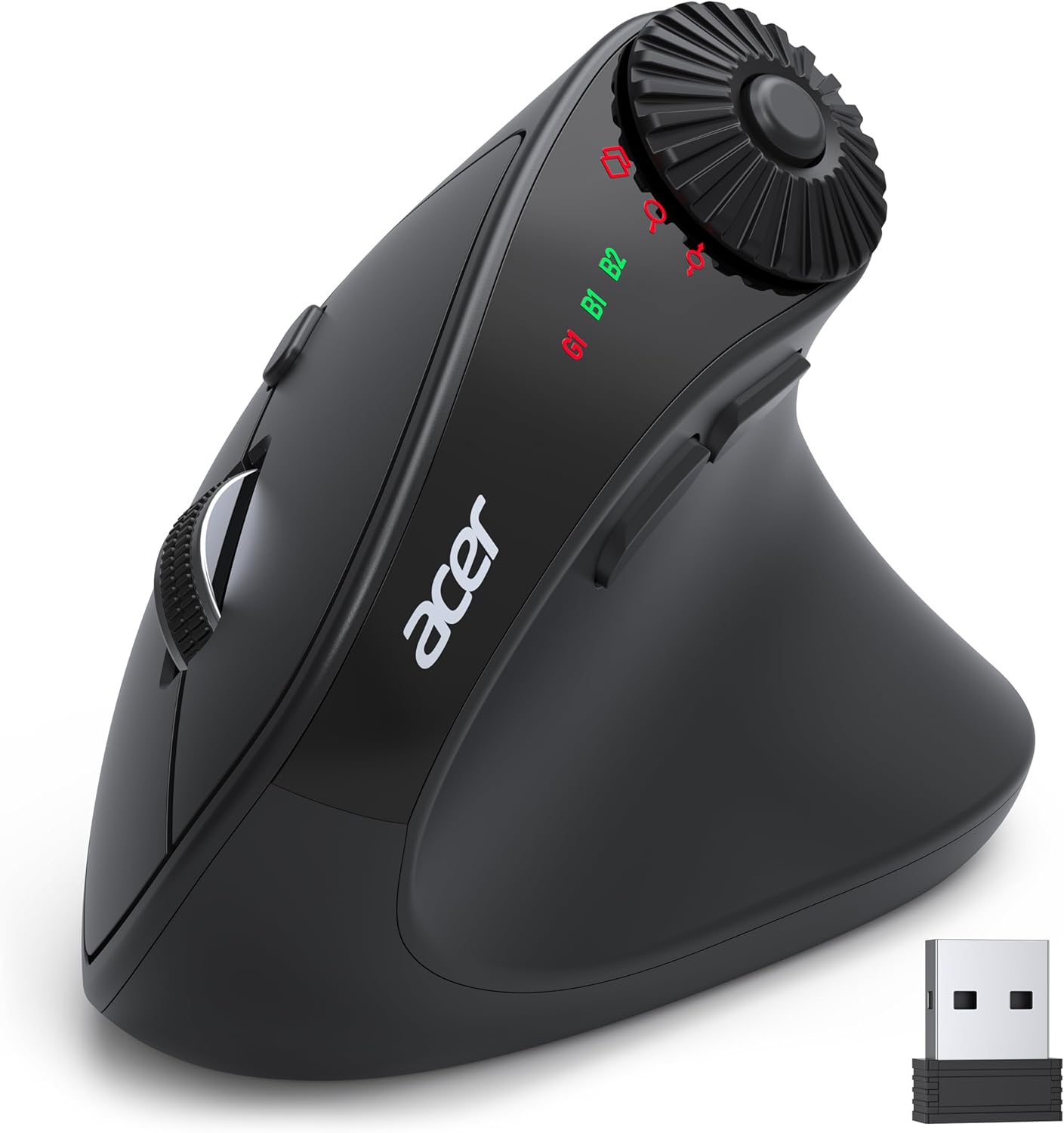
acer Ergonomic Mouse Wireless with Side Scroll Wheel, Bluetooth Mouse for Laptop(BT5.2+2.4GHz), Office Vertical Computer Mice, Small to Medium Sized Hands Ergo Mice, 8 Buttons for PC, MacBook Neo
$25.99
Related Products





Product description

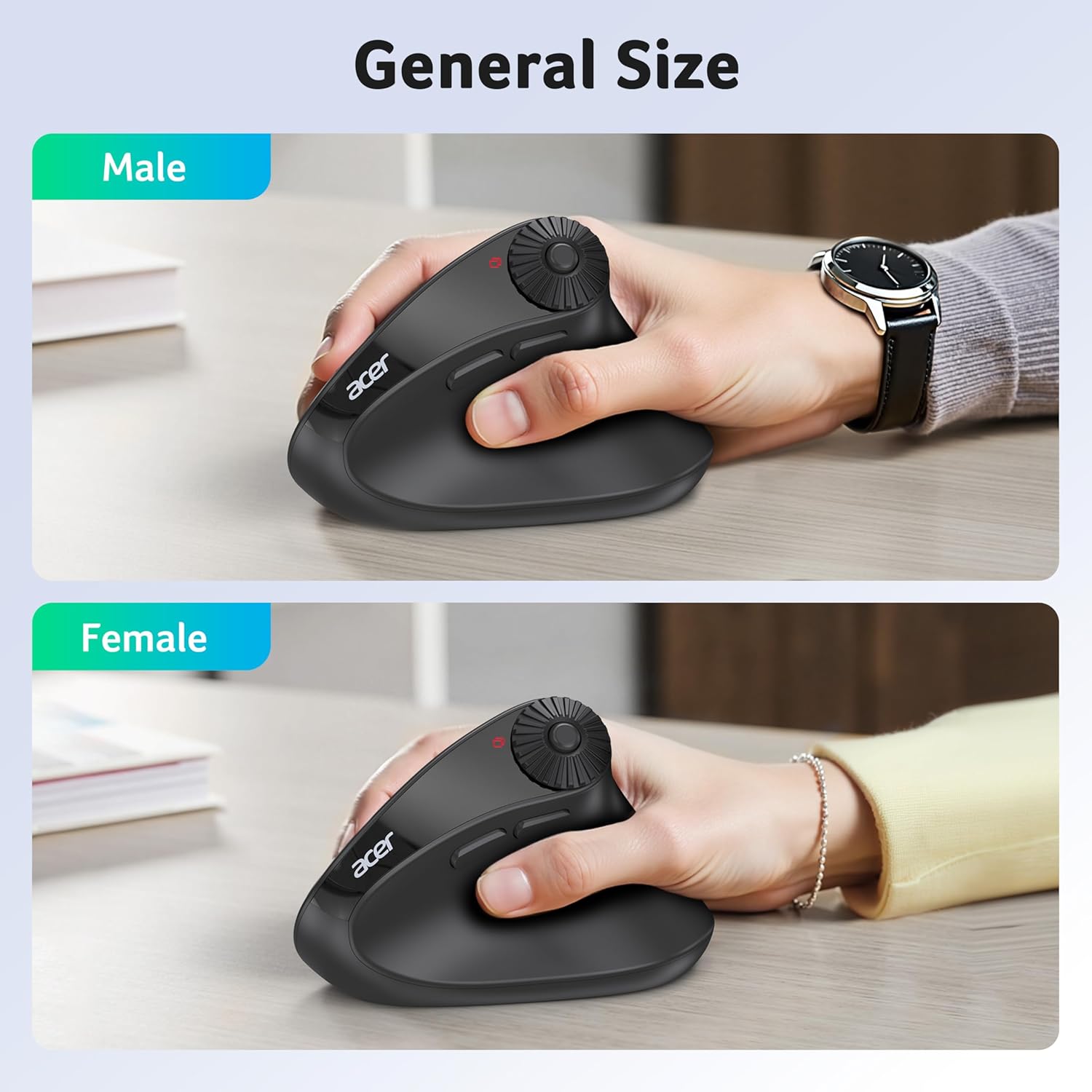
More Compact, for Small to Medium Hand-sized Users


1 2.4G/Bluetooth Connect
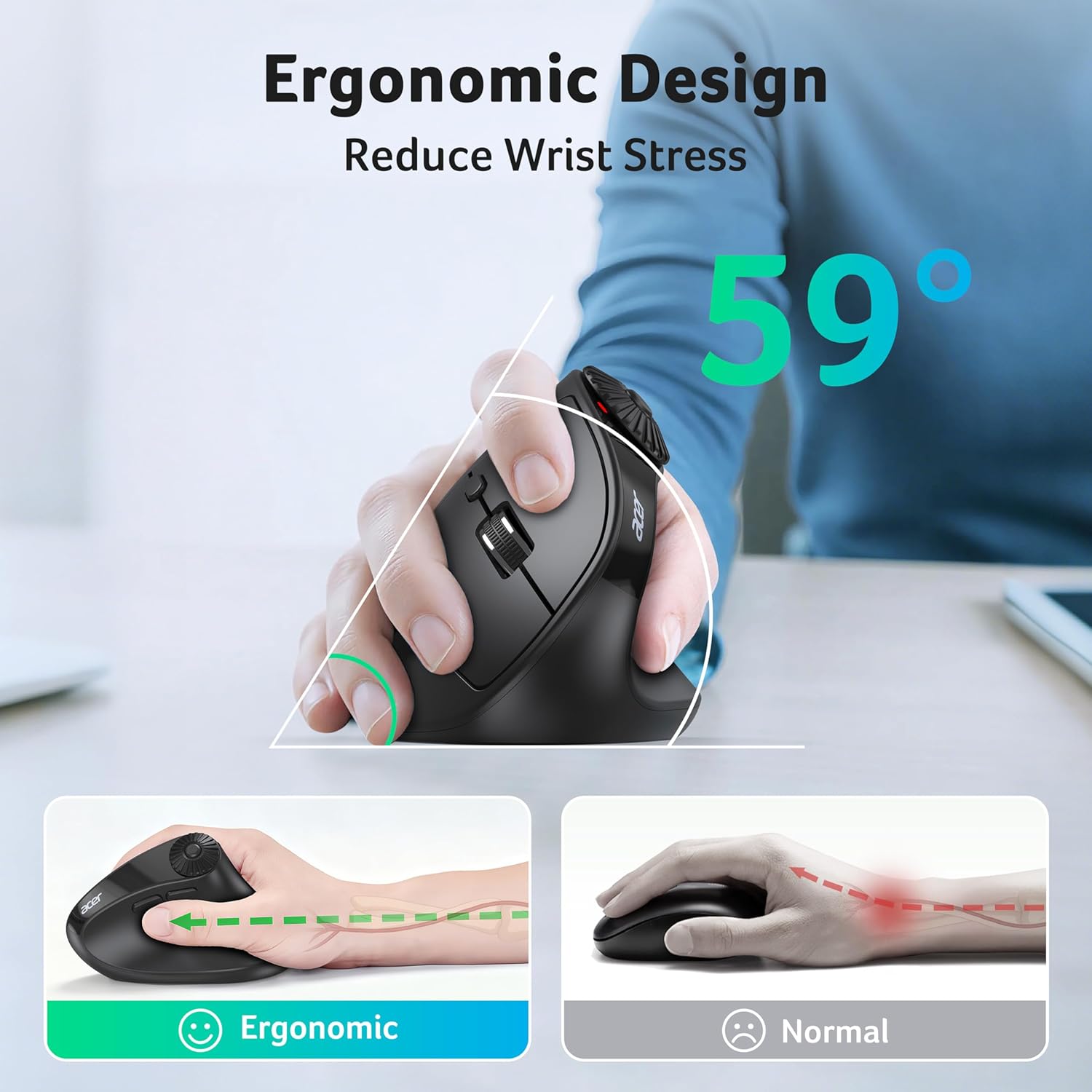
2 59° Ergonomic Angle
3 Up to 4000 DPI
4 Workflow Efficiency


1 Window Toggle
2 Zoom In/Out
3 Horizontal Scrolling


Q1 Why is my wireless mouse not working? – 1. Please check if the battery is installed with the correct polarity. Make sure the power switch is set to “ON”. 2. Try to plug the receiver into a different USB-A port or Restart the computer. 3. The battery might be dead. Q2 Where is the USB A receiver? – Please open the battery cover; the receiver is stored underneath the battery compartment. Q3 Why does my wireless mouse occasionally disconnect? – 1. The mouse sleeps after 10 minutes and wake with a double click.. 2. Low battery power. Please replace the battery. 3. Please use the mouse at a distance of 32ft. Q4 Is this mouse suitable for all hand sizes? – 1.This mouse prefer small to medium sized hands users. 2. Switching from a traditional to an ergonomic mouse may require 3-7 days of adjustment. 3. Please adjust your grip to allow your palm to naturally fit the curve of the mouse to reduce hand fatigue. Q5 Can this mouse be connected via Bluetooth? – Yes, you can connect with “OMR290 Mouse BT1/BT2” via Bluetooth Q6 How to switch between 2.4G and Bluetooth modes? – Double-click the DPI Button to switch between G1,B1 and B2. Q7 Does this mouse make clicking sounds when used? – Yes, this mouse has a crisp clicks. Q8 Is this a rechargeable mouse? – No, it requires replacement with 2 AAA batteries(Not Included).
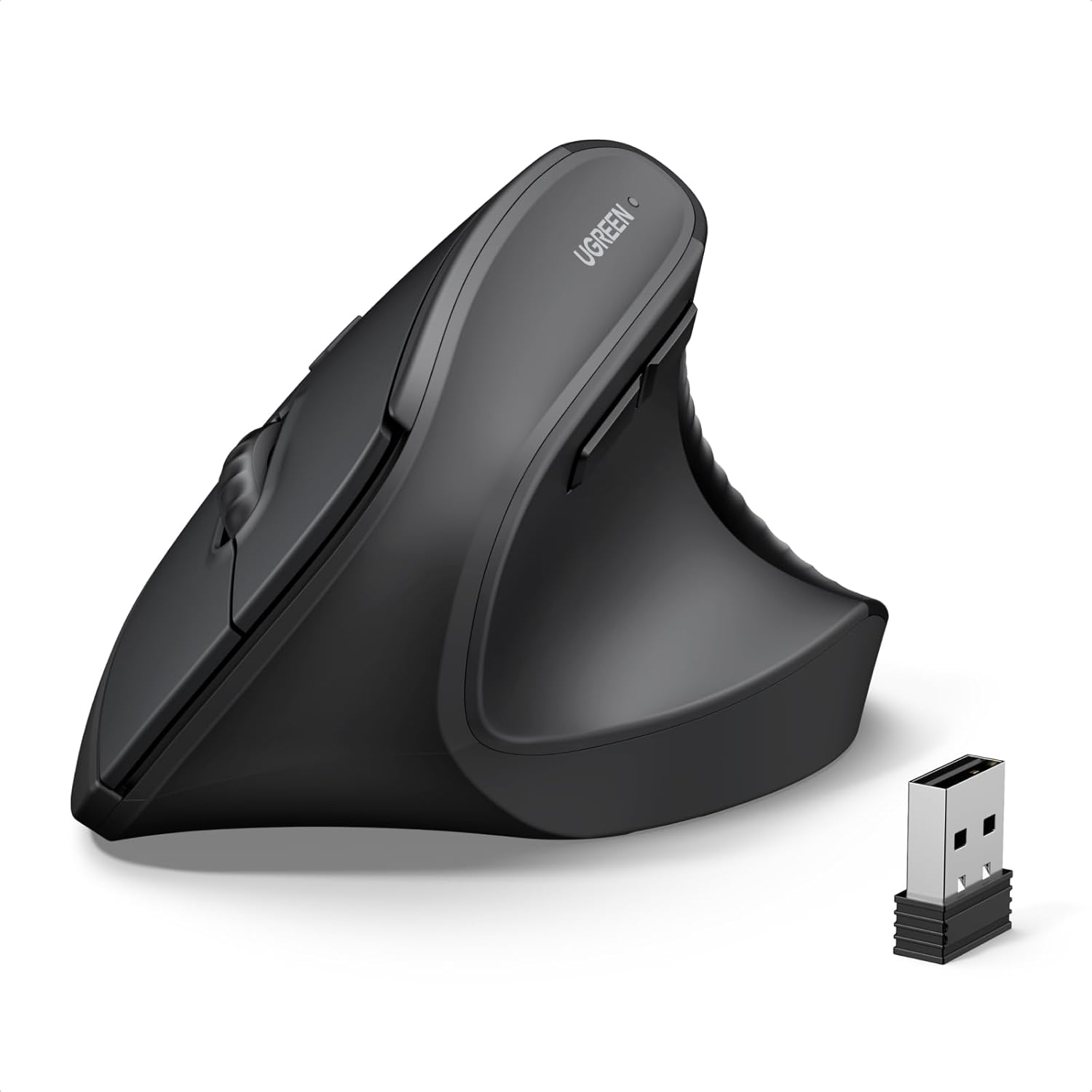
Acer Mouse
Customer Reviews
4.4 out of 5 stars 403
4.1 out of 5 stars 2,783
4.4 out of 5 stars 1,272
4.3 out of 5 stars 421
4.4 out of 5 stars 1,272
4.1 out of 5 stars 2,783
Price
$25.99$25.99
$19.99$19.99
$19.99$19.99
$9.99$9.99
$12.99$12.99
$13.99$13.99
DPI
1200, 2400, 3200, 4000
800, 1200, 1600
1000, 1200, 1600
800, 1200, 1600
1200
800, 1200, 1600
Side Buttons
✔
✔
✔
✘
✔
✘
Power Supply
2 AAA batteries (Not Included)
Rechargeable
Rechargeable
1 AA battery (Not Included)
2 AAA batteries (Not Included)
2 AAA batteries (Not Included)
Connection
2.4G Wireless+Bluetooth
2.4G Wireless
2.4G Wireless
2.4G Wireless+Bluetooth
2.4G Wireless
2.4G Wireless
Buttons
8
6
6
4
5
4
【One Mouse for 3 Devices】This dual-mode bluetooth mouse switch between Bluetooth and 2.4G modes by double-clicking the DPI button (G1, B1, B2), allowing seamless switching between three devices. Perfect for multi-device workflows across computer, laptop, tablet and Macbook Neo. 📌Note: To conserve battery, the mouse sleeps after 10 minutes and wake with a double click.
【59° Ergonomic Vertical Design】Designed with a 59° vertical tilt, this ergonomic mouse wireless positions your hand in a natural handshake posture. The computer mouse maintains neutral wrist and arm alignment to reduce pressure and pain, ensuring smoother movement, less strain, and lasting comfort during extended use. 📌 𝐍𝐎𝐓𝐄: 𝐈𝐝𝐞𝐚𝐥 𝐟𝐨𝐫 𝐒𝐦𝐚𝐥𝐥 𝐭𝐨 𝐌𝐞𝐝𝐢𝐮𝐦 𝐡𝐚𝐧𝐝𝐬.
【3-in-1 Side Scroll Wheel】This mouse for laptop features a multi-function side scroll wheel with a central button. A single-click allows for instant switching between three fixed functions: Only for Window Toggle, Zoom In/Out, and Horizontal Scrolling. This versatile control enhances multitasking fluidity and significantly boosts office productivity. 📌Place your thumb carefully to avoid accidental scrolling.
【4-Level DPI Control】This USB mouse offers 4 adjustable DPI levels (1200/2400/3200/4000), enabling precise cursor control for detailed design tasks. Easily switch sensitivity to match your workflow and enhance your productivity on the go.
【One-Click Workflow Efficiency】This cordless mouse features convenient forward/back buttons for swift browsing and seamless folder navigation. Effortlessly toggle between tasks with a single click to optimize your workflow.
NOTE: 1. 𝐍𝐎𝐓 𝐚 𝐫𝐞𝐜𝐡𝐚𝐫𝐠𝐞𝐚𝐛𝐥𝐞 𝐦𝐨𝐮𝐬𝐞. 2. The AAA batteries are not included. 3. The USB receiver stores inside the battery compartment.
12 reviews for acer Ergonomic Mouse Wireless with Side Scroll Wheel, Bluetooth Mouse for Laptop(BT5.2+2.4GHz), Office Vertical Computer Mice, Small to Medium Sized Hands Ergo Mice, 8 Buttons for PC, MacBook Neo
Add a review
$25.99
Lori B. –
A wonderful mouse!
This is a great mouse, I appreciate Acer products. It works with both windows and Mac, I use it with both. It is very comfortable to use and is light weight. It connected easily via Bluetooth and I like the scroll wheel, it’s very responsive. I definitely would buy it again.
Sarc Warrior –
Perfect Ergo Mouse For My Needs
First I will address those that complain this is not a rechargeable mouse. It says this requires batteries and they are not included in the product description. Also if you prefer a mouse that has built in rechargeable batteries that is a preference for you not something that everyone wants. To dock stars for something so frivolous is pathetic.Now for my review. I have to say yes this is a ergo mouse and will not be everyone’s cup of tea. It is great for those of us that suffer from carpal tunnel or have had the surgery for carpal tunnel. I have had the surgery and everything on my desk is ergo style for comfort. I work twelve hour shifts and also do some gaming. The design of the mouse works for me and meets my needs for comfort. It helps with preventing wrist pain from long gaming times or my long work shift. I use the bluetooth option for connecting to my work laptop and my personal desktop. Having the ability to jump between the two at the push of a button is a function I didn’t think I needed but I’m happy that I do. Now I have just one mouse for two computers giving a little more realestate on my desk. Scrolling is amazing and the size fits me perfectly. Yes I have to say not every mouse fits every hand due to different hand sizes. One size does not fit all. What I can say is give this mouse a try and return it if it does not work for you for whatever reason. Amazon has a great return policy just please don’t abuse it. I have high hopes that this mouse will last for years like other I have used have done for me.Do I recommend this mouse? Yes I do. Do I have issues that this is not a rechargeable mouse? No I don’t have a preference but do feel replacing batteries is a better option since you can only recharge a mouse so many times before it becomes e-waste.
Mina –
Good For Medium sized hands Or larger, Kind of Loud.
not a bad mouse. Definitely more comfy than a normal mouse. I like the wheel and that you can change its use. Its a little hard to use because of the placement but it also might be because I have hands the size of a child. this mouse would definitely work better for someone with medium hand size or larger. Its a little big for me but again, baby hands. I’m used to it. super easy set up. my only real complaint is that its loud. much loader clicking than my previous mouse which was the most basic mouse you can think of with a normal amount of sound from the clicking. this on is much louder. the wheel also has a audible clicking but its not as big of a deal because I don’t use that as much. the normal scroll wheel is basically silent. the mouse itself is surprisingly light weight. Glides well. over all a good mouse for a good price. would rebuy.
BookFan –
Good Mouse
Great mouse. Comfortable in my hands. Very responsive. Stable connection. Bottoms are easy to access. Size fits my hand well.
Kevin V –
Great mouse that is very comfortable
Great mouse with great response.I use 3 different computers daily.Being able to change the inputs on the mouse quickly is so handy. It’s a VERY light mouse.My one issue with the mouse is the super smooth body, it makes it a little difficult to grip the mouse if you need to move your mouse.But added a little hexagon grip squares to the mouse and it makes it super easy to move.
Nick –
Constantly drops connection
3/7 update: They sent me a second mouse and unfortunately it shared the same issues. However, I’ll move my review from 2 stars to 3 because they gave me a full refund. Great customer service.If you don’t move the mouse for more than 5 seconds it disconnects and will not respond until you jiggle it. It’s incredibly annoying and poorly thought out because you can actively be scrolling down a webpage and the mouse will randomly stop responding, because even though you’re using the mouse you stopped moving it, and have to move it again before the scroll wheel will work again. If you stop to read something before clicking a link or a search bar, congratulations, you won’t be able to continue until you jiggle the mouse because you lose the ability to click on things because the mouse disconnected. You wouldn’t expect this to be a major issue but I’ve had more issues with this mouse in 3 days than any other mouse I’ve owned and used for several years (barring a razor mouse which is far and away the worst product I’ve ever used)You would probably be better off buying a random Chinesium ergonomic mouse from another seller for a third of the price. It will, at the least, match the performance of this mouse.If that doesn’t dissuade you, I did rather like the features of the this mouse and it fit my hand perfectly. It could stand to be a bit heavier, but it doesn’t feel cheap.
Espo –
RE-POST //-HIGH HOPES, BUT D@?% //
So I will say I Am very happy now with the mouse i was promptly I send a replacement mouse. Customer servixe was great and very responsive. Mouse works great it does take some getting used to but once you do it is super fast and convient. Thank you guys for your prompt response. had high hopes for this mouse. I knew going into it was going to have an adjustment period because of the unique stance it has. But the fact is that it has already stopped working and burns up batteries. Two flaws that warrent a single star. The cheap Amazon mouse I bought as a back up uses less battery and is still working but I digress. Im the type who is all for new kicks aka a new mouse trap no pun intended. I had issues with the button configurations, the way they overall function. I love the screen flip and shifting left to right with ease but dang how many times must I push a button or two to get its operation correct especially with multiple screens. I dont mean to put them out I can dig it, but here we are I can’t get used to it, nor accommodate if the thing stops working in less then 30 days. The good intention was there but we all know where that goes. If the maker reads this email me I have some ideas that might turn this thing around. All I got could of been more starts but it broke so…
Mike –
Piacevolissima sorpresa per un mouse dal costo basso, funziona molto bene sia su Windows che su Mac ed ha delle funzionalità specifiche per ognuno dei due sistemi operativi. Ottimo.
Ohkay –
Maus funktioniert einwandfrei, liegt gut in der Hand und die zusätzlichen Tasten sowie das Drehrad bringen zusätzlich Nutzen
Client d’Amazon –
Excellent produit. Très bonne qualité.Pas fait pour les grandes mains.
VasBcn –
it is a nice tool ergonomic with some easy to use functions
PJ SKFM –
Excellent product, price and speedy delivery thank you