
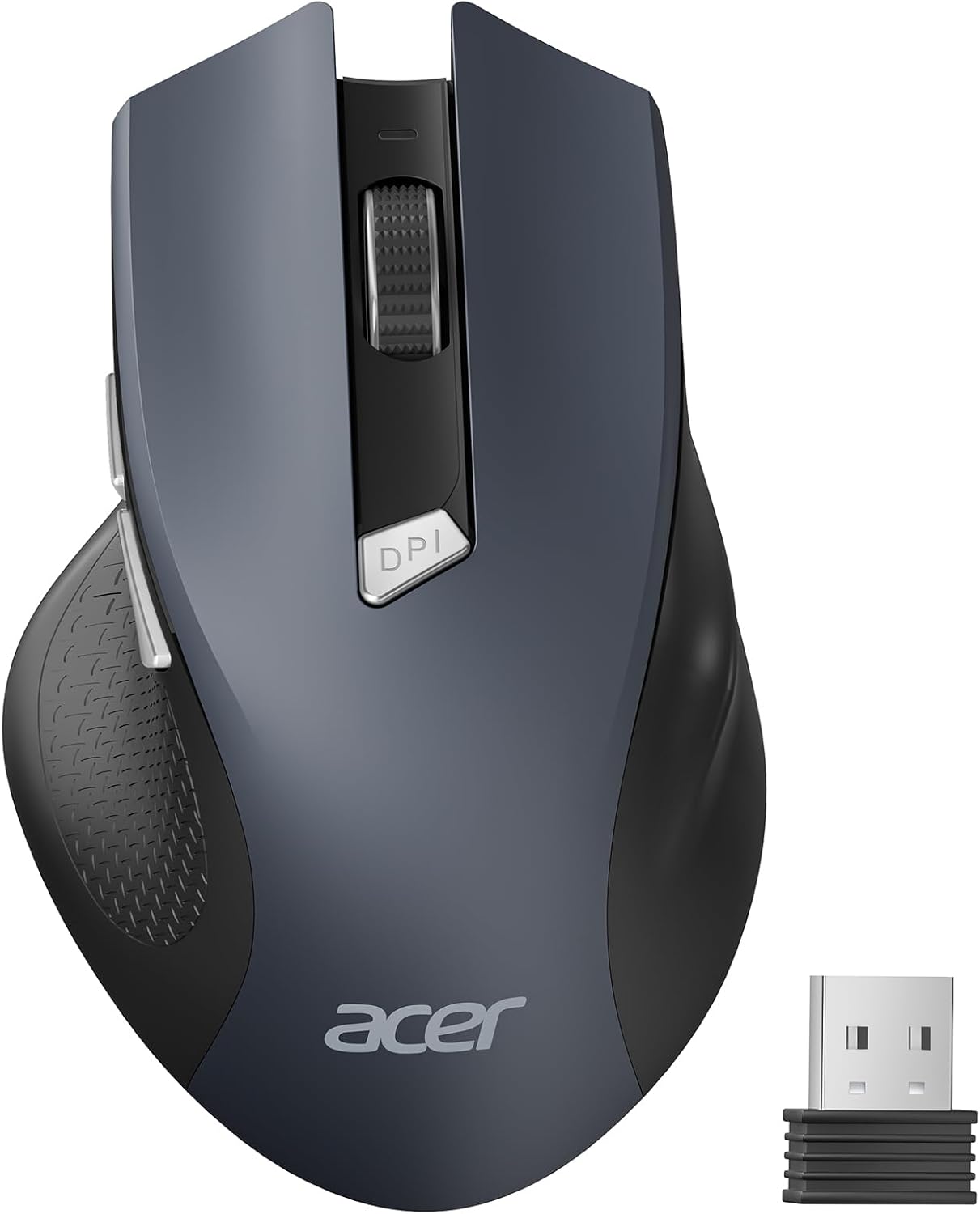
acer Wireless Mouse for Laptop, 2.4GHz Computer Mouse 3 Adjustable DPI Office Cordless USB Mice with USBA Receiver, 6 Buttons, 1600 DPI, Medium to Large Sized Hands Compatible with PC, Laptop, Desktop
$9.99
Related Products





Product description


1 Advanced Optical Tracking
2 Quick Navigation Buttons
3 Power and DPI Indicator
4 Work in Comfort


1 Easy Browsing 2 Efficiently Working 3 Fun Entertainment


Q1 Why is my wireless mouse not working? – 1. Please check if the battery is installed with the correct polarity. Make sure the power switch is set to “ON”. 2. Try to plug the receiver into a different USB-A port or Restart the computer. 3. The battery might be dead. Q2 Where is the USB A receiver? – Please open the battery cover; the receiver is stored underneath the battery compartment. Q3 How to wake up the mouse? – Powers down after 10 minutes of idle and requires 2-3 clicks to wake it. Q4 Why is my wireless mouse not working for a while? – Low battery power. Please replace the battery. Q5 When the mouse responds slowly, has delays, or lacks precision, please follow these steps to re-pair it – 1. Insert the batteries into the mouse, switch it to the “NO” position to power it on. – 2. Plug in the mouse receiver to computer, then press and hold both the left and right mouse buttons simultaneously. – 3. Place the mouse within 20 cm of the receiver and wait for 3–5 seconds until pairing is complete. Your mouse will then be successfully paired with the receiver and ready for normal use. Q5 How can I confirm the DPI of the mouse? – The DPI indicator light will light up when the DPI is switched. The red light of the first gear DPI (800) will turn off after it turns red since the red light of the second gear DPI (1200) will turn off afterit turns red twice, and the red light of the third gear DPI (1600) will turn off after it turns red three times. Easily switch between 800-1200-1600. Q6 What are the dimensions and weight of this mouse? – This mouse is L 5.1 inches, W 3.2 inches, H 1.6 inches, and a weight of 3oz.
Acer Mouse
Customer Reviews
4.5 out of 5 stars 4,883
4.0 out of 5 stars 128
4.3 out of 5 stars 274
4.4 out of 5 stars 397
4.1 out of 5 stars 2,747
4.3 out of 5 stars 1,270
4.1 out of 5 stars 177
Price
$9.99$9.99
$45.99$45.99
$34.99$34.99
$25.99$25.99
$19.99$19.99
$19.99$19.99
$25.99$25.99
DPI
800,1200,1600
1200, 1600, 2400, 3200, 4000
800,1200,1600,2400,3200,4800
1200,2400,3200,4000
800,1200,1600
800,1200,1600
1200,1600,2400,5000,12K,24K
Side Buttons
✔
✔
✔
✔
✔
✔
✔
Power Supply
2 AAA batteries (Not Included)
Rechargeable
Rechargeable
2 AAA batteries (Not Included)
Rechargeable
Rechargeable
Rechargeable
Bluetooth
✘
✔
✔
✔
✘
✘
✘
Connection
2.4Ghz Wireless
Bluetooth, 2.4Ghz and Wired
Bluetooth and 2.4Ghz Wireless
Bluetooth and 2.4Ghz Wireless
2.4Ghz Wireless
2.4Ghz Wireless
2.4Ghz Wireless and Wired
Buttons
6
9
8
8
6
6
8
Visible Indicator Light
✔
✘
✔
✔
✔
✔
✔
OLED Screen
✘
✔
✘
✘
✘
✘
✘
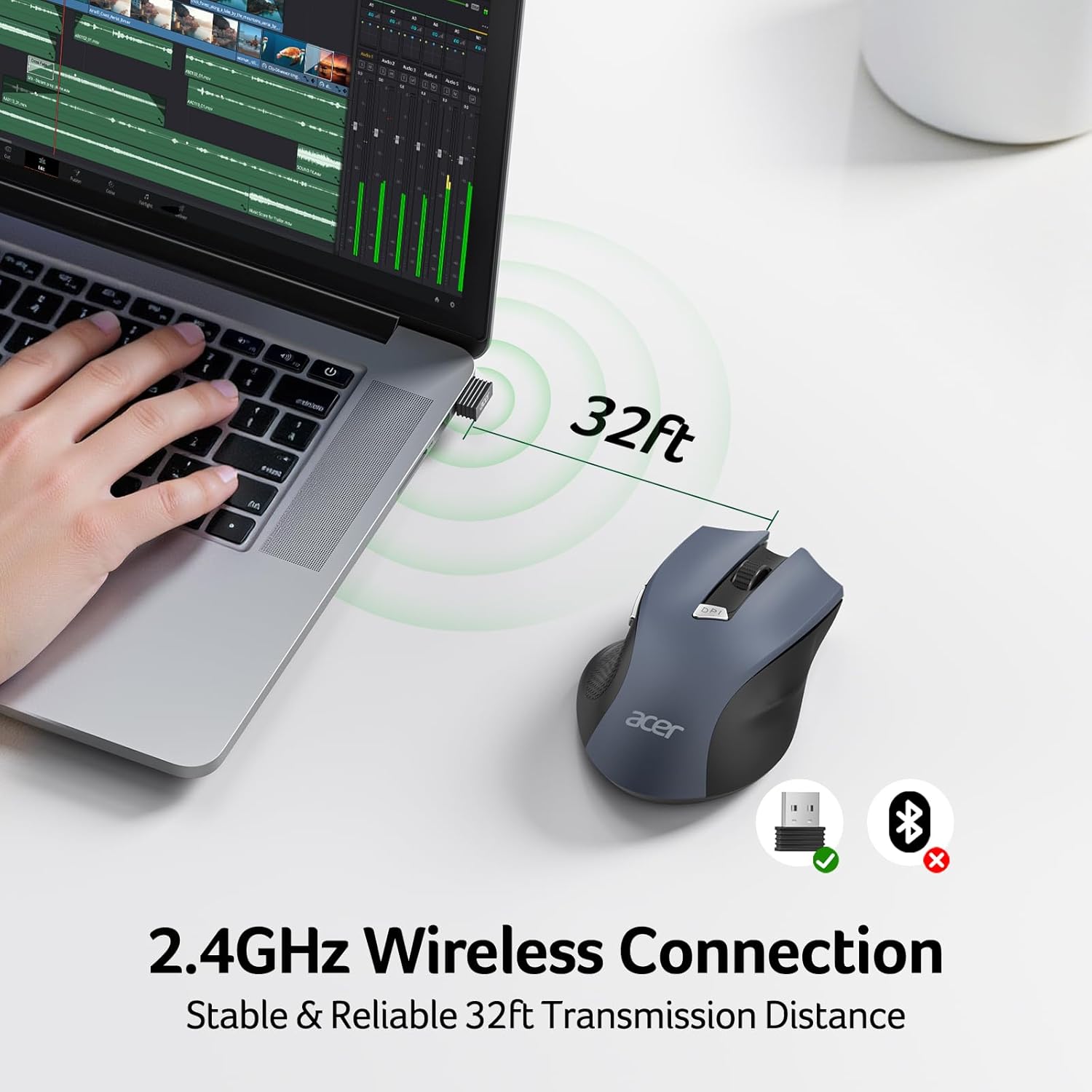
【Plug and Play for Home Office】The wireless computer mouse features 2.4GHz connectivity, delivering a stable, interference-free connection up to 32ft. Designed for 𝐦𝐞𝐝𝐢𝐮𝐦 𝐭𝐨 𝐥𝐚𝐫𝐠𝐞 𝐬𝐢𝐳𝐞𝐝 𝐡𝐚𝐧𝐝𝐬, it ensures comfortable use all day. Simply plug in the USB-A receiver for instant pairing—no drivers needed. 📌📌 If the mouse isn’t suitable, place the USB receiver in the battery compartment and return both.
【3 Levels Adjustable DPI】This travel USB mouse offers 3 adjustable DPI settings (800, 1200, 1600), allowing you to customize sensitivity for precise design work. Effortlessly switch to match your task and elevate your productivity. 📌 Please remove the film at the bottom of the mouse before use.
【Effortless Browsing】Equipped with forward and backward buttons, this computer mice streamlines your workflow, making it easy to navigate through web pages and files with a simple click. 📌Side button does not work on Mac.
【Visible Indicator Light】 The pc mouse features a visual indicator for DPI levels and low battery alerts. The red light flashes once for 800 DPI, twice for 1200 DPI, and three times for 1600 DPI. When the battery level is below 10%, the light flashes red until the mouse is completely out of power.
【Click to Wake】With smart sleep mode, it saves power by standby after 10 inactive minutes, just 2-3 clicks to wake. This efficient design delivers 3x longer battery life than motion-wake mice. Engineered for durability, its buttons and scroll wheel are tested for 10 million clicks, ensuring long-term reliability and consistent performance.
NOTE: The AAA batteries are not included. The USB-A receiver is conveniently stored in the battery compartment at the back of the mouse. Make sure the battery cover is fully embedded in the slot to prevent loosening.
11 reviews for acer Wireless Mouse for Laptop, 2.4GHz Computer Mouse 3 Adjustable DPI Office Cordless USB Mice with USBA Receiver, 6 Buttons, 1600 DPI, Medium to Large Sized Hands Compatible with PC, Laptop, Desktop
Add a review
$9.99
bernard –
Cheap and reliable!
Love this Acer wireless mouse—plug-and-play, zero lag, smooth tracking, battery’s still going strong after weeks. Clicks feel nice, scroll wheel’s decent. Super cheap and reliable. Five stars!
Rin –
Great, budget-friendly mouse
Really great mouse for the price! I bought this for our family computer that was using a wired mouse. I wanted something cheap but good quality.This mouse is really nice! The ergonomics of the mouse are pretty good. Scrolling is smooth. The clicks are quiet. The weight is heavier than I would have liked (probably due to the battery), but it’s not deal breaker. It goes to sleep mode after a while. However, clicking a button wakes up the mouse instantly. It has forward and backward buttons on the side, which are very nice and convenient to have.Overall, for the price, this is an amazing wireless mouse and I would definitely recommend it for those who want a budget-friendly mouse for general/productivity use. If you are going to be gaming, I would recommend looking for a different mouse instead (one that is lighter and more responsive).
Stephen –
Reliable and comfortable for daily work – Great value!
I’ve been using this Acer wireless mouse for a week now, and it’s a solid performer for the price. As someone with slightly larger hands, I often find travel mice too small, but this one is a comfortable medium-to-large size that fits naturally in my palm.Pros:• Plug and Play: The USB-A receiver worked instantly with my laptop—no setup required.• Ergonomics: The contoured shape is great for long office hours and reduces wrist fatigue.• DPI Switching: Having 3 adjustable DPI levels is very handy; I can easily switch speeds depending on whether I’m navigating spreadsheets or browsing the web.• Extra Buttons: The 6-button layout (including the side “forward” and “back” buttons) makes web navigation much faster.
Connie –
Simple and functional
This wireless mouse is fine. It isn’t flashy and doesn’t have a lot of extra features, but it does its job exactly like it’s supposed to. It was easy to set up and provides reliable tracking for my everyday tasks. If you just need a basic, affordable mouse that works, this is a solid choice.
mkg –
Amazing customer service & a great mouse.
There was a problem with my mouse but customer service was beyond great. They got in touch with me and offered me another mouse, plus they checked it prior to sending it out, so I was guaranteed a working mouse. Wow, that’s never happened before. I’m amazed.I think the reason the battery is supposed to last so long is because the mouse puts itself into standby mode, so it’s not sucking down your battery. To wake it up just tape the middle scroll button and it wakes up. It’s taking a bit to get used to this, but that’s just muscle memory that will come. It’s useful.The mouse initially felt too large for my hand (women’s medium), but as I am using it, it’s feeling more and more comfortable. I don’t usually use the extra mouse buttons but these are placed so conveniently I’m starting to.The thing I like a lot is the big on/off button. I turn my mouse off when not in use and most of those buttons are ridiculously small, not meant to be used. This one has a large, easy to use switch. It’s especially nice when using it on the TV, because I only need it once in a great while. It’s so much easier than using the LG magic remote.Don’t think about it, just order this mouse, it’s great.
ToonyEngineer –
Better than expected by far!
Great mouse for the money! While it feels very light which is often associated with an item being cheap trash, this little guy works great, and offers the shape and feel of more expensive mice. I use my work mouse 8-14 hours a day drafting electrical engineering files, and this shape is much healthier on my grip. I’ll include a side-by-side of my well-worn drafting mouse for comparison. Once you put the (2) AAA batteries in, the added weight makes the mouse feel substantially sturdier, and more pleasant to work with. I don’t yet know how long the battery will last with regular use, but over all, you get much more than you paid for. Nowadays, that is rare!
Benjamin Kraljusic –
Very good mouse
Elisa –
Super Maus.Ergonomisch ok, auch nach längerer Zeit habe ich keine Schmerzen im Handgelenk.Akku hält bis jetzt.Lässt sich super easy unten per Regler ein und ausschalten.Reaktion ist auch in Ordnung.Sehr leise.Wer keine Highend Maus mit bester Qualität benötigt, der ist hier gut mit bedient !
Francesca87 –
ottimo mouse, leggero e funzionale! Tutte le forme questo è molto versatile e non stanca la mano anche dopo tante ore di utilizzo
Aiden –
Best computer mouse I’ve ever had. It’s great quality, fits the hands nicely (have large hands), seems to work on any surface without a mouse pad.All of the buttons are smooth and natural to h the feel of the mouse. I really enjoy how smooth of a feel it has when in use, the only thing I’m not a fan of is that it isn’t rechargeable. Although the mice feature is it has a timer on it that will auto shut off if you forget to turn off your mouse.I didn’t realize how much simple mouse like this can speed up your work process over the computer:All in all, especially for the price I don’t think you will find a better mouse not to mention the aesthetics of it!10/10
maureen mulholland –
Great bit of kit easy to use at a good price