

Dual Tip Pencil for iPad 2018-2026: Hidden-Port Stylus with All-Day Battery, Tilt Sensitivity & Palm Rejection, Pen for iPad 11/10-6th, Mini 7-5th, Air 5-3th/M3/M2, Pro 13″/12.9″/11″(M4/M5)
$18.99
Related Products







Product description


Compatibility Check Needed: The active stylus supports iPad series 2018-2026 mode: iPad Pro 12.9″(3/4/5/6th), Pro 11″(1/2/3/4th), Pro 11″&13″(M4/M5), Air M2/M3/3/4/5th, iPad 6/7/8/9/10/11th, Mini 5/6/7th. See supported chart in main images before you buy
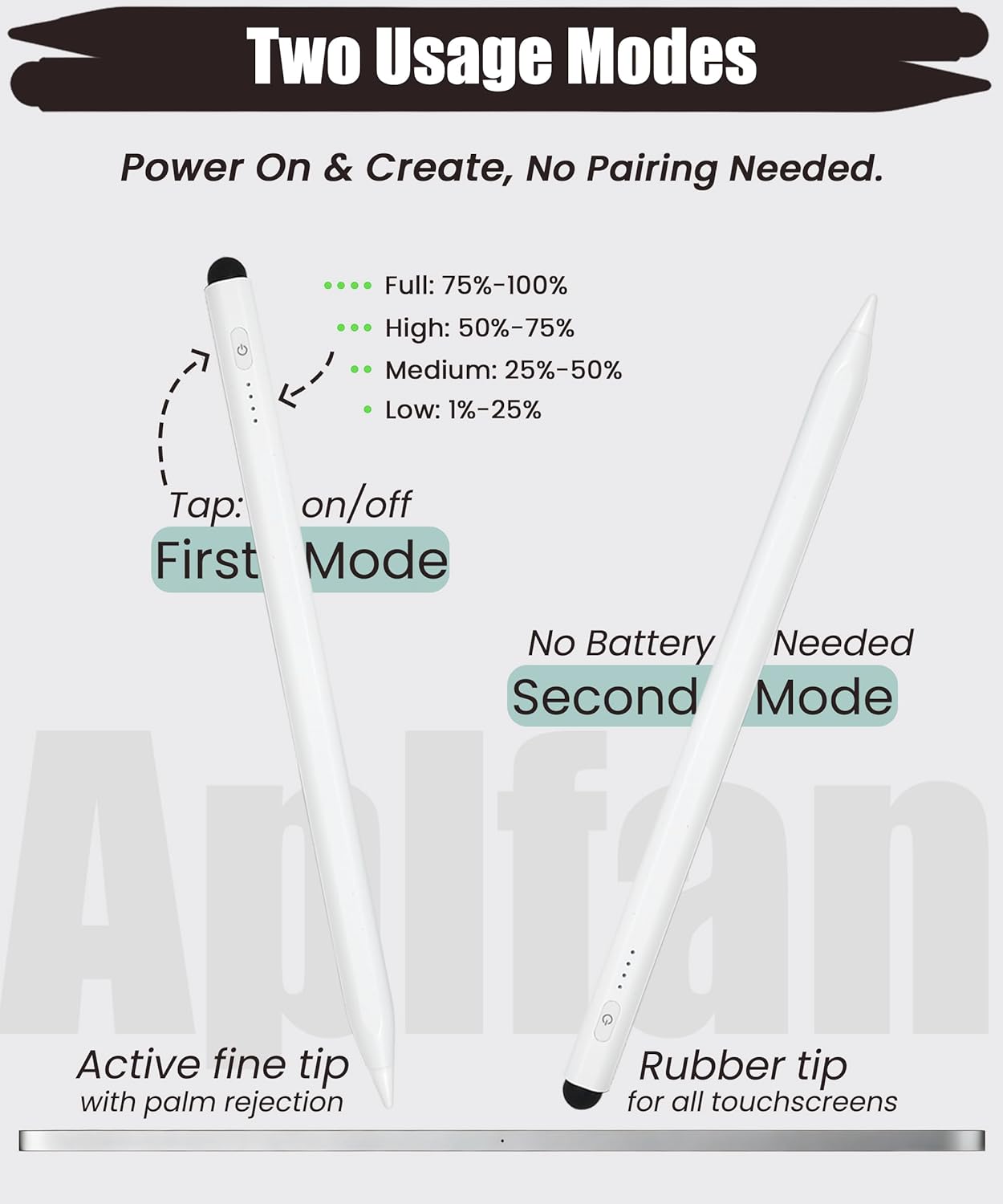
Dual-Tip Pencil: Active fine tip + rubber tip — active fine tip for iPads, rubber tip for all touchscreens (phones, tablets). Low battery? Simply flip to rubber tip for reliable backup—no charging needed. Ideal for long work sessions & multi-device users
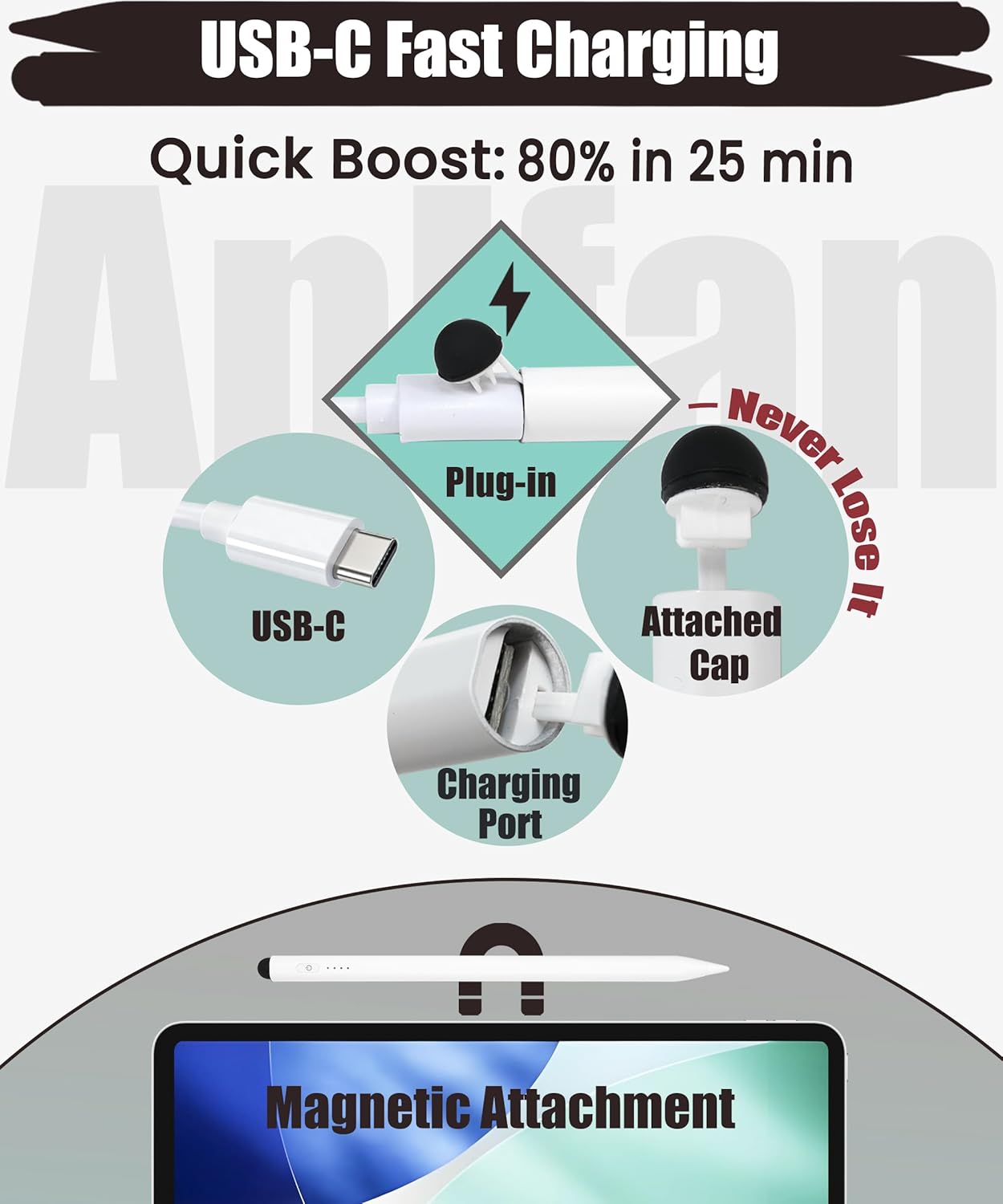
Hidden-Port Design & Pixel-Perfect Precision: Simply pull back the rubber tip to reveal the hidden charging port—this 2-in-1 design keeps dust and debris out. Meanwhile, the 1.5mm fine tip delivers exceptional accuracy for detailed work with minimal lag
4-LED Power Display: At a glance, know your pencil’s battery status. 4 lights signal: 1 light = up to 25%, 2 lights = up to 50%, 3 lights = up to 75%, 4 lights = up to 100%. Charging? Red LED lights up, then turns off when full. Full charge: 12+ hours use
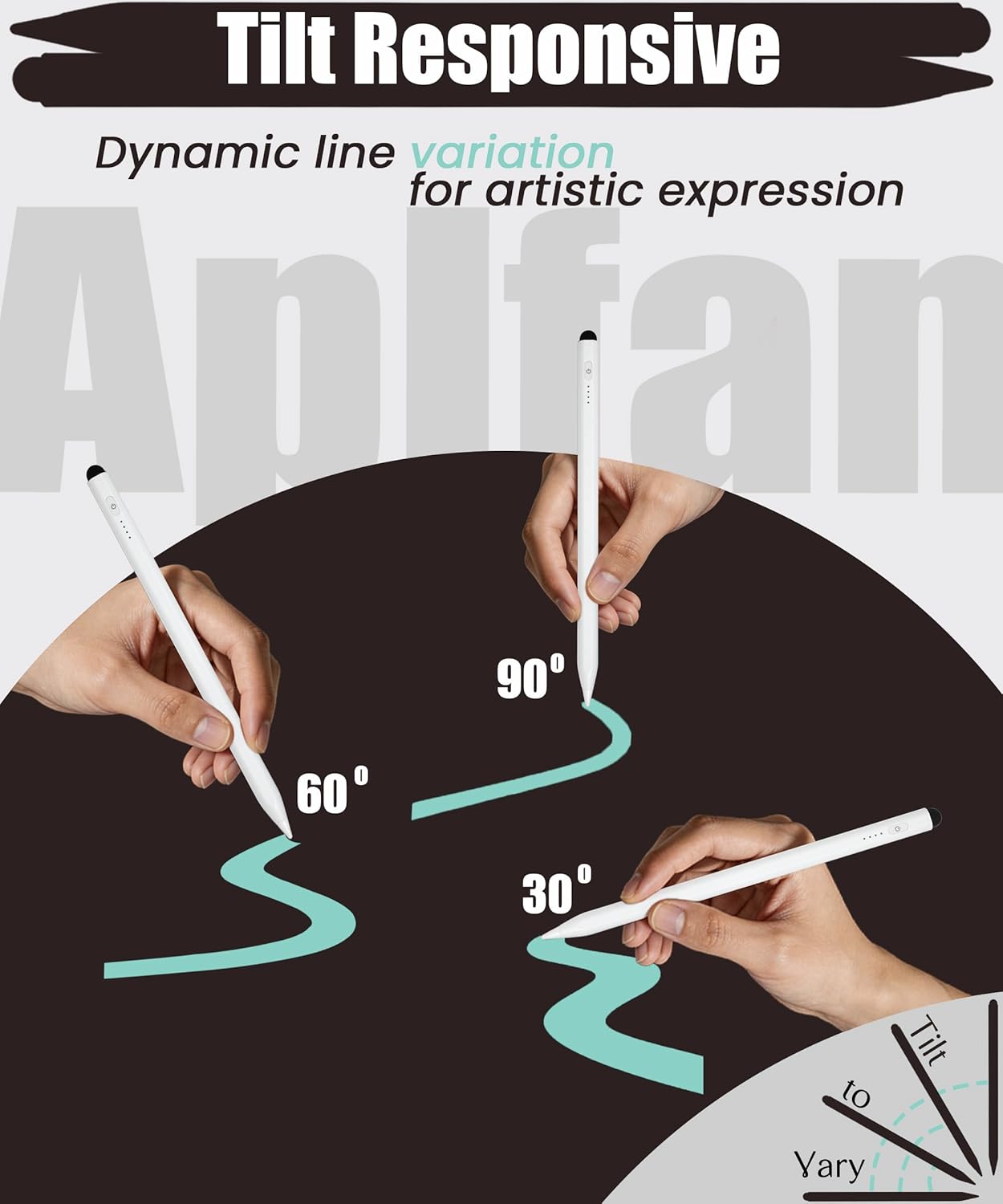
Tilt Sensitivity & Palm Rejection (Active Fine Tip Only): Tilt sensitivity allows natural dynamic line weight, ideal for art. Palm rejection prevents hand/wrist contact from interfering, for a seamless, paper-like experience. Note: no pressure sensitivity
2 reviews for Dual Tip Pencil for iPad 2018-2026: Hidden-Port Stylus with All-Day Battery, Tilt Sensitivity & Palm Rejection, Pen for iPad 11/10-6th, Mini 7-5th, Air 5-3th/M3/M2, Pro 13″/12.9″/11″(M4/M5)
Add a review
$18.99
Digirati –
Works as well as an Apple pen at a fraction of the cost
It has always been annoying how much the Apple pen cost for my 2018 iPad Pro 12.9”. Back then, it was the only option so I just had to pinch my nose and deal with it. At least I was able to get one on sale at almost half retail price which is amazing in and of itself for any product subject tot he Apple tax. But when I upgraded to a 2024 iPad Pro 13, I had the unpleasant surprise that the expensive Apple pen does not work with the new tablet. What? That is just highway robbery. I’m no iFanBoi. I’m not paying that much for another pen, no way. This is planned obsolescence at its worst. Worst, there is no good reason I can imagine to go to a new pen other than just more profit for a captive audience. Fortunately, I dug around and lo and behold, things have changed in 2026. Third parties pen are dime a dozen now and they literally cost a dime on the full cost of an Apple branded pen. For what I’m doing (creator suite). 3 party pen work just as well. And this dual tip stylus pen is no exception. Since they are so inexpensive now, I already have collected three. So let me extol the virtue of this particular pen. In no particular order (just what pops into my mind), the hidden USB charging port is good. Rather than having a gaping hole on the side of the pen, this one has an end cap that you pull out and reveal the USB-C charging port at the end of the pen. It just make so much sense after I read the manual because originally I could not find it on my own it is so well hidden. And to add thoughtfulness to the design, the end cap is thethered tot he pen so you don’t lose it and can put it back after charging. This pen is dual tip, you may need supported software (or it may not even work) but both end of the tip can be used, with the back end feel more like an eraser with a much larger and soft contact point. Out of the box, the pen starts working immediately when you turn it on. No pairing, no battery draining when not in use. Speaking of which, there is a tactile switch and battery power indication both I find very useful. All this in lieu of the minimalistic Apple design lacking all of the above. The only feature that may be somewhat useful that is absent is wireless charging. The down side of no wireless charging is understandable and I happily give that up for longer battery life and no pairing necessary. Affordable and better functionality than factory original five stars.
307ÅlïWóòD –
No Bluetooth, No Setup: The Simple iPad Pen That Just Works for Daily Writing and Drawing
This Stylus is a solution for users who prioritize immediate functionality over complex software features. Tested with the iPad Pro 12.9 (M1 series), this stylus serves as a highly responsive tool for note-taking, sketching, and general navigation without the friction of pairing menus. It also can be attached to the magnetic area on top of the side.The standout feature is the zero-setup architecture. Unlike the official Apple Pencil, this device does not utilize Bluetooth. It functions via active signal transmission the moment the fine tip makes contact with a compatible iPad screen (2018-2025 models). In testing, this resulted in an “out-of-the-box” experience with zero lag and high responsiveness.The stylus features a hybrid design that extends its utility beyond a single device:Engineered for precision on supported iPads. It supports tilt control and palm rejection, allowing for natural hand placement during long writing sessions.The Passive Rubber Tip: Located at the top of the pen, this tip acts as a universal stylus. It works on any capacitive touchscreen—including older iPads, iPhones, or Android devices—making it a reliable backup for quick navigation.A nice design detail is the hidden charging port. By removing the magnetic cap over the rubber tip, you reveal a USB-C port. This internal housing protects the charging interface from dust and debris while maintaining a sleek, professional aesthetic.While it lacks the pressure sensitivity and “double-tap” shortcuts found in the more expensive Apple Pencil, it does match the performance for 90% of standard workflows. For most users focused on journaling, PDF annotation, or casual drawing, the reliability of a pen that “just works” without worrying about Bluetooth drops is a significant value proposition.The “all-day” battery life ensures it stays active through heavy work shifts. Out of the box was @ 3 bars ready to be used.No pairing means you can switch between different compatible iPads instantly without diving into settings.The rubber tip ensures that even if the battery runs low, you still have a functional pointer for any touchscreen device.Stylus is a top-tier pick for the everyday user who wants the precision of an active pencil without the high cost or setup hurdles. Also, Worth mentioning from experience it’s affordability of it is major point. It bridges the gap between high-end professional tools and simple universal styluses, offering a lag-free experience that feels natural on the iPad Pro 12.9 M1 and beyond. I have had my name brand one Pencil battery completely die and it becomes useless.