

Tonmom Tablet Stand for iPad Holder, Adjustable Tablet Holder for Desk, Foldable Portable Monitor Stand Compatible with 4-16″ Tablets Such as Kindle, Switch, iPad Pro/Air/Mini
$8.99
Related Products
![Ailun Screen Protector for iPad 11th A16 2025 [11 Inch] / 10th Generation 2022 [10.9 Inch], Tempered Glass [Face ID & Apple Pencil Compatible] Ultra Sensitive Case Friendly [2 Pack]](https://hometech-hub.com/wp-content/uploads/2026/04/71nVIiWEcgL._AC_SL1500_.jpg)




Tablet Stand
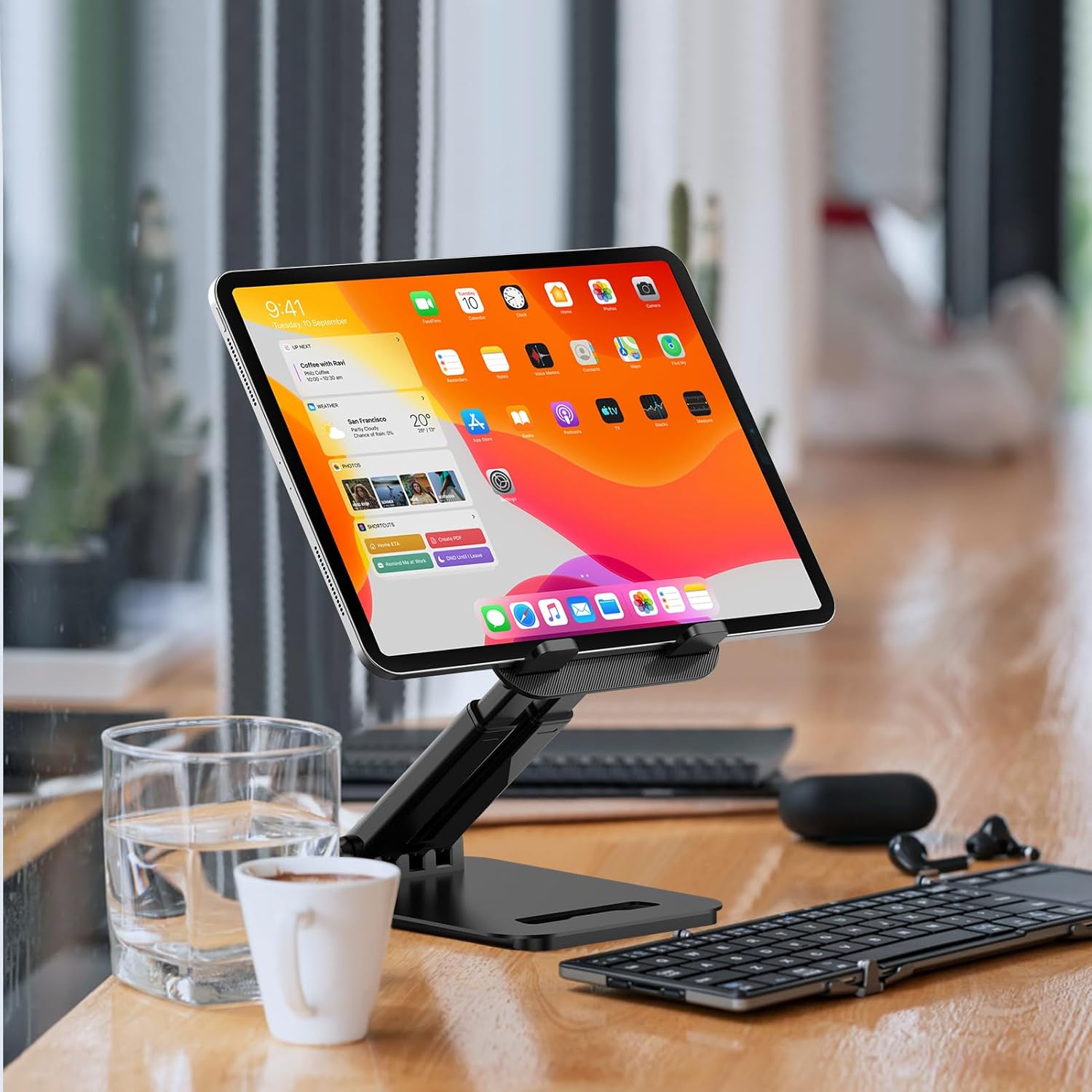
【Adjustable & Ergonomic】:This tablet stand is built with two durable rotating shafts, which can be adjusted to a comfortable height and angle according to your actual needs. Liberate your hands and letting you fix posture and reduce your neck fatigue, back pain and eye strain. Very comfortable to use at home, office and outdoor.
【Sturdy & Protective】 :Our tablet holder consists of a heavy-duty metal base. Can support your device more steadily without shaking or tipping over. With 2 rubber mats on the hook and anti-skid silicone pads on top & bottom, it can secure your laptop in place and maximum protect your device from scratches and sliding.
【Portable & Foldable】:Our tablet stand can be fully folded flat for easy storage. Easy to carry it in your pocket or bag. Just fold it up and carry around wherever you want. It is perfect to use for home, office, travel, business trip, school, coffee shop and more. It can release your hands from phone or tablet when watching video, video conference, doing Facetime calling, browsing some website and reading etc.
【Adjustable Tool Included】:Don’t worry about the rotating shafts of the tablet stand getting loose, we provide you with a adjustable tool. The locking mechanism can be adjusted freely when you feel it is too loose or too tight. (Please Note:The adjustable tool is stored in anti-slip pads under the base)
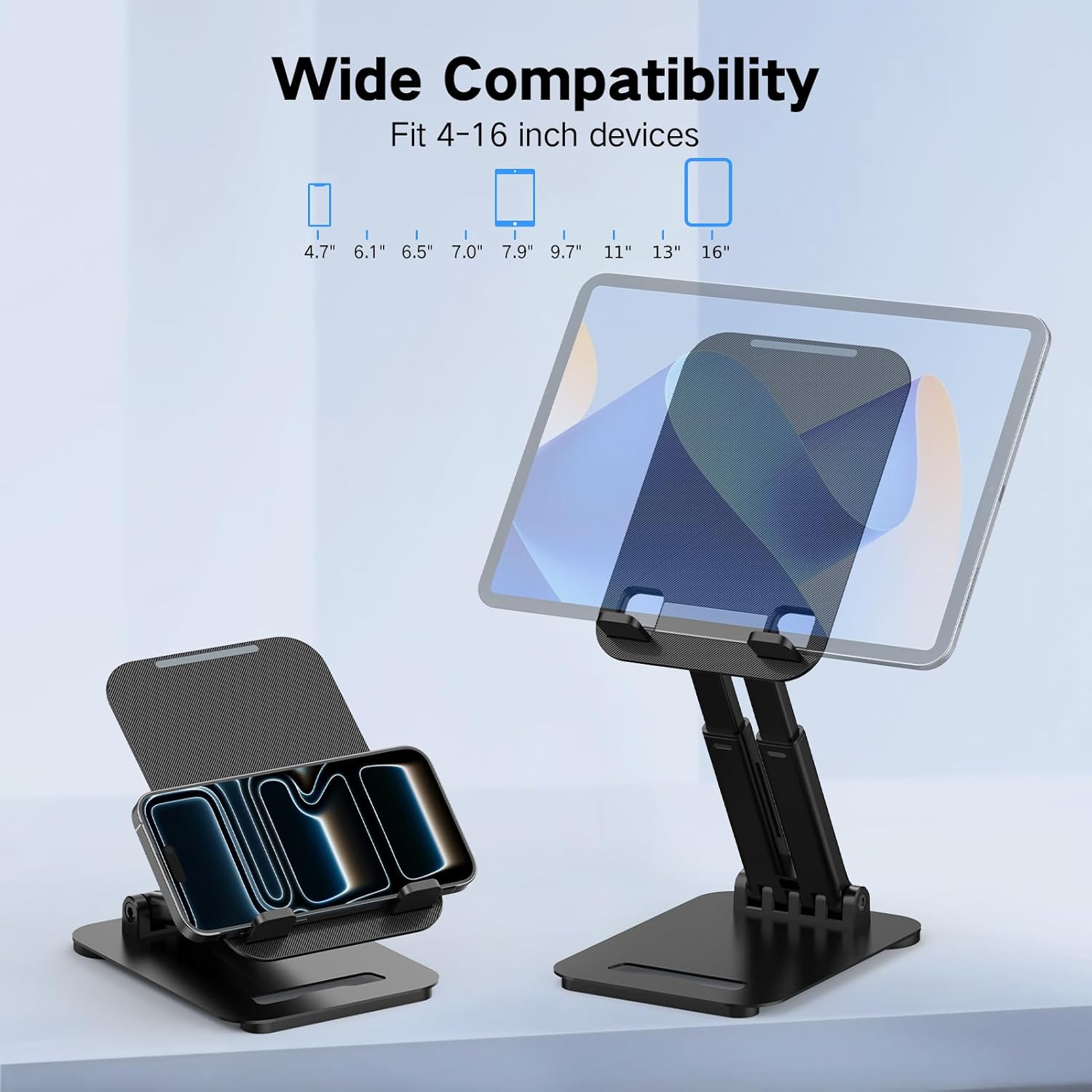
【Broad Compatibility】:Our Stand is compatible with all tablets, phones and E-readers from 4-16 inch. Compatible With iPad Pro / Air / Mini series, Galaxy Tab, Surface Pro, Fire HD, Nexus, iPhone, Kindle, E-readers and more.
8 reviews for Tonmom Tablet Stand for iPad Holder, Adjustable Tablet Holder for Desk, Foldable Portable Monitor Stand Compatible with 4-16″ Tablets Such as Kindle, Switch, iPad Pro/Air/Mini
Add a review
$8.99
Alexander Hernandez –
Great Value
Very stable, love the quality of the product–considering how cheap it is. Great range of adjustability while also maintaining stability, and it is compact and easy to use.
Mrs. Rich M –
Very well made, sturdy stand that can save your neck
I hesitate to write this review, because the price could go up if everyone starts to buy this. This is as perfect as it can be for the size, and it solved a serious problem for me. I read my kindle too much and the constant bending of my neck to see it on the table or my lap was causing spasms in my neck. I tried 2 months of physical therapy, which helped a little, but this solved the problem in a matter of days. I leave mine set up on the table, but if you are going to be bending it a lot you should probably loosen and retighten the hinges with the provided tool to keep them firm. It will wobble if you are playing games, but mine has never fallen off, and I do have a substantial cover on it.
Elen –
Excellent purchase
The telescope style sold me. Very versatile for iPhone or iPad. Great size and very sturdy.
ET –
Nice little stand
Does the trick. Nice little and solid stand for the price.
Mark K. –
Great product
Great for hands free watching
Amazon User –
Decent stand that feels a bit cheap, but it does the job
I got this tablet stand to use at my desk, and overall it works fine for what it is. The adjustment range is actually pretty good, you can tilt and raise it enough to get a comfortable viewing angle for video calls or watching stuff. It holds my iPad steady and doesn’t tip over, even when tapping the screen.That said, it does feel a little on the cheaper side in the hand. The metal is mixed with plastic and the joints don’t feel super premium, though they haven’t slipped on me yet. For eight bucks I’m not expecting luxury, it’s basic but usable, and for light daily use it gets the job done just fine.
Keith –
Great stand for my tablet
I have the Samsung Tab S9 Ultra and as you can see, it is in a folding case. The stand can easily hold the tablet while the tablet is in the case. Straight to the point without spending a bunch of money. Would recommend!
dwb3450 –
Works well with Surface Pro.. provided you have a Bluetooth keyboard
I’m very happy with this for my Surface Pro 7+… I will note that I am using a Bluetooth keyboard that doesn’t require a physical connection to the Surface as the stock keyboard does.