
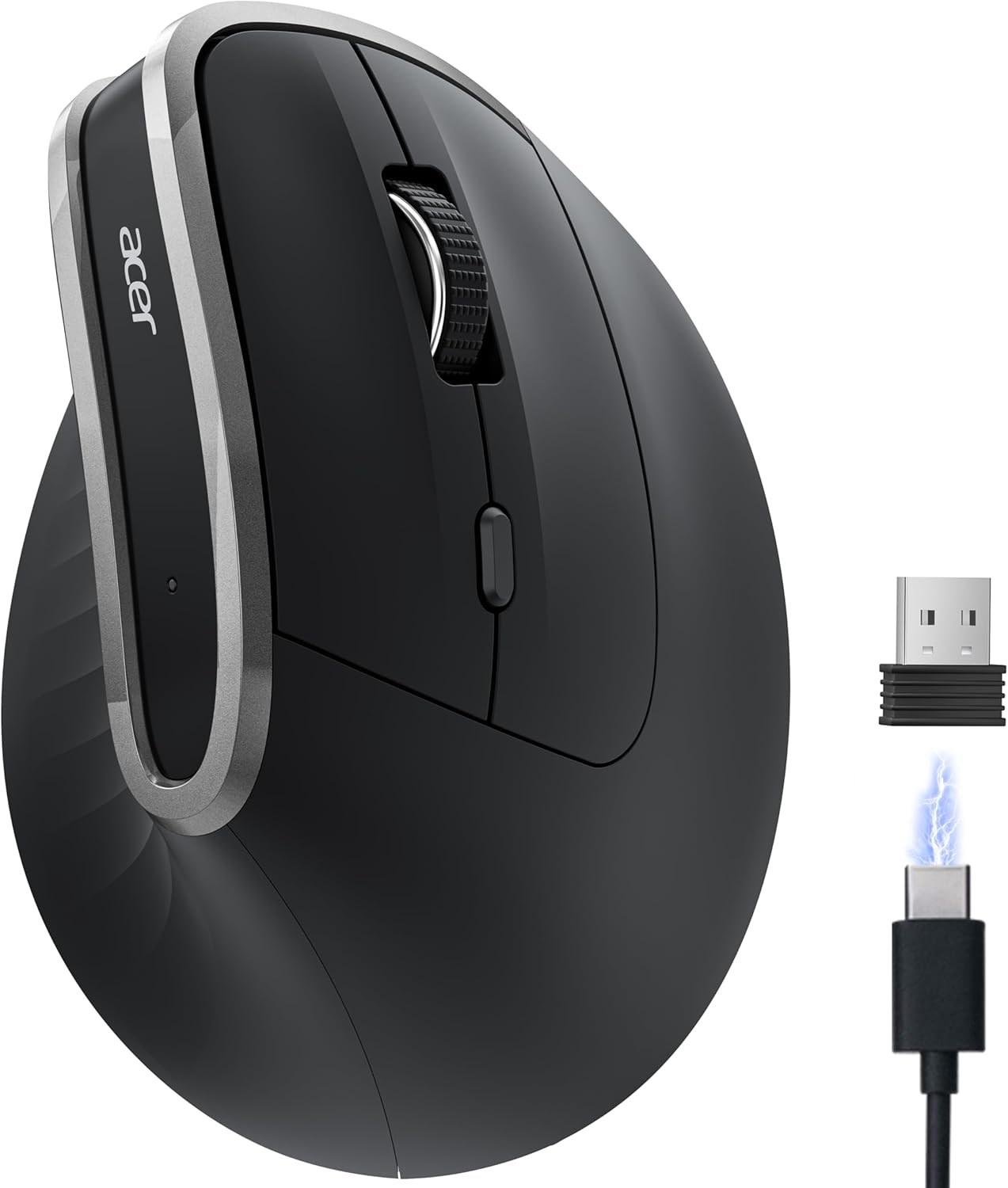
acer Ergonomic Mouse Wireless, Vertical Computer Mouse for Office, Ergo Mice Rechargeable for Medium to Large Sized Hands, 2.4GHz USB Receiver, 800/1200/1600 DPI, 6 Buttons for Laptop, PC and Desktop
$19.99
Related Products






Product description

The Curve Provides a Natural, Comfortable Fit for Users with Medium to Large Hands


1 58° Ergonomic Angle 2 1–2 weeks adjustment


1 Rechargeable 2 2.4G Wireless 3 Quickly switch 3 DPI 4 Forward & Backward


Q1 Why is my wireless mouse not working? – 1. Ensure the mouse is fully charged. 2. Make sure the power switch at the bottom of the mouse is turned on. 3. Ensure the USB receiver is properly connected to your computer. 4. Keep the mouse within 10 meters of your computer for optimal performance. Q2 Why does the ergonomic mouse feel uncomfortable? – 1. Switching from a traditional to an ergonomic mouse may require 1-2 weeks of adjustment. – 2. Please adjust your grip to allow your palm to naturally fit the curve of the mouse to reduce hand fatigue. Q3 How to wake up the mouse? – The wireless mouse enters sleep mode after 10 minutes of inactivity, you can wakes up it with double click. Q4 Why does my wireless mouse occasionally disconnect? – 1. Low battery power. 2. The mouse is too far from the computer. 3. There is significant wireless interference around, leading to an unstable signal. – 4. Long press the Left & Right Buttons and Scroll Wheel, plug in the USB receiver and re-match the code. Q5 Can this mouse be connected via Bluetooth? – No, it can only be connected with the included USB A receiver Q6 Is this mouse rechargeable? – Yes, this mouse is equipped with a 500mAh rechargeable battery. Q7 Is this mouse suitable for all hand sizes? – This mouse prefer medium to large sized hands users. This mouse is L 4.8 inches, W 3.2 inches, H 2.9 inches, and a weight of 4.1oz.
Acer Mouse
Customer Reviews
4.1 out of 5 stars 2,732
4.3 out of 5 stars 1,266
4.3 out of 5 stars 272
4.3 out of 5 stars 390
4.3 out of 5 stars 411
4.1 out of 5 stars 176
4.1 out of 5 stars 2,732
Price
$19.99$19.99
$19.99$19.99
$34.99$34.99
$25.99$25.99
$9.99$9.99
$25.99$25.99
$13.99$13.99
DPI
800, 1200, 1600
1000, 1200, 1600
800,1200,1600,2400,3200,4800
1200, 2400, 3200, 4000
800, 1200, 1600
1200,1600,2400,5000,12K,24K
800, 1200, 1600
Side Buttons
✔
✔
✔
✔
✘
✔
✘
Power Supply
Rechargeable
Rechargeable
Rechargeable
2 AAA batteries (Not Included)
1 AA battery (Not Included)
Rechargeable
2 AAA batteries (Not Included)
Connection
2.4G Wireless
2.4G Wireless
2.4G Wireless+Bluetooth
2.4G Wireless+Bluetooth
2.4G Wireless+Bluetooth
2.4G Wireless+USB-A Wired
2.4G Wireless
Bluetooth
✘
✘
✔
✔
✘
✘
✘
Buttons
6
6
8
8
4
8
4
【58° Ergonomic Vertical Design】The ergonomic mouse Features a vertical structure that naturally contours to your 𝐦𝐞𝐝𝐢𝐮𝐦 𝐭𝐨 𝐥𝐚𝐫𝐠𝐞 𝐡𝐚𝐧𝐝. The 58° tilt angle effectively reduces wrist and arm pressure, decreasing muscle activity by up to 10% for greater comfort during extended use.📌📌To reduce fatigue, let your palm rest naturally against the mouse’s contour and may require 1-2 weeks of adjustment.
【2.4GHz Wireless Connection】Provides a fast and stable wireless connection via the included USB-A receiver. Plug-and-play setup requires no drivers, with a reliable range of up to 10 meters. 📌📌𝐍𝐎𝐓 𝐁𝐥𝐮𝐞𝐭𝐨𝐨𝐭𝐡 𝐜𝐨𝐧𝐧𝐞𝐜𝐭𝐢𝐨𝐧 𝐚𝐧𝐝 𝐍𝐎 𝐔𝐒𝐁-𝐂 𝐫𝐞𝐜𝐞𝐢𝐯𝐞𝐫.
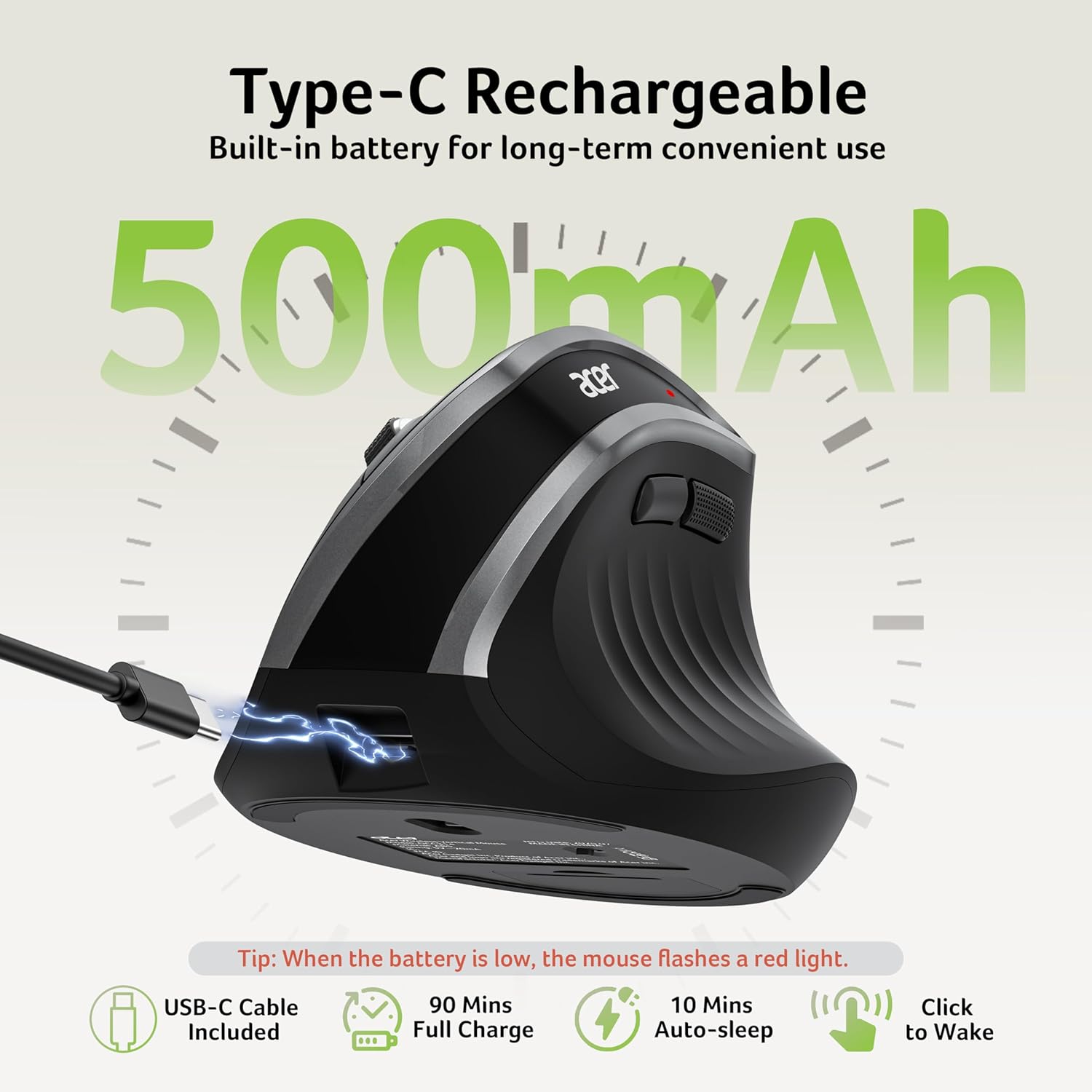
【High-Capacity Rechargeable Battery】Equipped with a 500mAh rechargeable battery, this cordless mouse is designed for long-term convenience. Say goodbye to replacing batteries—it’s the perfect, hassle-free wireless companion.
【Precision Control with 3 DPI Settings】This mouse for laptop offers three customizable DPI levels (800/1200/1600) ensuring optimal precision for any task. An intuitive visual indicator flashes to confirm your selected DPI setting, making adjustments quick and effortless. 📌If the mouse malfunctions, please press and hold the Left&Right Buttons, and Scroll Wheel simultaneously to re-pair it.
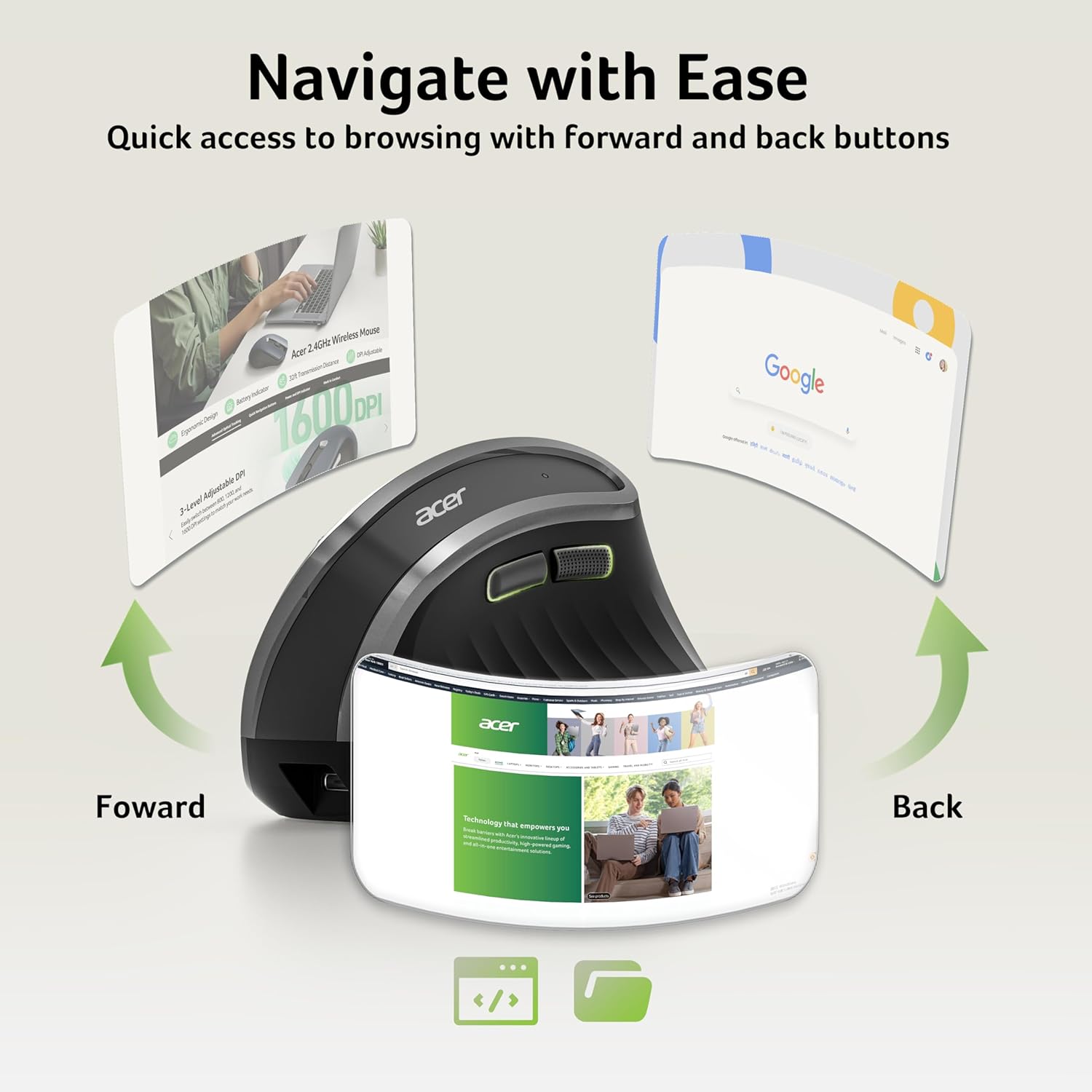
【Quick Navigation Side Buttons】Equipped with dedicated forward and backward buttons, this USB mouse enables rapid browsing and folder navigation. Enhance your efficiency by seamlessly switching applications with a simple click. 📌Side button does not work on Mac.
NOTE: 1. The USB receiver stores inside the mouse. 2. The indicator light is flashing rapidly to warn of low battery. 3. Sleeps after 10 minutes. Wake with a double click.
13 reviews for acer Ergonomic Mouse Wireless, Vertical Computer Mouse for Office, Ergo Mice Rechargeable for Medium to Large Sized Hands, 2.4GHz USB Receiver, 800/1200/1600 DPI, 6 Buttons for Laptop, PC and Desktop
Add a review
$19.99
Jessika Flanary –
Wonderful and exceeds expectations!
Very comfortable and easy to use! I am surprised by this mouse. It is awesome! I love it! It does make a weird sound when I left click, but I’m hoping that goes away because that is literally the only thing wrong. I love this mouse – it is so comfortable and easy on the hand and wrist to use. I work full time doing CAD and I have to be comfortable or I’ll be miserable. I highly recommend this item to anyone! It also recharges and it works while on charge. No batteries ever needed (there is also no batter compartment only compartment it has is for the dongle).
Insight –
A Keeper for Left-Handed People! You’re Gonna Love This One!
Just before this ACER purchase, I had ordered another mouse that was so jittery, I had to return it. I was in a big hurry when I ordered it and I didn’t take the time to research. Lesson learned, (again!) Then I ordered this ACER and I love it.My initial problem with my old Amazon Basics mouse was that it quit working – only because after some computer changes, I was confused about which dongle (i.e. receiver) belonged to which device in my office. It turns out that my Amazon Basics mouse is fine with its rightful dongle. But by then, I had already received this ACER mouse which I no longer needed. However, it’s so NICE that I couldn’t let this one go back. My Amazon Basics mouse is for backup now. (I am a retired computer technician, and although I have worked with and owned various devices over the years, I am still capable of having “dongle confusion.”)What stands out:1) It’s GREAT for a LEFT-HANDED person like me. Although computer mice let you reverse their buttons, I could never get used to doing that because everywhere I worked had right-handed mice. I typically learned to just adapt and tolerate it a long time ago, but I will only order mice that are not specifically for right-handed people. Both sides on this ACER mouse are equal, no matter what hand you use. Having no side buttons is a FEATURE.2) I’m fussy and I need precision. After the jittery mouse experience, the DPI capabilities matter more than I gave credit. I haven’t had to adjust anything and it works fine.3) The dongle says “ACER” – this is an important feature to me! I have always had multiple devices requiring their specific dongles over the years, and after any hardware changes or computer maintenance, I sometimes have to test unmarked receivers to match a device. Some small, unmarked, blue tooth and wireless internet devices look just like a mouse receiver to me. This ACER dongle is the first one that will not keep me guessing. Thank you, ACER!4) It is SLIM, and a nice change over holding a ball-shaped mouse. It’s neither bulky nor too small, and just the right size.5) This is at a great price, about the same as the jittery one I returned. I’ll pay extra for better quality if it should matter, but the quality came with the low price here.6) ACER is a known reliable brand. For electronics, I believe it’s always better to go with a known, good brand than one of the many cheap, unfamiliar ones.You’ll like this!
Justine –
Work mouse.
Needed a new mouse for work. Wanted something slim and minimalist and wouldn’t cost a fortune. Definitely best mouse of had. The curve to it is nice and perfect for whenI’m in tight spaces with limited work room. Very easy to use and set up.
Da Nlokemoen –
One of the Good Ones
I have recently purchased a few thin wireless mice and all of them had serious issues, except for this one, which only had one minor issue.I have been having a longterm wrist issue and just can’t use a taller mouse, nor a heavy mouse. This mouse fits my needs and it just works as is, after a fashion. Out of the box, one of the skates had a corner that stuck out from the plastic lip into which it is designed to sit, and that little corner scratched and dragged across my mouse pad. With a sharp blade, I cut away that corner at an angle, and since then the mouse has worked swimmingly. I doubt this issue is rare, because the shape and size of the skate just doesn’t quite match the molded lip. Don’t purchase this mouse if you’re unwilling to do a little adjusting, or if you have troubles with handicrafts.It would be nice if there was another button or two, but it’s a simple two-button mouse with a clicking scroll wheel. The button behind the scroll wheel only changes the DPI setting, and cannot be reconfigured. In fact, there is no software, and the mouse doesn’t require a driver for Windows.
Marko David –
Comfortable to use
Great addition to my home office. The shape helps a lot. My hand doesn’t cramp and very easy to connect. Will get one for work
J.D. H. –
Stopped working after 6 weeks.
It worked well for six weeks, but now I’m having problems. The scroll wheel sometimes moves in the wrong direction randomly, and the mouse stops clicking or working when I click it. I turned it off and on again. I disconnected it and then reconnected it. It works for a couple of minutes, then it starts malfunctioning again. I might need to try a different brand, but the ergonomics are great. Unfortunately, it is past the return window, so I have to buy a new mouse instead of exchanging it.
Julio J Gonzalez –
Good device
Excellent Mouse, easy to many task computers.
Cheryl Jones –
great concept, poor quality
Just bought the mouse recently and not even 6 weeks of use, the wheel stopped working altogether. I do not recommend. Prior to the wheel breaking, I did find the mouse comfortable to use
F. R. –
Ich muss sagen, das erste mal das ich eine neue Maus zwischen zwei Arbeitsaufträgen in einer kurzen Pause in Betrieb genommen habe. Meine alte Kabel-Maus, ebenfalls ein Vertikal-Modell, musste in Rente gehen. Gestern bestellt, dann klingelte der freundliche Amazon-Fahrer und meine Bestellung kam als kleiner Karton an. Inhalt: Maus, Anschlusskabel, Dongel und Anleitung. Auf die Anleitung konnte ich nahezu verzichten: Dongel eingesteckt, sofort ging es los. DPI noch eingestellt, der Akku hatte noch genug Ladung und ich konnte sofort loslegen. Prima. So stelle ich mir das vor, so ging es auch. Die Maus liegt gut in der Hand, Gummierung an der richtigen Stelle. Einziger Punkt, die Maus könnte für mich etwas schwerer sein, aber das trifft vielleicht nur mich. Preis ist völlig angemessen und OK. Ansonsten, TOP.Fazit: Würde ich sofort wieder kaufen!
RBOG –
I purchased this as a travel mouse, but it feels so nice, I’m thinking of using it on the daily. It’s matte, wide and low profile is surprisingly comfortable in my hands. It’s silent and has a nice feel to the clicks. I’m very impressed. I hope it lasts.
William Westfall –
Been using this thing every day for 3 months now. Works perfectly and only changed batteries once even though I’m at my terminal for 8 hours per day.
Ray –
Super produkt
Angus F –
Excellent comfortable ergo mouse. Would highly recommend.