
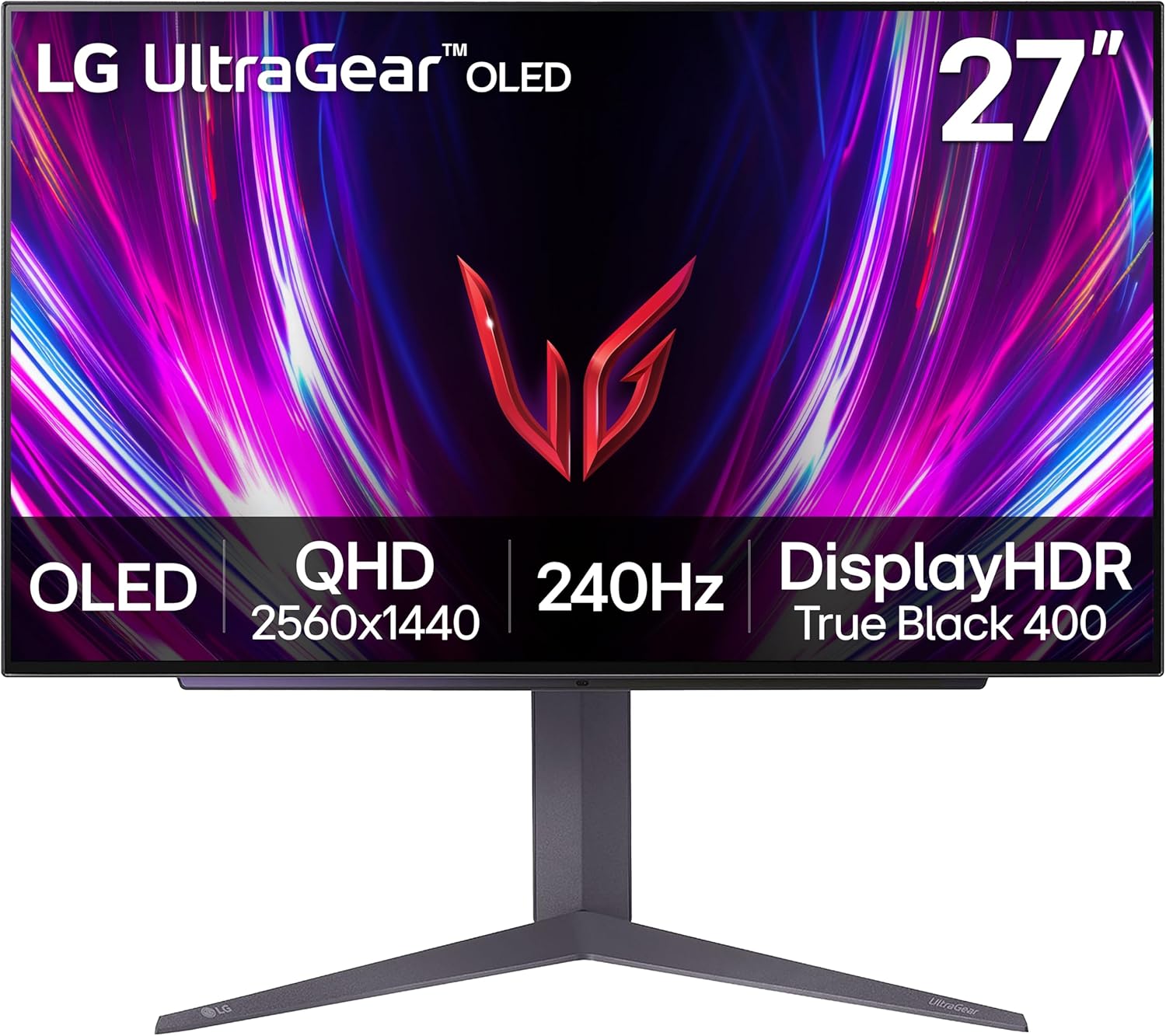
LG 27GS93QE 27-inch Ultragear OLED Gaming Monitor QHD 1440p 240Hz 0.03ms DisplayHDR True Black 400 AMD FreeSync Premium Pro NVIDIA G-Sync HDMI 2.1 DisplayPort Tilt/Height/Pivot Stand Black
$499.99
Related Products






Get wrapped up in the action on the 27” LG UltraGear gaming monitor with the stunning picture quality of LG OLED and an astoundingly fast refresh rate up to 240Hz and .03ms response time. The monitor is also certified VESA DisplayHDR True Black 400 which enables gamers to experience HDR in games as developers intended. The OLED screen produces the stunning, rich black levels and bright, deep color contrast for the on-screen visuals gamers crave. The monitor’s virtually borderless design, height, tilt and pivot adjustability along with impressive connectivity options and make this UltraGear, ultra-essential for your battlestation setup. Source: Circana, LLC, Retail Tracking, Monitors, Gaming Designed, Display Type: OLED, Dollars, Jan – Dec 2025
¹Actual refresh rates may vary depending on computer graphics specifications and configurations.
²NVIDIA G-SYNC Compatible supports variable refresh rate on GeForce GTX 10 Series and higher GPUs on Display Port, and GeForce RTX 30 Series and higher GPUs on HDMI 2.1.
³Graphics card that supports DisplayPort 1.4 or HDMI 2.1 are required to achieve up to 240Hz refresh rate support. Graphics card sold separately.
240Hz Refresh Rate – Gear up for smooth gameplay with an ultra-fast 240Hz OLED display. The faster speed lets you respond quickly to opponents and stay a step ahead of the competition. Plus, enjoy smoother scenes with less lag or ghosting thanks to LG UltraGear OLED’s nearly instantaneous 0.03ms (GtG) response time.
VESA DisplayHDR True Black 400 & 1.5M:1 contrast ratio – VESA DisplayHDR True Black 400 certified means this monitor meets industry standards for brightness as well as deep, rich black color expression. With a 1.5M:1 contrast ration, the benefit for gaming impeccable color and image detail in dark scenes for a stunning visual experience.
NVIDIA G-SYNC Compatible and AMD FreeSync Premium Pro – Officially validated by NVIDIA as G-SYNC Compatible and equipped with AMD FreeSync Premium Pro means this UltraGear provides smooth, fast action that reduces screen tearing and stutter. Never miss a frame of the action as you clinch your victories.
Anti-Glare / Low Reflection OLED – Play with less distractions thanks to an anti-glare screen that minimizes light reflections and lets you concentrate on winning.
2 Year UltraGear OLED Warranty – Game with peace of mind. This UltraGear OLED gaming monitor is protected by a two year limited warranty covering internal and functional parts and labor, including OLED Display Panel. See Warranty Information on this page for all warranty details.
Bold Color On A 27″ Screen – Bring big time color to the screen. The LG UltraGear OLED 27″ display lets you explore HDR content the way it was meant to be seen with up to 98.5% coverage of DCI-P3 —an elevated color spectrum that showcases brilliant color.
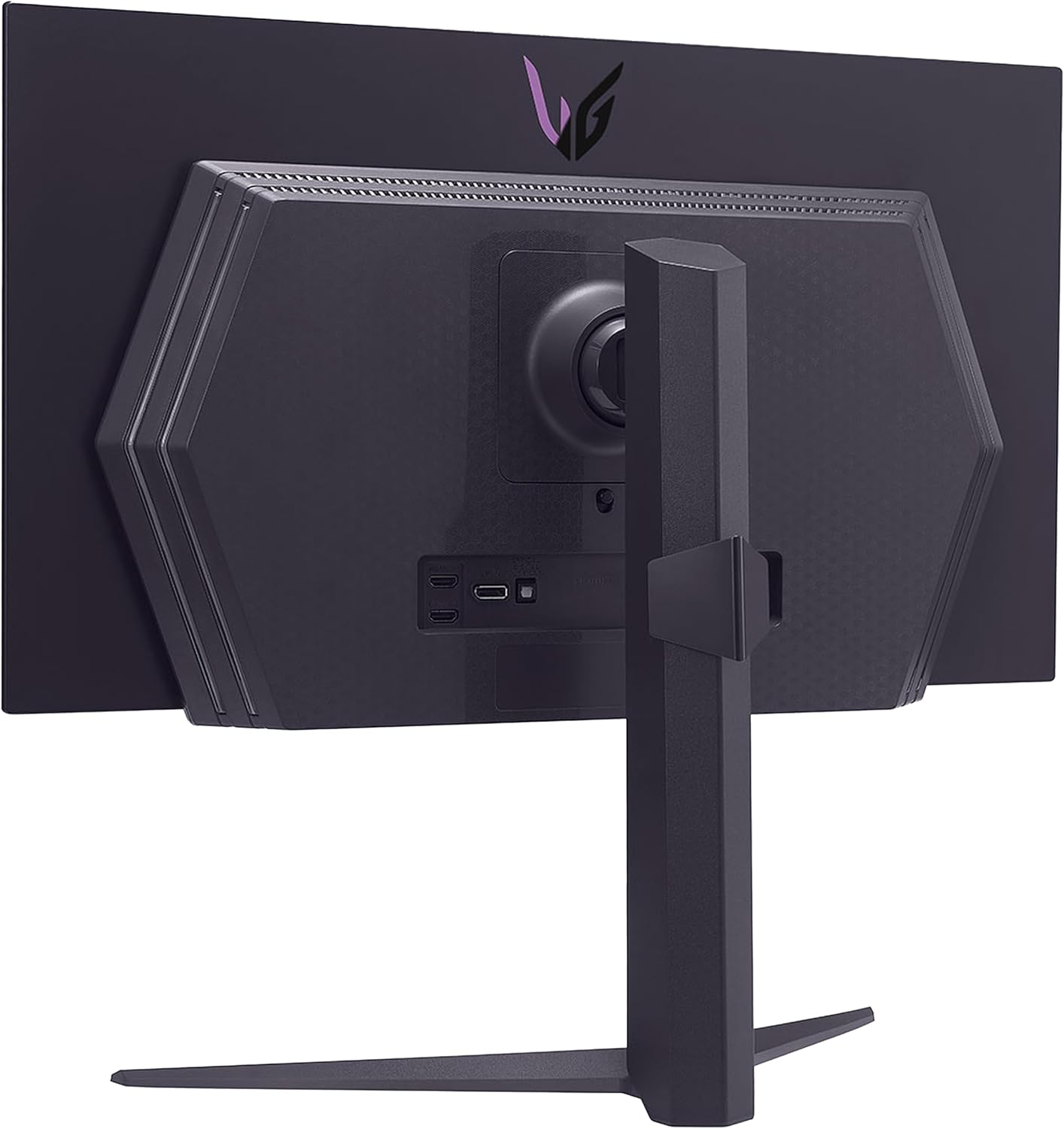
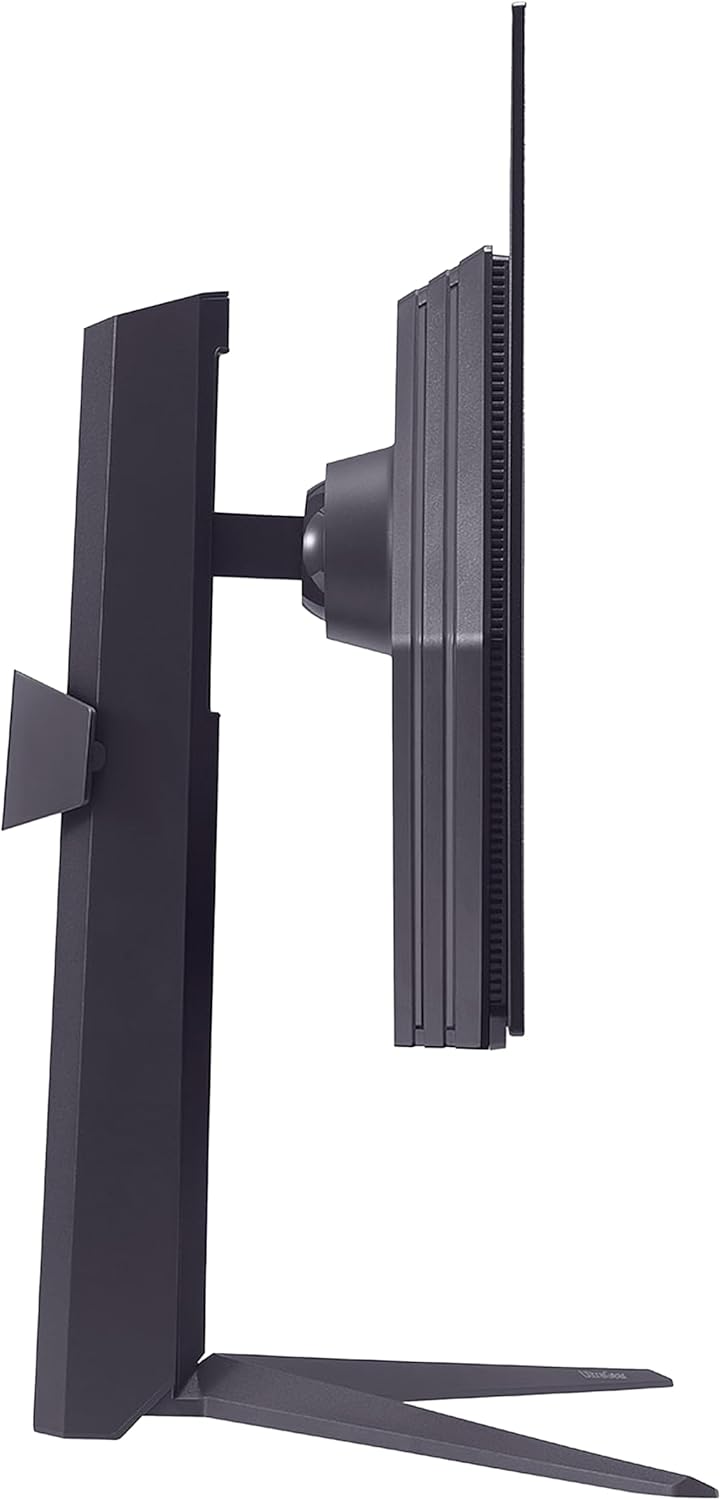
Designed For the Win – Lose yourself in the game with a virtually borderless, ultra-thin design that optimizes space within your battlestation. Easily make height, tilt and pivot adjustments to the display to be able to see and play exactly to your specs.
Customized For a Game Changing Experience – Choose from a variety of modes including Gamer, FPS or RTS to optimize display settings for the best view possible.
Serious Connections for Serious Gamers – Enjoy smoother, vivid colors and high-resolution graphics thanks to HDMI 2.1 and DisplayPort 1.4. Both connections are supported on this display and let you experience up to 240Hz refresh rate.
13 reviews for LG 27GS93QE 27-inch Ultragear OLED Gaming Monitor QHD 1440p 240Hz 0.03ms DisplayHDR True Black 400 AMD FreeSync Premium Pro NVIDIA G-Sync HDMI 2.1 DisplayPort Tilt/Height/Pivot Stand Black
Add a review
$499.99
Will –
This panel beats QD OLED easily.
LG 27GS93QEThis monitor is absolutely amazing. I went from a QD-OLED gaming monitor to WOLED with hesitation but wow, LG is so much better than Samsungs panels! People all over the internet will scream how QD-OLED is better or that the Matte finish takes away from the image. This is a major lie, as I have owned both, I can tell you the WOLED panel crushed QD OLED.Blacks are actually black not purple, and having light in your room never takes away the beauty of the contrast on this panel! You might as well play in the sun here, the blacks stay that inky black! While QD OLED is embarrassing in comparison.The screen is actually cleanable!!!!!! QD OLEDs screens are just awful with cleaning. Glossy coats on monitors are just terrible. Following the manufacturers guidelines in cleaning won’t prevent scratches. But here, with LG, yea you won’t even see a scratch!!!Matte finish… where do I start. First you can’t even see the matte finish, it’s not the same matte finish you see on other gaming monitors. It’s borderline glossy, but much better than glossy. It won’t take away from the game, it doesn’t make the image look fuzzy what so ever. And again note here that I have BOTH panels!! This one embarrasses QD OLED and it was cheaper?!!!Brightness, and color. This monitor will show realistic colors and the true blacks will blow you away in contrast. On QD OLED, colors are far to vivid making it look over saturated even with calibration!!! WOLED, never had this issue and has the correct and accurate colors even out of the box which is insane! The brightness is good here, it’s Oled so your not going to get insane 2000 nits but your definitely getting an upgrade from QD OLED, VA, IPS, or TN.All in all amazing monitor, don’t listen to Reddit, get one your self and see! A great idea is to go to Best Buy and see them side by side and you’ll realize how much better WOLED is.5 amazing stars wish I could give it more.
Bob Nelson –
Amazing Color, Contrast and Refresh Rate
Purchased this amazing OLED gaming monitor at a great price at Amazon and am truly impressed by the colors, contrast and speed of this monitor. This is the first OLED display of any kind that I have owned, and it’s a revelation! Even with the deeper blacks, there is still good shadow detail when connected to my Nvidia 5070 video card set up for 1440p & 240Hz. The 0.03ms (GtG) response time is unbelievably fast. Setup is easy: pretty much plug & play (just make sure you have a video cable that fully supports this monitor). The build quality is high (as you would expect for a monitor in this class). If you can find it on sale for $499, it’s a no-brainer purchase!
Brett –
Works well!
It’s a good screen. It will want to perform “picture scrubbing”. Brightness is as described. Great range. GSync works well with 5070ti. Looks good. It comes with a remote. This is actual AMOLED, not QDOT-LED which is often suggested. The difference is noticeable.
Alex Truax –
Awesome monitor, dont freak if you see vertical bands when first turning it on
This monitor is excellent so far. Its very easy to use and adjust the settings with the included remote. The brightness is excellent and I would never need to turn it all the way up with peak brightness on. The image quality is excellent and the contrast is wild. Also do not be freaked out if you see vertical banding when using it for the first time. After a few power cycles the monitor will automatically run image cleaning cycles and mine now looks perfect.
Oleg Vorkunov –
Not for productivity tasks – Disappointing Monitor With Major Issues
I had high expectations for the LG 27GS93QE OLED monitor, but after using it, I am genuinely disappointed. For the price, the problems I ran into are unacceptable, especially for anyone who plans to use this monitor for normal desktop work in addition to gaming.First, text clarity is poor. On the Windows desktop, text looks fuzzy and has a rainbow-like color outline around letters and even around desktop icons. This is extremely distracting. None of my other monitors have this issue, so it appears to be caused by the subpixel layout of this panel. For work or everyday computing, this is a serious problem.Second, HDR brightness is very low. HDR mode looks dim, flat, and underwhelming. In a bright room, HDR becomes almost unusable. Bright highlights never appear bright, and overall the picture looks washed out.Third, the stand design is disappointing. You cannot position the monitor completely flush or low to the table. The adjustment range is limited, and it forces you into a higher viewing position than I prefer. At this price point, I expected a far more flexible and practical stand.Another major issue is the lack of real 10-bit color support. Despite being advertised as supporting 10-bit, the monitor only runs in 8-bit mode with my setup at any refresh rate. For anyone who does color work or expects proper HDR, this is a dealbreaker.Overall, this monitor probably performs well for gaming (I do not play games), but outside of that, it fails in areas that matter for daily use. Poor text clarity, dim HDR, stand limitations, and questionable 10-bit support make this product difficult to recommend. There are better options available, especially if you need a monitor that works well both for gaming and productivity.I cannot recommend this monitor based on my experience.
Eduardo –
Doesn’t have speakers
Apart from not having speakers. The monitor is great. Beautiful colors and dark blacks. I usually turn the HDR feature on windows OFF for fps multi-player games for better frame rates and ON for movies and solo games.
Jerry Z –
Why didn’t I upgrade sooner?
Gorgeous screen with amazing resolution, sharpness, contrast, refresh rate…. the whole nine. Been wanting an OLED display for awhile and I kinda regret not getting one sooner. 5 stars all the way. Great value considering the Black Friday deal.
Thomas Vowell –
Amazing Diplay, Poor Stand
The monitor is absolutely perfect, the stand takes up way too much space
Khayne –
This is the best monitor I have ever owned. It’s not my first OLED as I own a small QD-OLED, but its my first WOLED monitor. I think both WOLED and QD-OLED are great technologies and when purchasing a monitor more things should factor in the purchase than the panel itself IMHO. This monitor has a lot going for it:The remote makes so much sense and it is so helpful and practical when adjusting the settings, unlike the knob that most monitors carry nowadays, allows me to change between settings quickly.I have my setup in a well lit room with multiple windows, in a common area so it’s impossible to control the light conditions, so matte is the way to go for me, but this monitor isn’t 100% matte, more like anti-glare, semi-glossy, which to me is definitely the best option, because it definitely shows the dust and dirt way less.I have perfect vision and never wore glasses and I don’t see any smearing of the graphics, and playing with the settings I was able to replicate the color impact of my QD-OLED without the caveats of the glossy screen. When rendering colors I have my monitors calibrated with an i1 Display Pro to make them look the same so I don’t see any differences between the OLEDs, unless changing modes that are pre-calibrated and over-emphasize colors. I can understand someone liking those modes on a QD-OLED display since it can display a broader color range, but that wasn’t the game designer’s intention most likely, specially when most videogame graphics are designed to display sRGB colors and sometimes use more restricted graphic palettes in order for the games and graphics to look good in a broader variety of displays.As someone who has been involved with graphics in a variety of media I remember the days when Apple decided to suddenly switch to glossy monitors and the vast majority of professionals saying that was a poor choice and a bad idea, it’s interesting how over a decade and a half later people are drooling over glossy QD-OLEDs thinking that’s the best and only way, must be the fact that cellphones are everywhere and their screens are glossy. I personally find glossy screens more distracting and less immersive in normal light conditions and better suited for dark rooms or windowless rooms with ceiling illumination.As for the brightness, I mostly use this monitor with brightness between 67-85%, with 75% being my average, with peak brightness setting on high during the day and low or off in the evening and night. Peak Brightness at night shows a lot of banding on low light conditions so it’s best when it’s off. Again, having a remote allows you to quickly change these specs quickly and effortlessly if needed.To sum it up, if you are looking for an OLED monitor that’s suitable for most people than being targeted exclusively towards gamers and looks like a product targeted towards an older demographic of people who game and can afford and OLED monitor but like most adults out there don’t have the perfect light conditions, need to share the space with others and don’t want something that has an overly gamer aesthetic despite being a gaming monitor.I would recommend this monitor to anyone that want’s a flexible premium OLED monitor that has a great number of features that will blend in better with any lifestyle without restricting you in one way or another and that feels like a logical upgrade.2 month update: I have gotten the hang of calibrating it properly and creating ICC profiles. Colors look incredibly accurate even on HDR you don’t get the washed out effect after properly calibrating it. Interestingly enough leaving it at 75% brightness works for most situations. I find it as bright as my older VA monitor, but I have never been a fan of extreme brightness.
Ryan –
This monitor is really nice, runs cool, colors and accuracy are fantastic. Features and remote makes for nice quick adjustments / run clean cycle.Software that comes with the monitor doesnt seem very functional though, cant find firmware or driver options on the LG website either, minus their 3 software tools.Took some time to calibrate it, ended up using the windows store tool and none of the software pieces. In the On Screen software suite , it allows for firmware update, but it doesnt appear to work or there isnt an update.Nice build quality, stand is quite firm, unit is front heavy with heavy screen.Overall better pixel quality and sharpen handle, color gamut than Ive ever had on a monitor. Really enjoying it so far.
Kristian Hutchison –
Awesome monitor, still using it a year later and it works wonders. Lovely colour profile, it’s bright and clear
Luke –
The picture/colouring on the monitor is fantastic. The blacks are deep and actually blend in with my dark room as opposed to being an ugly greyish colour. I generally play fps/esports games and I have noticed a slight improvement in terms of smoothness going from my other 240hz monitor to this one. I have not noticed any weird effects to due to the specific panel type, I.e haloing from white text on a black screen. I only slightly tweaked the picture settings for the monitor and it is definitely worth the extra 2-300$ for this panel.The one thing I thought would put me off about the monitor was the screen cleaning mode/timer, you are able to choose how many hours until it prompts you to turn off the monitor for cleaning, BUT the prompt does not come up at all if you are actively using the monitor. So this means you won’t be in the middle of a match and have to turn the monitor off for 15 minutes because you got unlucky with the screen cleaning needing to be done.Overall it is a great monitor, i love that it comes with a remote to turn on and off, but i would wait for sales or buy used because who wants to pay full price for anything.
NS –
If you’re looking for a high quality OLED screen this is not it. First panel I received had a dead pixel and so did the replacement. Not only that, but the replacement was clearly used despite ordering brand new. There were fingerprints on the screen, items in the box that obviously didn’t belong (somebody’s invoice for new car tires, not kidding), missing cables, and an unsealed/uncovered screen laying bare on the foam cover with no protection. Just avoid Amazon (and maybe LG) for big ticket items otherwise you’re getting scammed HARD. Returned and bought a much nicer 4K OLED on sale from Best Buy for the same price and I couldn’t be happier. Different brand too, of course. No dead pixels and it actually came brand new.