

Meross Smart Energy Consumption Monitor with 18 Circuit Monitoring, Electricity Usage Monitor, Real-Time Power Usage Monitor, Home Assistant Support, Smart Alerts, No Subscriptions, 2-Year Warranty
$179.99
Related Products


![[2026 Upgrade] Outdoor Waterproof Electrical Box, (12.3 x 7.5 x 5.1 inch) with IP55 Waterproof Canvas, Weatherproof Extension Cord Cover, Protect Power Strip, Plug, Socket, Christmas Holiday Lights](https://hometech-hub.com/wp-content/uploads/2026/04/81Vswg13L._SL1500_.jpg)




From the brand


Most Popular
Smart Water Timer
SAFE & RELIABLE: Meross smart energy consumption monitor is ETL‑certified and compliant with the UL 61010 testing standard, ensuring safe and reliable home energy monitoring. Works with most US homes: single-phase 2-wire systems, single-split phase 3-wire systems, and 3-phase 4-wire Wye systems with earthed (TN or TT) neutral (no Delta). Easy clamp‑on design installs in minutes. Invert CT readings in the app—no physical flipping. PROTECTED BY 2-YEAR WARRANTY for worry-free use.
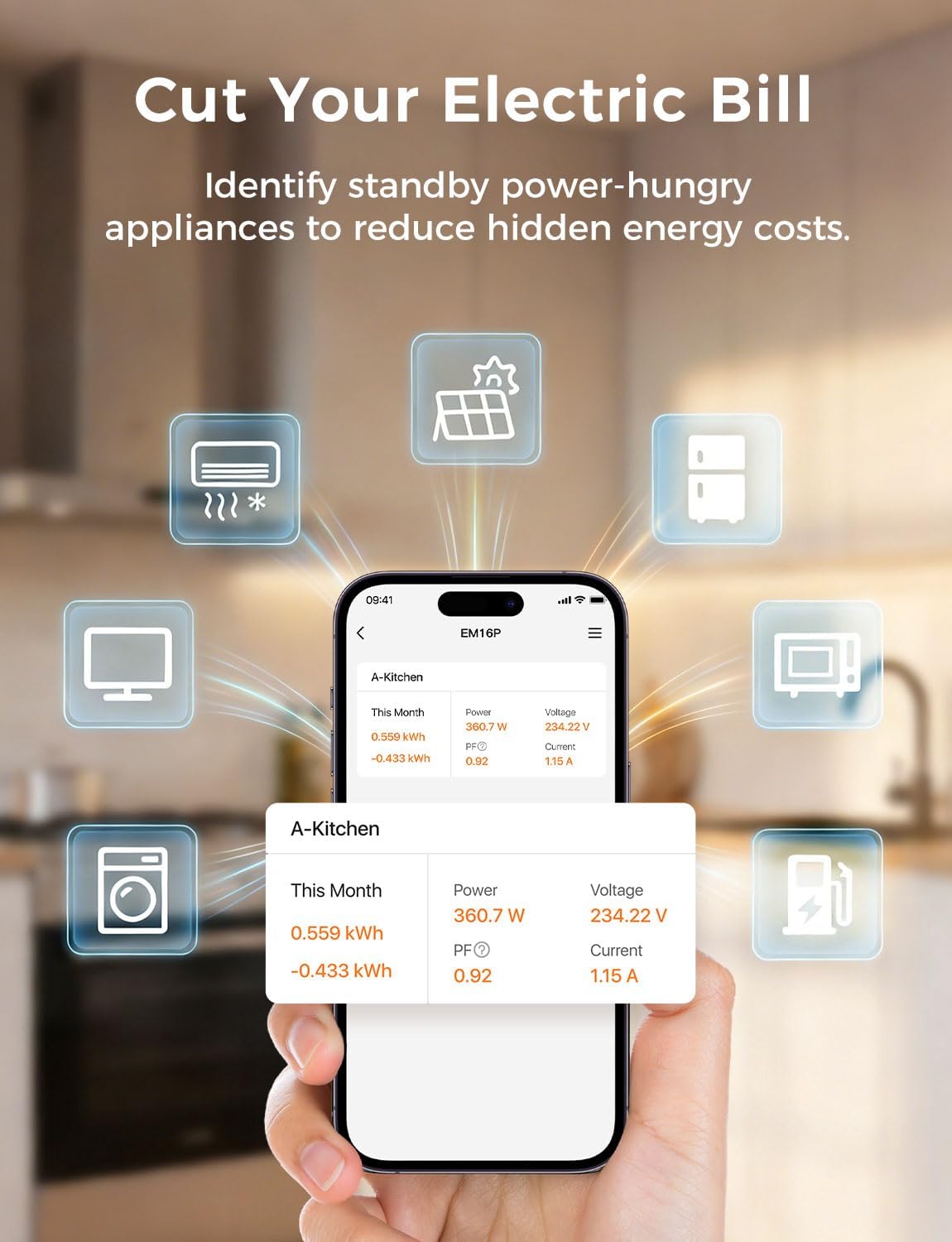
TRACK ENERGY & CUT BILLS: Track power, voltage, current, and power factor within ±2% accuracy. Clear power usage and cost charts by minute/hour/day/month/year help you easily understand your energy use. Store up to 5 years of data and export hourly reports for deep analysis. Most users save 10–20% on energy costs by spotting energy hogs and getting accurate insights to cut their bills.
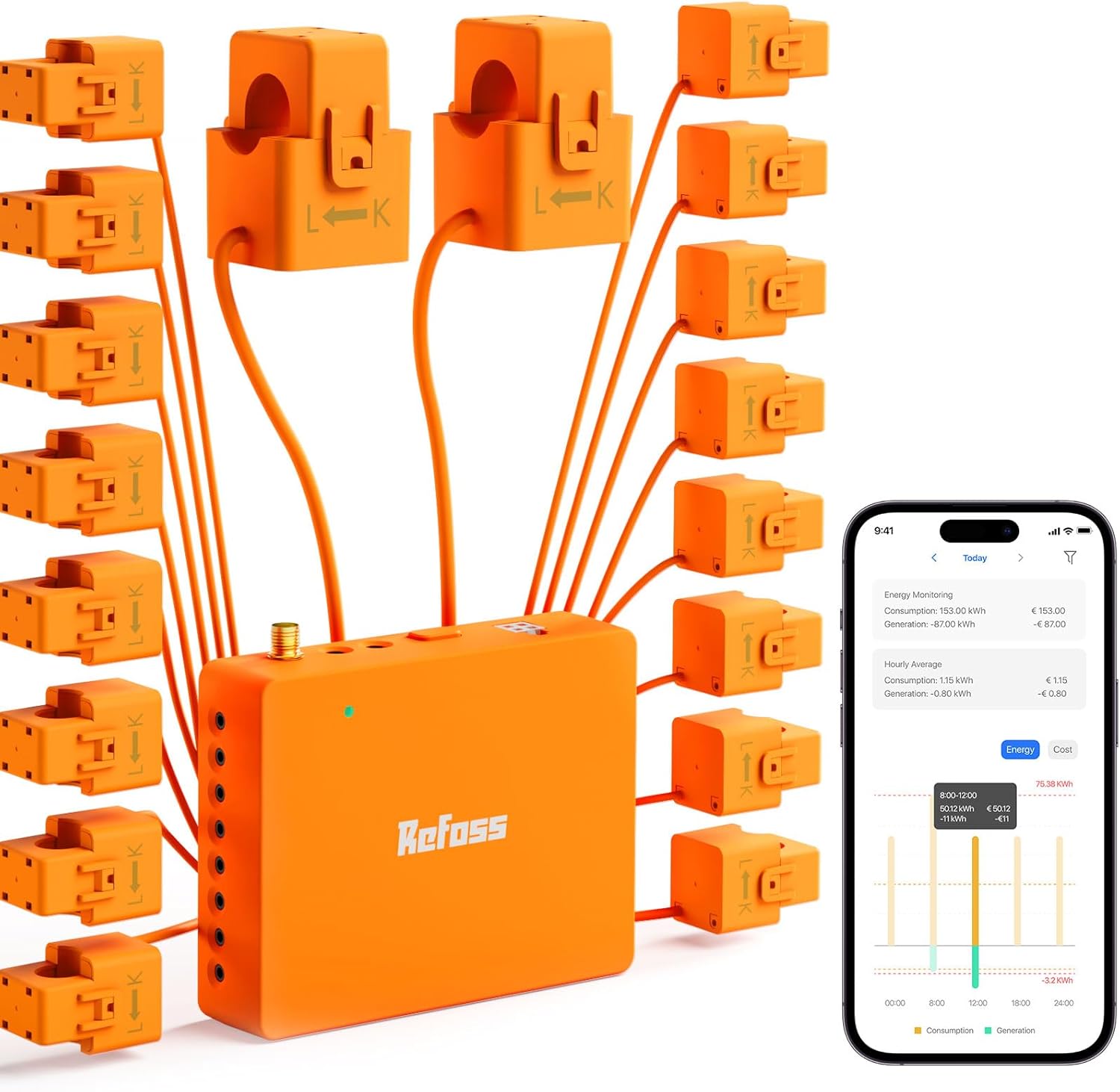
24/7 ENERGY MONITORING + SMART ALERTS: Real-time home energy monitoring from anywhere. Set custom alerts for unusual usage spikes and threshold breaches for total peace of mind. Catch issues early with no subscriptions, no cloud lock‑in, and no hidden fees — all built-in. Supports 2 main circuits (200A) + 16 branch circuits (60A), making it perfect for precise, circuit-level energy monitoring.
MAXIMIZE YOUR SOLAR SAVINGS (HOME ASSISTANT): This solar energy monitor integrates with Home Assistant to detect solar surplus and automatically power EV chargers, water heaters, and other high‑use appliances. Stop wasting solar energy—use it yourself and cut your electricity bill faster. The perfect home energy monitor for solar homes.
LOCAL DATA, FULL PRIVACY, NO SUBSCRIPTIONS: Connect seamlessly with Home Assistant for advanced energy automation. All energy data stays local—no cloud, no delays, no privacy concerns. Take full control of your home energy, reduce waste, and protect your privacy. Supports Open API and Web Control.
7 reviews for Meross Smart Energy Consumption Monitor with 18 Circuit Monitoring, Electricity Usage Monitor, Real-Time Power Usage Monitor, Home Assistant Support, Smart Alerts, No Subscriptions, 2-Year Warranty
Add a review
$179.99
JES –
Quality hardware, Easy to Install, Intuitive App, Really Pleased with Total Experience
I was looking for a means to monitor my energy consumption from afar when I came across this Meross Home Energy Monitor. I read-up on it and found that it would meet all of my needs and more. It was delivered quickly and packaged well. I mapped out which circuits I wanted to monitor in advance. The installation went extremely well, even though I have a small, tight 24 slot breaker box. Everything fit in the breaker box fine with room to spare. Installing the current transformers was easy, as they just clip around your wires and then plug into the Meross energy monitor module. When I powered up the sytem, the light came on, I downloaded and opened the app, hit the + and it found the energy monitor quickly. It asked for my wifi info, and once provided connected quickly and began showing the energy status of every line I chose for monitoring. The app lets you merge multiple lines into one for total consumption if you chose, as well as specifically label each line so that you know what you are measuring, line by line. For unbalanced 240V lines, the app allows you to enter a factor (0.5) to obtain total consumption using two current transformers/sensors on that breaker. Only one current transformer/sensor is needed on balanced 240V lines. I found that the 16 branch current transformers plus the two main line current transformers was plenty. It lets me monitor all circuits that have any significant power consumption. I did not use nor need sensors on such things as overhead lighting, wall receptacles, etc. The consumption from these lines is still included in the total shown from monitoring of the mains coming into the house. The app shows voltage, amps, watts, and power factor for each monitored line. It tracks usage by hour, day, week, month and year. I installed it myself. If you are not comfortable working with electrical circuits, you may want to have an electrician install it. I am estimating I spent less than a total of two hours installing mine, including getting the app up and running. I plan to use it to fully understand my electrical consumption, monitor my usage to see what can be improved, and it gives me the ability to make sure our AC units are running properly even when we are away for extended periods during the summer. I recommend this package as it is easy to install, the app is intuitive and well thought out, and the information it provides is useful and actionable.
NealinNevada –
Not much work, lots of information!
The Meross Smart Home Electric Monitor (EM16P model) has completely transformed how I manage and understand energy use in my home—it’s honestly one of the best smart home upgrades I’ve made in years!Installation was surprisingly straightforward for a whole-home device. As someone who’s not an electrician, but having 45+ years of electrical experience, I installed it about two weeks ago and it took me about an hour. I found the instructions to be somewhat vague, but none-the-less interpretable. I installed this unit in my subpanel for my home, and it works just fine (though it makes no mention of subpanel installation in instructions). Once wired in, it supports monitoring up to 16 individual circuits (outputs) plus the two main lines (inputs), giving incredibly detailed visibility into exactly what’s consuming power—fridge, mini-split. TV & home theater, home office setup, you name it.Once the wiring and the circuit monitors are installed it is a breeze to connect to the Wi-Fi. Start the app, turn on Bluetooth on phone, add device in Meross app (I have about a dozen Meross devices installed). The real magic happens in the Meross app: real-time tracking of power, voltage, current, and power factor with about ±2% accuracy. The charts are beautiful and intuitive—view data by minute, hour, day, month, or even year, plus estimated costs that help me spot wasteful patterns instantly. I added my electric provider rates and it will show the cost of operation of circuits also! I would suggest that you mark the ends of each wire from the sensors so that if you ever need to pull the controller out, you won’t have to figure out which wire is which. I used a Dymo labeler.I love the smart alerts too—custom thresholds notify me of unusual spikes (like if the dryer runs longer than expected or something’s left on). No subscription nonsense either; everything’s included, and the 5-year historical data storage means I can look back and compare seasons or before/after efficiency tweaks. Oh, and if you have solar, it can track what is supplied from those circuits too!If you’re serious about cutting energy waste, living more sustainably, or just wanting better insight into your home’s electricity habits (me), the Meross Smart Home Electric Monitor is an absolute game-changer. Highly recommend—it’s smart, powerful, user-friendly, and genuinely helps save money. Five enthusiastic stars!
Tim Folkins –
I have zero electrical background and was still able to get this up and running without any issues. The installation process is straightforward and well-guided. One thing to be aware of: a couple of my monitoring clamps were oriented the wrong way, which caused negative kWh readings. A quick flip fixed it immediately — so if you see negative values, don’t panic, just reverse the clamp direction.The main hub does need to be hard-wired directly into your breaker panel, so keep in mind that depending on your country’s electrical code, you may need to purchase a dedicated breaker rather than piggybacking off an existing one. It was an extra step and small added cost, but totally worth it.The app is clean, intuitive, and gives you exactly the information you need at a glance — no unnecessary clutter. For someone who just wants to understand their home’s energy usage without diving into complex dashboards, this hits the mark perfectly.Overall, a solid product that I’d recommend to anyone looking to get a handle on their home energy consumption, regardless of their technical experience.
Jan –
30-Day Review:I have had the Meross EM16P installed for about a month now, and it has completely transformed how I monitor my home’s electricity. This is an incredibly powerful device that brings smart home tracking to your electrical panel, but it is and is not a simple “plug and play” option. If you are willing to plan ahead, the payoff is massive.Packaging & First Impressions:Out of the box, the packaging is amazing; super neat and tidy. Meross even includes extra twist connectors, which is a nice touch for keeping your wire management clean inside the panel.The Catch: Pre-Planning is MandatoryBefore you buy this, you must look at your electrical panel.You need a dedicated breaker: while some might be tempted to pigtail the power wires into an existing circuit, I highly recommend installing a dedicated 15A 2-pole breaker just for this monitor. If you share a breaker and a heavy appliance trips it, your whole monitoring system goes dark. Plan to buy a dedicated breaker if you don’t have an empty one.The Phase A / Phase B Hard Limits:This is the biggest hurdle. You cannot just clip a sensor onto any random wire and plug it into any open port. The ports have hard limits depending on where you place your “C” voltage wire. By default, you will have 11 ports dedicated to Phase A (Odd rows in your panel) and 5 ports dedicated to Phase B (Even rows). However, a great trick is that you can flip this! If you wire the C wire to your Phase B breaker terminal instead, you get 5 ports for Phase A and 11 for Phase B. It gives you some flexibility, but it is still a hard mathematical limit. You have to map out your breakers ahead of time and strategically assign your clamps.Pro-Tip: Do Not Trust Your Panel Labels!Before you start assigning your limited clamps, take an hour to physically test every single breaker. Do not trust the handwritten labels left by your builder! I discovered several breakers in my panel were mislabeled and controlling completely unexpected rooms and lights. I even found a massive 240V breaker taking up space that wasn’t doing anything at all because the house was wired for an electric dryer, but I use gas. Doing a “plug and flip” test to verify your actual layout is an absolute must before you start wiring.Physical Installation:The actual installation of snapping the CT clamps onto your wires and plugging them into the back of the unit is very simple. The intimidating part is strictly psychological—working right next to the massive, live 120V main service lines will definitely make you sweat.Note on buzzing: When I first clipped the main CT clamps on, there was an audible buzzing noise. Don’t panic; once the unit is fully wired in the buzzing completely disappears.Note on the Antenna: As others have mentioned, the included rubber grommet for routing the Wi-Fi antenna outside the metal panel could fit better. My panel’s knockout hole was a bit too large for it. I highly recommend picking up a standard 1/2″ locking connector from the hardware store to secure the antenna wire safely and prevent chafing.Wire Management: Be prepared for your panel to look full. Getting 16 braided wires tucked away cleanly is a challenge, so take your time with zip ties.App & Native Setup:Native setup is a breeze. If it isn’t auto-detected, you just add the device manually, punch in your Wi-Fi, and it’s online. The Meross app is actually packed with great features:You can easily invert the values if you accidentally clipped a clamp on backward (saving you from opening the panel again).You can group Phase A and Phase B clamps together into a single device for 240V appliances (like my electric stove).It includes customizable power costs and excellent threshold alerts so you get notified if a circuit is drawing too much power.The Real Magic: Home Assistant IntegrationFor me, the real fun begins when you ditch the cloud. Meross natively allows third-party local integrations without a fight. By using the meross_lan integration via HACS, the monitor is instantly discovered on your network, and all 16 channels transmit data locally with zero latency.Having instant, local telemetry allows you to turn “dumb” appliances smart using power consumption logic. A few automations I’m currently running:Dumb Appliance Alerts: Sending a push notification to my phone the exact second the dishwasher finishes its cycle and the wattage drops to zero.Server Health Watchdog: Tracking my local server rack. If the wattage suddenly plummets below the normal baseline, I know a server has hung or crashed before I even try to log in.Ultimately for me this device is perfect and as a summary:Pros:Unbeatable value for 16 individual branch circuits plus the main service lines for total consumption!Native local control support (perfect for Home Assistant).Real-time, eletrical data monitoring!App easily handles combining 240V appliances and reversing backwards clamps.Excellent, tidy packaging with included wiring hardware.Cons:The hard limits on Phase A vs. Phase B ports require careful pre-planning and can force you to leave some circuits unmonitored.The included antenna grommet is too small for some standard panel knockouts.Creates a bit of a “rat’s nest” of wires inside the panel.Final Verdict:If you have a smart home and want enterprise-grade data on your energy usage, this is an absolute must-buy. Just respect the high voltage, verify your builder’s labels, map your panel phases and what breakers you plan to monitor before you start clamping, and buy a 1/2″ locking connector for the antenna.Highly recommended
RevsbyG –
Ive wanted one of these for a while now to track down power consumption waste. I already had a meross garage door opener so i chose the same since it works greatItem arrived quickly and was packaged very well. Each sensor packaged in its own bubble wrap and a well designed box so nothing was moving around inside.It took me a little over an hour to install it on a small panel. Im bot an electrician so i worked slowly and carefully with the power turned off. The instructions are very clear and was easy to follow. My pa el is small so there was not alot of space so much time was taken up organizing and finding wires.Once i was finished a switched back on the power and opened my meross app on my phone and the device was shown automatically and asked me if i wanted to connect. A few simple steps and i was connected to my WiFi and consumption readings were coming to the app. Perfect. In the app i renamed the circuits to match my place and ive already reduced my consumption by finding a few things that were plugged in that were drawing power even when not in use. The device will pay for itself in energy saving in no time. The app offers history and cost of electricity and graphs and data export. So far anything ive thought “this would be handy” i found in the app already
Al M. –
Installing the Meross Smart Energy Monitor went smoothly thanks to the excellent User Manual. During setup in the Meross app, I encountered several items requiring clarification. Electricity time-of-use rates are normally shown in cents/Kwh but the app requires these to be entered as dollars/Kwh (eg 20.3 cents should be entered as .203 dollars. The Merge Channel function allows 2 Current Transformers (CT’s) to be combined so that 240 volt appliances that have a CT on each side of the breaker can be displayed as one additional CT. I could not find a way to remove a Merged CT after creating it. The Channel CT name can be changed to correspond to the appliance being monitored by tapping Settings, Device Name and then the channel name to be changed. Backspace over the name and type in the new one. To display the cost of any CT, tap any CT display that shows the power being used, then tap history, then tap day or week or month to see the accumulated cost based on the rates you entered. After 1 week, my 3 biggest consumers of electricity were 1. Bathroom Floor Heat, 2. Gas Furnace and 3. Clothes Dryer. Hope this review helps you.
Frank Campeau –
I had been wanting an energy monitor for a while and settled on this unit. I’m already using Meross for my garage door opener and they provide home assistant integration for this product.It took time to plan everything out, but afterwards the install was easy and only took around an hour. Meross provided a good guide and video.Overall, I’m very happy with this product and I would highly recommend it.