

Ruko F11PRO 2 Drone with 6K Camera for Adults, 3-Axis Gimbal Stabilizer, 2 Batteries for 70-Min Flight Time, Long-Range Transmission, Auto Return & Beginner-Friendly, Ideal Tech Gift
$389.99
Related Products




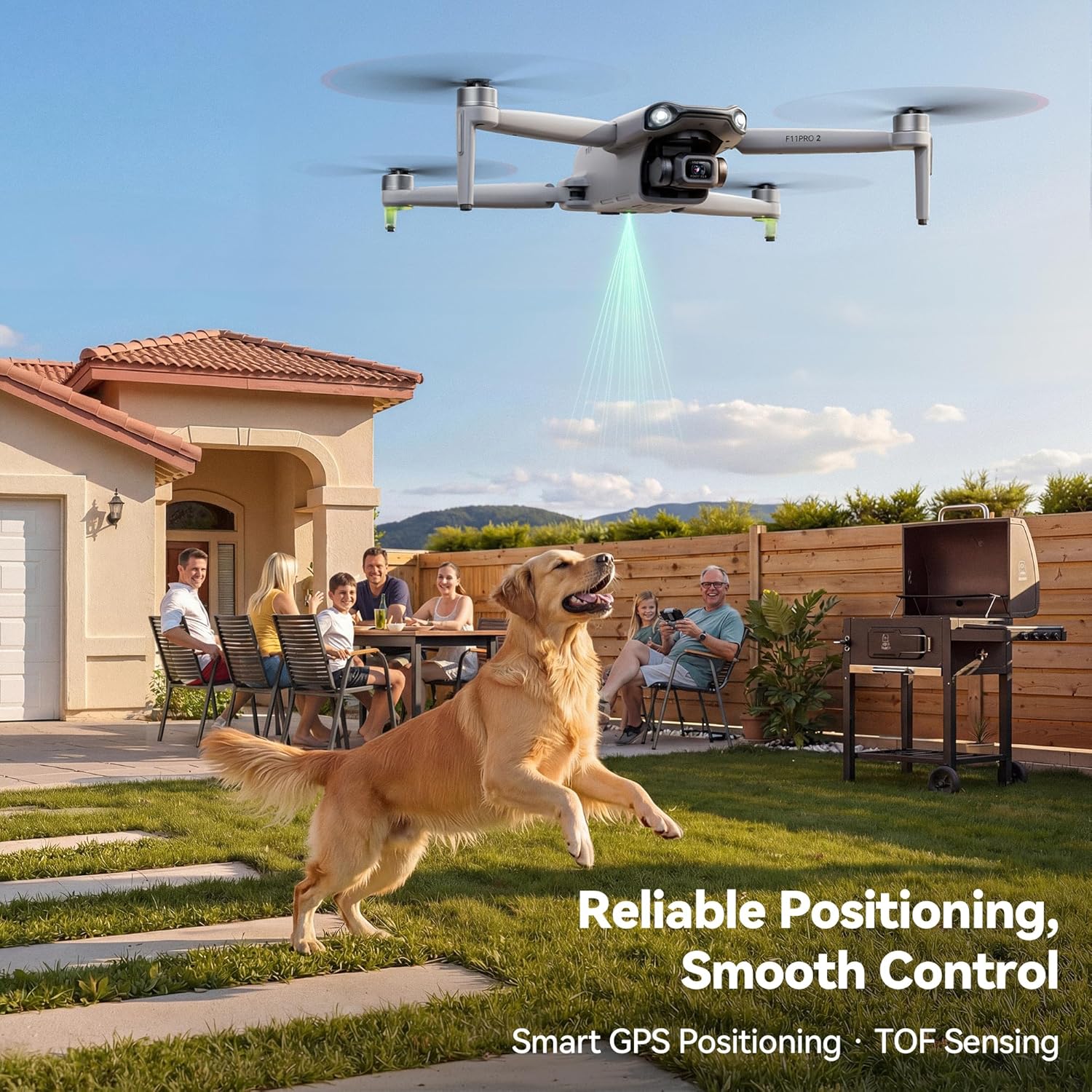

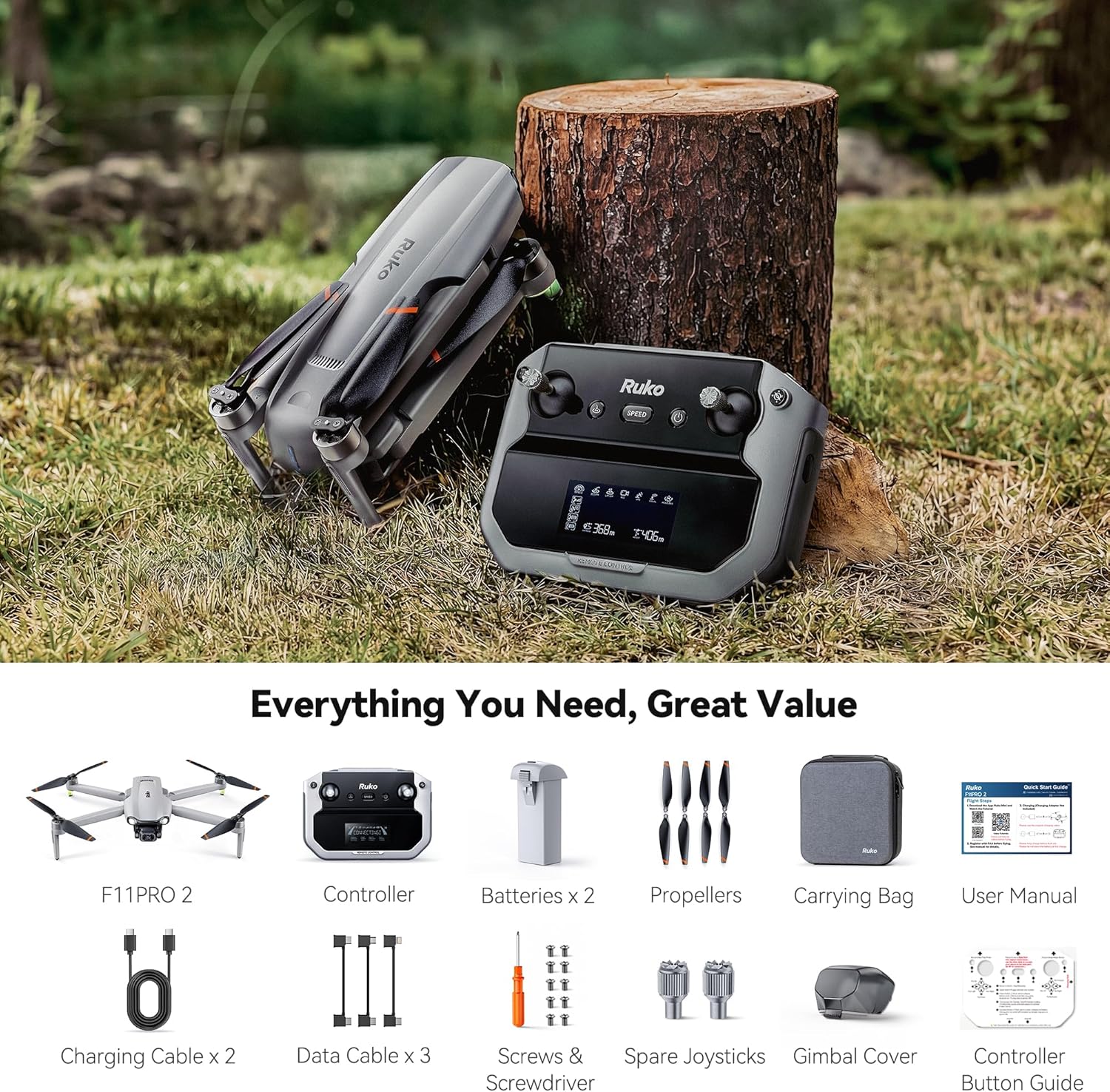
Product description
Ruko F11PRO 2 Drone with 6K Camera | Fly Safe, Capture Excellence
The video showcases the product in use.The video guides you through product setup.The video compares multiple products.The video shows the product being unpacked. Ruko F11PRO 2 Drone – Fly Safe, Capture Excellence Merchant Video


Which is the Best for You?
Add to Cart
Add to Cart
Add to Cart
Add to Cart
Customer Reviews
4.4 out of 5 stars 9,214
—
4.5 out of 5 stars 34
4.5 out of 5 stars 2
Price
$389.99$389.99
$619.99$619.99
$499.99$499.99
$399.99$399.99
Weight
12.6 oz
12.7oz
8.75 oz
8.75 oz
Folded Dimensions
6.49×3.54×2.56 in
6.50×3.54×2.56 in
5.55×3.43×2.28 in
5.55×3.43×2.28 in
Max Battery Life
35×2=70min
37×2=74min
32×2=64min
32×3=96min
Photography
5700x3200P, JPEG
7680×4320P, JPEG
8000x6000P, JPEG
8000x6000P, JPEG
Video
4K/30fps
4K/30fps
4K/30fps
4K/30fps
Max Control Range
10000ft
20000ft
20000ft
20000ft
Max Image Transmission Range
10000ft
20000ft
20000ft
20000ft
SD Card
128GB (Not included)
256GB (Not included)
256GB (Not included)
256GB (Not included)
Flight Condition
Indoors & Outdoors
Indoors & Outdoors
Indoors & Outdoors
Indoors & Outdoors
【A Fun Tech Gift for Him】 The perfect high-value tech gift for holidays. Whether for parent-child activities or capturing travel memories, this drone brings families together through the joy of flight.
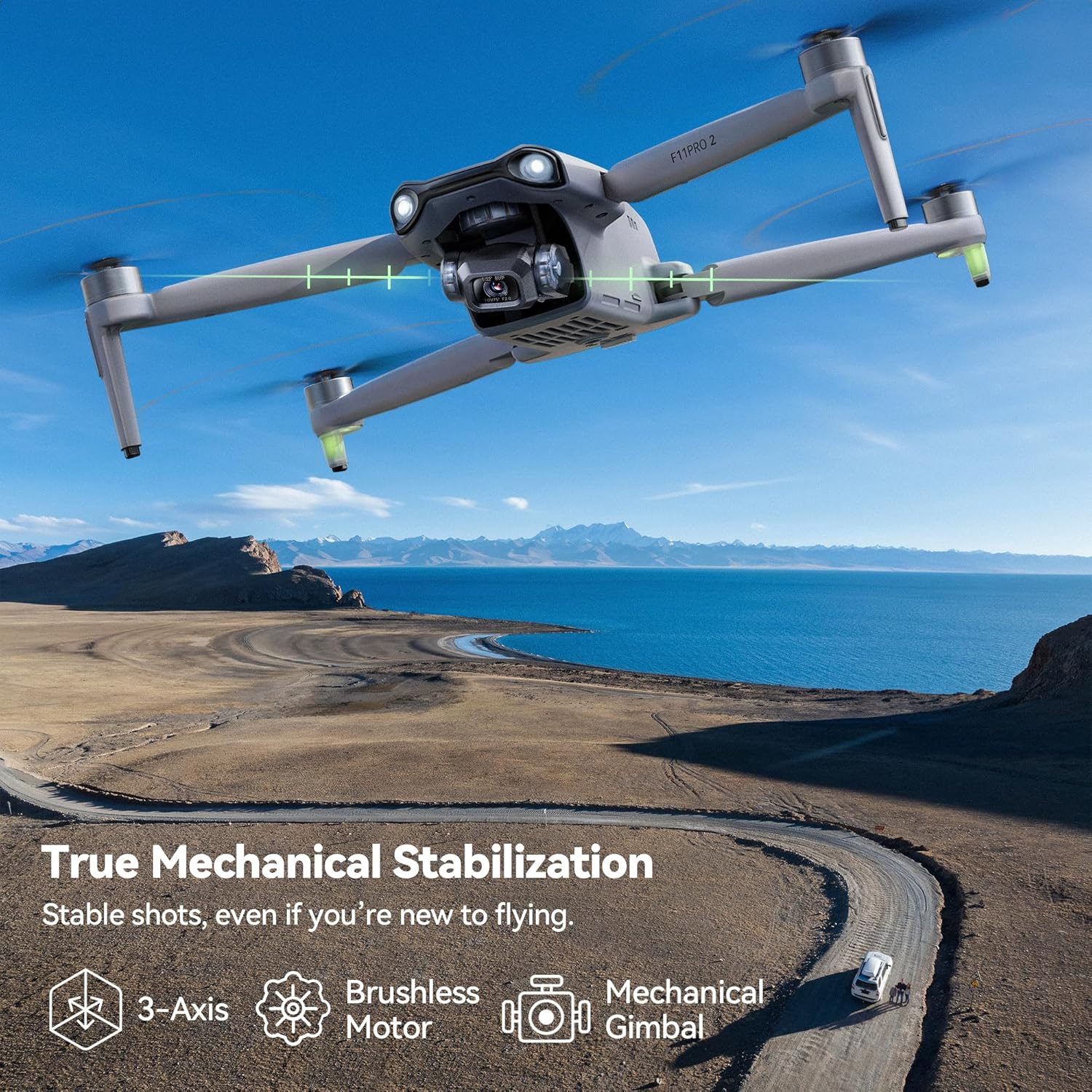
【Cinematic Stability & Clarity】 Equipped with a 3-Axis Mechanical Gimbal, the F11PRO 2 eliminates shakes and vibrations to deliver professional-grade, smooth 4K/30fps video & 6K photo. Whether you’re capturing family reunions in your backyard or sweeping vistas on your ranch, every sunset and smile is preserved in crystal-clear detail.
【Designed for Adults & Beginners】 Built for those who want zero learning curve. Featuring One-Key Takeoff/Landing and a dedicated Beginner Mode, it’s the ideal tech gift for retirees who value confident control and stable flight right out of the box.
【GPS Auto Return & Safe Flight】 Never worry about losing your drone. With advanced GPS Auto Return-to-Home (RTH), the F11PRO 2 automatically returns when the battery is low, signal is lost, or you press a button. Perfect for peace of mind while flying over large estates or rural ranches.
【70-Min Extended Flight】 Maximize your outdoor adventures with 2 intelligent batteries, offering a total of 70 minutes of flying time. Perfect for extended family trips, road trips, or scouting large estates without the constant need for recharging.
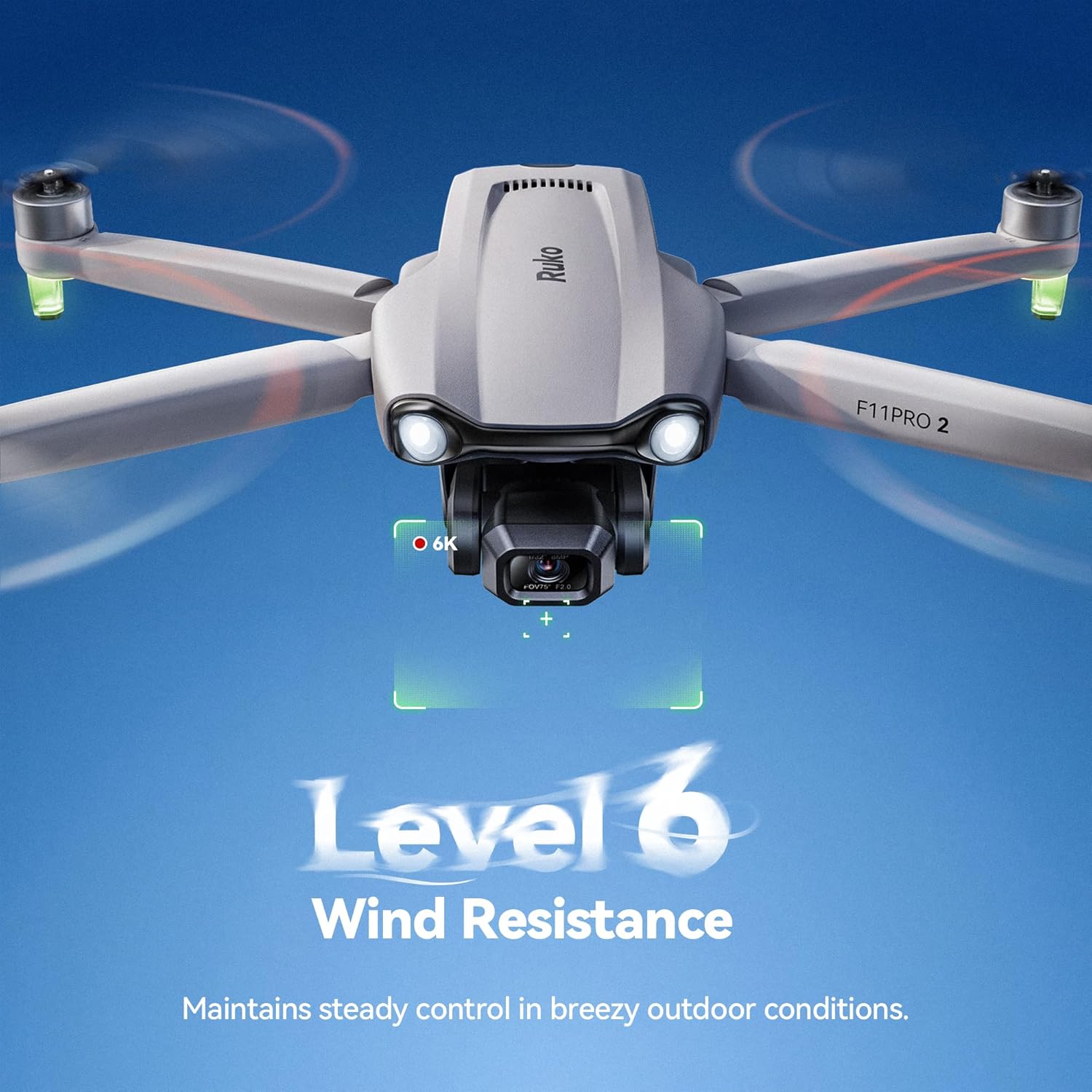
【Stability You Can See】 Powered by 3-Axis Mechanical Gimbal, this drone delivers smooth, steady footage even in windy conditions. Perfect for capturing family gatherings, road trips, beaches, parks, and suburban landscapes—no piloting experience required.
【Smart Flight Modes for Creative Shots】 Enjoy GPS Follow, Waypoint Flight, Cruise Control, and Orbit Mode to capture dynamic aerial perspectives with minimal manual control. It’s like having a personal photographer for your outdoor adventures.
【Long-Range Exploration】 Explore the full extent of your land with an impressive 10,000ft transmission range. The stable digital connection ensures a clear real-time view, whether you are monitoring your farm or capturing distant natural landscapes.
【Dedicated Support】 Premium products deserve reliable care. Enjoy 30-day returns or exchanges, 90-day coverage, and ongoing expert assistance—so your high-value product stays protected.
【Friendly Reminder】 Please remove the gimbal cover before powering on.
8 reviews for Ruko F11PRO 2 Drone with 6K Camera for Adults, 3-Axis Gimbal Stabilizer, 2 Batteries for 70-Min Flight Time, Long-Range Transmission, Auto Return & Beginner-Friendly, Ideal Tech Gift
Add a review
$389.99
Jamie Hutto –
Fantastic drone for a beginner and top-tier support!
I absolutely love this Ruko F11PRO 2 Drone. I was pleasantly surprised right out of the box—it comes with a high-quality carrying case and everything you need to get started. For the price point, the value is honestly hard to beat. I caught a great sale and I’m glad I waited several years and didn’t buy a DJI for like 4x the price.The performance is excellent; the flight is very stable, and the image quality from the 6K camera actually beat my expectations.I did run into a small technical issue early on, but the support team was super responsive and took care of it right away. It’s a huge relief to have that kind of help in the app.As a beginner, I have to give the app a “gold star” for two big reasons:1) The Tutorial: It’s incredibly helpful and makes the learning curve feel very manageable.2) FAA Registration: I really appreciated that they walk you through the requirements for FAA registration. That was nowhere on my mind, so I would’ve probably never done it.Highly recommend this drone for anyone looking for a reliable, beginner-friendly drone!Video was shot before the Martin Luther King Jr. Day event at the National Civil Rights Museum. It’s low resolution, so I could upload it here, but I was very happy to be able to show the tent company their setup for that event.
Usmcwpntec –
Learning Curve For Beginners, BUT WORTH IT!!!
This is my first drone and jumped in head first. Long story short as I can…pairing with the GPS can be DIFFICULT, but once learned, it’s easy. You NEED to register it with the FAA and take a FREE safety test online. Using google search type registering your drone with the FAA and the rest is not that hard to follow.You do need to pay a $5 fee for three years registration. You also MUST dl the air aware app along with the Ruko Pro app. Reason for the air aware app, is that when you are ready to fly your drone, opening the app, will lyk if the area that you’re in has been cleared by the FAA in REAL time.I also recommend that you order FREE stickers (no cc or ANY info like that) to put your registration number on your drone (through pilotinstitute), which is REQUIRED by the FAA. I am waiting for mine and used a label maker in the meantime to get this accomplished.After all of this, pairing and setup was the next step. Turn the drone on, then the controller. move the L stick up and then then down and 2 tones, along with a white light on your controller, will lyk it’s paired. Immed AFTER this step, is where I got confused and it took me a while to figure this out.You then need to pick up the drone and rotate it litterally in a circle 2 times horizontally (till the back lights become solid, then place it down), then pick it back up again, with the camera facing the ground (vertically) and again rotate it 2x in a cirlce until the front lights turn solid, then place it back on a flat surface again.At that point, you MUST connect it through your phones wifi. Go to your phones wifi list, find ruko in there and connect it. Once you do that, open the app. It will NOT finish the GPS pairing UNTIL you open the app and click on controls towards the upper right corner of the app. You will then see the view from the drone camera itself and you then know that you’re gtg!!After that, move BOTH thumb sticks at the SAME time towards one another (the left goes bottom R, 5 o’clock position and the R stick goes bottom L 7 o’clock position) which starts up the props and your FINALLY ready for flight.My personal opinion for the drone itself is FANTASTIC!! First time flyer I thought I could easily use it in my SMALL back yard in my residential neighborhood. Big miscaluation on my part. Learn from my error and go to a empty parking lot or field UNTIL you get the hang of it. I CRASHED my drone 3 times in a matter of 15 min and almost hit numerous trees and power lines!!I thought for sure that my drone was toast!! Especially AFTER I HIT my own lamp post in my back yard. While there are a few nicks and dings (not too bad), to my surprise, it STARTED RIGHT BACK UP EVERY TIME AND CONTINUES TO WORK PERFECTLY!!! I was SHOCKED to say the least!! What a STURDY/WELL MADE piece of equiptment!!! My complimence to Ruko for making such a well built drone with SOLID electronics and pieces.After realising that I should not press my luck any further, I headed out to a baseball field and learned how to operate it properly. It took about and hour or so, but I got so competent with it, that I can NOW fly it in my small back yard with ZERO issues. I even know how to take pics and adjust the camera in flight.It has an auto follow feaure and auto land, which is why going through the difficultuy to pair it with the GPS is SSSOOO important. I crashed in my yard those times because I got frustrated, not being able to figure out the GPS pairing and flew it at that time, bypassibg this important step.Other than that, the camera is excellent, the drone itself is obv solid, and it’s feaures are plentiful. This also includes being remote ID compliant with the FAA, by having a built in transmitter that constantly broadcasts your drones ID, speed, heading and so on.It comes wtih TWO batteries that provide 30 mins flight time each and are recharged via USB-C and the remote controller is charged the same way. My advice, is to buy the extra landing gear with the extra caps in the package and buy extra props as well.I also recommend buying an extra RC controller that you can find on Ebay (new) for half the cost, especially since it is sold out from Ruko. I am so impressed by this drone, I am going to buy the same exact one to have as a backup. It’s nice to see a company (esp from China) put out a solid product of this QUALITY. Worth EVERY penny!!
Grant –
Three year review with four year update
Rather than repeat the many very thorough five star reviews, I will just say I agree with them.I had wanted a recreational-use drone for years prior to 2020, but I waited as the quality and technology rapidly improved and prices went down. When the F11 Pro became available for under $300 in 2020 I took the plunge. As the reviews of the F11 said back then, it was (and still is) a great drone with some amazing features for the price. I had never owned or even flown someone else’s drone at that point and in reading stories of lost and/or crashed drones over the years I was a little apprehensive at first. I had read so many stories of people spending hundreds of dollars for a drone, taking it out for a flight, it flies away and they never see it again. However, by 2020 drone technology had progressed by leaps and bounds. and the tech contained in the F11 including the Return To Home (RTH) feature makes it almost foolproof. After a quick reading of the instructions and watching a couple of demo videos I took mine out and started flying it right away with zero issues.The closest thing to a problem I’ve ever had was on one occasion it stopped responding to my commands and began hovering over a fenced-in field just at the far edge of my line of sight. Assuming there was something interfering with my signal, I moved as close as I could to the drone, which was the fence at the edge of the field about 100 yards from where it was hovering, and at that point It responded to my RTH command and did just what it was supposed to do – it flew back to where I had launched it and safely landed itself. I was reassured by that experience. Even though it temporarily lost my signal, it didn’t fly away or crash, it executed the RTH function appropriately.In fact, I liked mine so much I bought another one for my son in 2020, and we have sometimes flown them together (the app auto separates the signals).Four year (Aug ’24) update: I recently returned from a multi week cross country road trip to visit family. I took the F11 and flew it several times on the trip. The drone itself still performs as new, however the four year old original batteries were starting to get tight going in and out of the compartment (swelling) and not holding a charge nearly as long as they used to. In other words, typical issues with aging rechargeable batteries. I shopped around online and considered ordering one of the non Ruko replacements but ended up spending the few dollars more for the Ruko branded replacement and received it the next day. The new battery works well and the copter is back to full range.While shopping for the new battery here on Amazon I noticed some inexpensive accessories compatible with the F11, such as snap-on rotor blade guards and landing gear skids. It had always bothered me a little that the copter had to land directly on the ground, so I ordered the skids and rotor guards. For the little bit of money they cost it was worth taking a chance on them not fitting well, but both work well with the F11. They snap on and off easily and so far have no problem staying connected in flight, although of course they do have to be popped off prior to stowing the copter in its case.Another issue I encountered on this trip for the first time was the app not holding a connection to the copter at all, or losing only the camera feed. I did some online reading including reviews here on Amazon and discovered the auto connect feature in my phone’s wifi menu was activated. I turned that off as is recommended in the comments, and poof, the connection problems went away.
chris belanger –
After receiving the Ruko F11 pro it took a little bit to get everything to work properly. You can’t be inside and get a gps signal so make sure you are in an open area before you try. After I got everything ready it was up very easily. Stable flight, power at the ready and easily controllable. The camera is clear but have yet to use it at a distance. Will add that later. Build quality is great. Drone is a little heavy and larger than I expected but that makes it more stable in the air. Will add video when I get into some larger areas but for the price the Ruko F11 Pro is a great intro drone and would recommend it.
RocksandTrees –
Super easy to fly for a beginner like myself. Photo and video quality is fantastic. Had some difficulties connecting to my iPhone 15, which is a work phone, but Ruko customer support chat using the app was fast, easy and effective. Highly recommend!
Rio –
Excellent Drone and a top of the line customer support! Drone flew really well and video, pictures were taken really well!! We contacted the customer support for couple of questions and the resolution and support was just so amazing! The even helped me out on the Christmas day – which is not expected at all!! Best customer support experience I ever had and it comes with 2 batteries that sets this model apart from other drones.
jeffry –
Old ReviewThe camera is fixed, making it difficult to control the flight. When the homing button is pressed, it always misses the mark or landing area. It ends up landing in an area with rough surfaces or tall grasses.Update (August 11, 2024).I encountered some issues with the first drone I tried. The camera was fixed, which made it challenging to control the flight. Whenever I pressed the homing button, the drone consistently missed the mark or landing area, ending up on rough surfaces or tall grass.However, after trying another drone of the same model, I found that the camera was fully functional. It could easily move, pointing both forward and downward from the remote. I was impressed to see that the drone now has the capability to land within 2 feet from where it takes off.I must commend the company for its exceptional customer service and managerial support. I am now 100% satisfied with my experience and would highly recommend purchasing this drone from this company.
Frank T –
Wow this drone is capable …30 kmh wind and its stable.In Canada needs to be registered 5$ and you require a liscence 10$ …all done online.Flying is easy …pictures an video are great …using 128 gb tf cardHaving random disconnect with controller but support is great and a replacement transmitter is on the way.